
v0.12.2
camera
कैमरा को नियंत्रित करने के लिए एक Flutter प्लगइन। कैमरा फीड की पूर्वावलोकन, छवियों और वीडियो को कैप्चर करने और छवि बफर को Dart में स्ट्रीम करने का समर्थन करता है।
2.6 हज़ारलाइक 10.2 लाख30-दिन डाउनलोड160Pub अंक
AndroidiOSWeb
AI और ML की शक्ति के साथ ऑनलाइन परीक्षाओं में चोरी को कम करने का लक्ष्य रखने वाला Flutter ऐप

कैमरा को नियंत्रित करने के लिए एक Flutter प्लगइन। कैमरा फीड की पूर्वावलोकन, छवियों और वीडियो को कैप्चर करने और छवि बफर को Dart में स्ट्रीम करने का समर्थन करता है।
MobX के लिए Flutter इंटीग्रेशन। यह ट्रैक किए गए ओब्जर्वेबल्स में परिवर्तन होने पर स्वचालित रूप से पुनर्निर्माण करने वाले Observer विजेट्स का सेट प्रदान करता है।
MobX एक पुस्तकालय है जो आपके अनुप्रयोगों के राज्य को प्रतिक्रियाशील ढंग से प्रबंधित करता है। डार्ट और फ्लटर ऐप्स को सुपरचार्ज करने के लिए ऑब्जर्वेबल, एक्शन और रिएक्शन की शक्ति का उपयोग करें।
MobX के लिए कोड जनरेटर जो @observable, @computed, @action के साथ आपके कोड को टैग करने और स्टोर क्लासेस बनाने का समर्थन करता है।
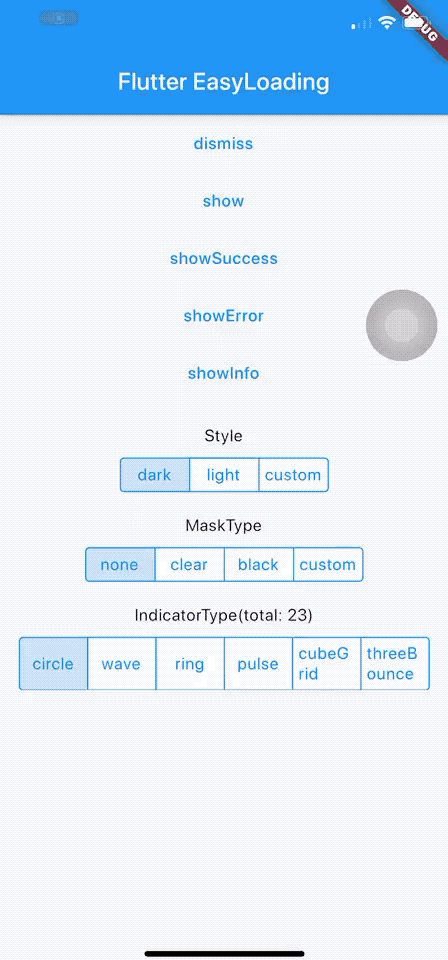 v4.0.2
Flutter के लिए एक साफ और हल्का लोडिंग/टोस्ट विजेट, कॉन्टेक्स्ट के बिना आसानी से उपयोग करें, iOS, Android और वेब का समर्थन करता है
एक फ्लटर प्लगइन जिसका उपयोग गूगल के एमएल किट चेहरा डिटेक्शन के साथ छवि में चेहरे का पता लगाने, महत्वपूर्ण चेहरे के तत्वों की पहचान करने और पता लगाए गए चेहरों के आकार प्राप्त करने के लिए किया जाता है।
किसी भी फ्लटर एप्लिकेशन को .env फ़ाइल के साथ वैश्विक चर के साथ आसानी से कॉन्फ़िगर करें।
एक सरल API तारीखों को प्रारूपित करने के लिए। विभिन्न स्थिरांक प्रदान करता है जो तारीख प्रारूप अक्षर श्रृंखला बनाने में सहायता करते हैं। प्रारूप अक्षर श्रृंखला के अनुसार तारीख को प्रारूपित करने के लिए `formatDate` विधि का उपयोग करें।
सरल गिनती टाइमर। एक सरल टाइमर बनाने के लिए उपयोग किया जाता है। शुद्ध सभी
'Duration' के साथ काम करना आसान बनाने के लिए उपकरण। मानव पठनीय रूप में अवधि को प्रारूपित करता है और मानव पठनीय रूप में अवधि को Dart के Duration में विश्लेषित करता है।
Flutter के लिए सत्यापन डायलॉग विजेट JS-LIKE। अपने Flutter ऐप में सत्यापन डायलॉग का आसान और सरल उपयोग करें।
{"sdk":"flutter"}^1.0.2^2.0.7+4^2.0.6+1^6.0.3^4.0.6^0.9.8+1—^2.0.11^0.3.0^2.2.1^3.0.5^0.13.4^2.0.6^3.0.11^1.0.1^5.0.2^3.2.0{"sdk":"flutter"}^2.1.11^2.0.7यह अंग्रेज़ी मूल स्नैपशॉट है। नवीनतम सामग्री GitHub पर देखें।
An App that aims to stop cheating in online exams with the power of AI and ML, co-created with Samyak Sukhdeve
We also have a web version of the app with more features and better features, check that project here
https://user-images.githubusercontent.com/28570857/178106216-25d91b1c-06cf-42fa-85fc-cf3540868b1f.png
Login Page
Home page
Exam Page
The user can answer MCQ-based questions
The user can also view their progress
image
AI-powered face motion detector
We've used Google's on-device ml-kit to track the motion of the user's face.
We can check if a user is trying to cheat by monitoring the position of their face
image
http://10.0.2.2/ instead of localhostlocalhostPORT numberBACKEND_URL is appended with /apihttps://github.com/prathamesh-mutkure/anti-cheat-exam-app.gitflutter pub getflutter packages pub run build_runner build.env file and set the following variables
BACKEND_URLflutter runProject Demo for Web version
Mobile App (Android & iOS)
Project Thesis (Submitted mobile app as final year project for my diploma)
Feel free to contact me on Twitter or LinkedIn, know more about me at prathamesh.co