
 v3.1.0
arrow_path
Path ऑब्जेक्ट्स के साथ आसानी से त стрेल बनाएं। पथों को संयोजित करके किसी भी वक्र पर तीर जोड़ा जा सकता है और सभी को एक साथ खींचा जा सकता है।
50लाइक 3.5 हज़ार30-दिन डाउनलोड160Pub अंक
AndroidiOSWebmacOSWindowsLinux
Path ऑब्जेक्ट्स के साथ तीर आसानी से बनाने के लिए एक Flutter पैकेज। मार्गों को संयोजित किया जा सकता है ताकि किसी भी वक्र पर तीर जोड़े जा सकें और सभी को एक साथ ड्रॉ किया जा सके।

{"sdk":"flutter"}^2.0.1यह अंग्रेज़ी मूल स्नैपशॉट है। नवीनतम सामग्री GitHub पर देखें।
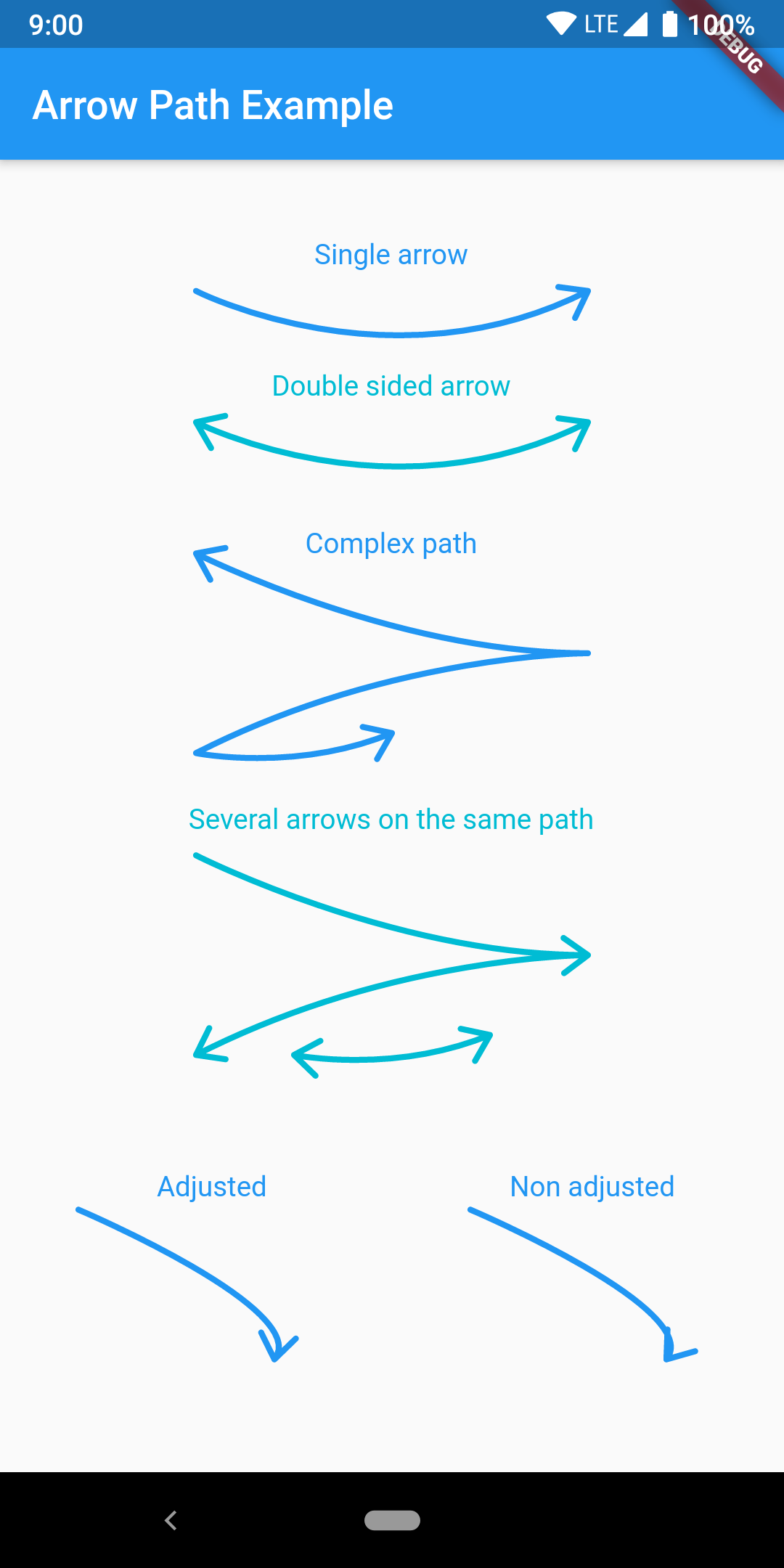
Draw arrows with Path objects easily. Paths can be composited to add arrows to any curve and draw all at once.
https://raw.githubusercontent.com/quentinleguennec/flutter-arrow-path/master/example/arrow_path_example.png
The arrow is drawn using the direction of the tangent to the curve at the end of the curve. It features an adjustment parameter to also look at the tangent just before the end of the segment and rotate the tip of the arrow based on the angle difference to improve the look of the arrow when the curvature at the end is high.
Have a look at the example app to get started.
ArrowPath.make() is now deprecated, use ArrowPath.addTip() instead.
If you are not using the isDoubleSided argument of ArrowPath.make() then you can safely replace it by ArrowPath.addTip() without any other change.
If you are using the isDoubleSided argument of ArrowPath.make() then change yor code like this:
Before:
  Path path = Path();
  path.relativeLineTo(100, 100);
  path = ArrowPath.make(path, isDoubleSided: true);
After:
  Path path = Path();
  path.relativeLineTo(100, 100);
  path = ArrowPath.addTip(path);
  path = ArrowPath.addTip(path, isBackward: true);