पैकेज, रिपॉज़िटरी और ऐप श्रेणियाँ खोजें

arrow_path कवर
पैकेज विवरणv3.1.0

arrow_path

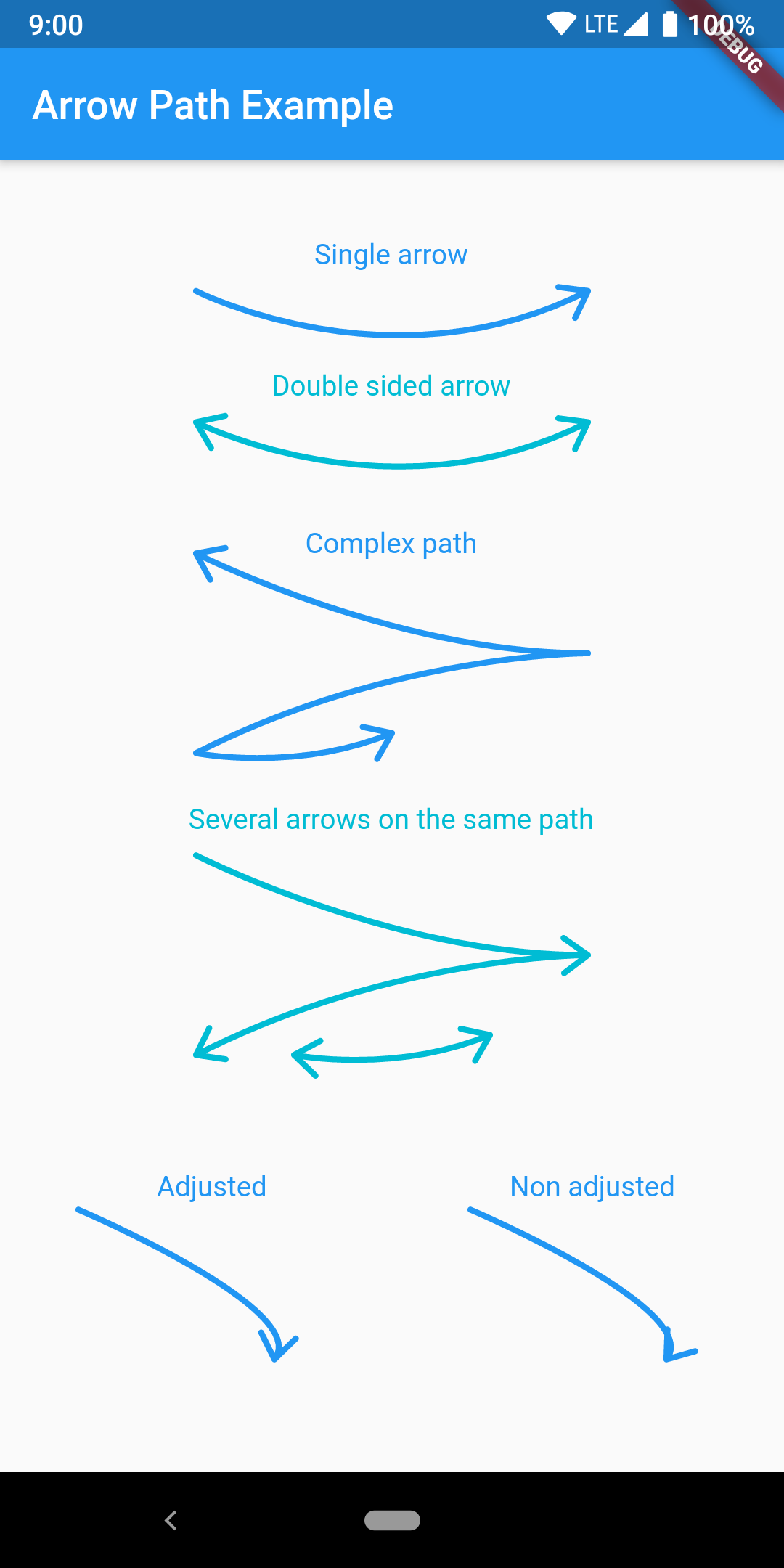
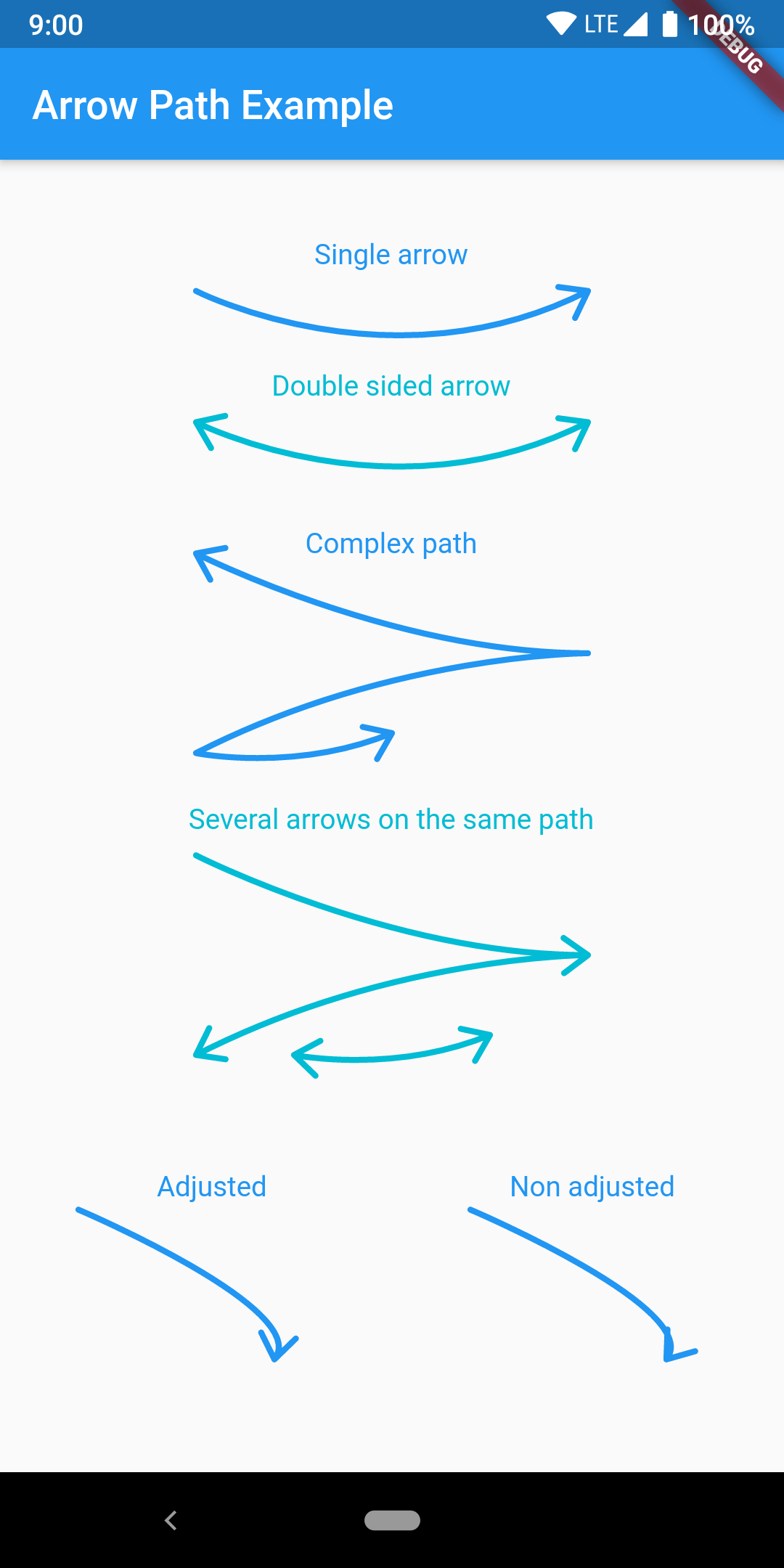
Path ऑब्जेक्ट्स के साथ आसानी से त стрेल बनाएं। पथों को संयोजित करके किसी भी वक्र पर तीर जोड़ा जा सकता है और सभी को एक साथ खींचा जा सकता है।

AndroidiOSWebmacOSWindowsLinux
30-दिन डाउनलोड
3.4 हज़ार
लाइक
50
Pub अंक
160

पैकेज इंस्टॉल करें

flutter pub add arrow_path

पैकेज अवलोकन

सार्वजनिक जानकारी से बना चयन मार्गदर्शन। केवल संदर्भ हेतु।

ArrowPath एक Flutter पैकेज है जो Path ऑब्जेक्ट का उपयोग करके तीर बनाने को सरल बनाता है। यह विकासकर्ताओं को किसी भी वक्र या मार्ग पर तीर के सिरे आसानी से जोड़ने की अनुमति देता है, जटिल डिजाइन के लिए कई तीरों को मिलाने का समर्थन करता है। यह पैकेज दिशात्मक प्रवाह, आरेख या इंटरैक्टिव UI तत्वों के लिए आदर्श है। सभी प्रमुख प्लेटफॉर्म—Android, iOS, Web, macOS, Windows और Linux—पर समर्थन के साथ, यह सुनिश्चित करता है कि रेंडरिंग समान रहे। प्रदर्शन और लचीलेपन के ध्यान में रखते हुए बनाया गया, ArrowPath मौजूदा पेंटिंग कार्यप्रवाह में आसानी से एकीकृत होता है।

उपयोग

  • निर्देशांक प्रवाह आरेख बनाना
  • UI में डेटा पथ का दृश्यीकरण
  • तीर-आधारित इंटरैक्टिव इंटरफेस का डिज़ाइन करना
  • दिशात्मक संकेतकों के साथ चार्ट में सुधार करना
  • कस्टम ड्राइंग टूल्स बनाना

मुख्य विशेषताएँ

  • किसी भी Path में आसानी से तीर का सिरा जोड़ें
  • संयुक्त तीर मार्गों का समर्थन
  • क्रॉस-प्लेटफॉर्म संगतता
  • उच्च प्रदर्शन रेंडरिंग
  • Canvas के साथ सरल एकीकरण
  • लचीले कस्टमाइजेशन विकल्प

इनके लिए उपयुक्त

  • डायनामिक पाथ के साथ काम कर रहे UI डिज़ाइनर
  • चित्रण उपकरण बनाने वाले विकासकर्मी
  • दृश्य निर्देश के साथ शैक्षिक ऐप्स
  • डेटा विज़ुअलाइज़ेशन एप्लिकेशन
  • इंटरएक्टिव ड्रॉइंग फीचर्स

विचार योग्य बातें

  • Flutter के Path और Canvas के साथ परिचय होना आवश्यक है
  • गतिशील तीर स्थिति के लिए अतिरिक्त तर्क की आवश्यकता हो सकती है
  • बहुत उच्च आवृत्ति के अपडेट के लिए अनअनुकूलित
  • स्थिर तीर शैली तक सीमित, एनिमेशन समर्थन नहीं

मूल README

संबंधित सोर्स रिपॉज़िटरी के मूल README का स्नैपशॉट। नवीनतम सामग्री के लिए रिपॉज़िटरी देखें।

pub package pub points

Flutter arrow_path package

Draw arrows with Path objects easily. Paths can be composited to add arrows to any curve and draw all at once.

The arrow is drawn using the direction of the tangent to the curve at the end of the curve. It features an adjustment parameter to also look at the tangent just before the end of the segment and rotate the tip of the arrow based on the angle difference to improve the look of the arrow when the curvature at the end is high.

Getting Started

Have a look at the example app to get started.

Migration from [3.0.0] to [3.1.0]

ArrowPath.make() is now deprecated, use ArrowPath.addTip() instead.

If you are not using the isDoubleSided argument of ArrowPath.make() then you can safely replace it by ArrowPath.addTip() without any other change.

If you are using the isDoubleSided argument of ArrowPath.make() then change yor code like this:

Before:

  Path path = Path();
  path.relativeLineTo(100, 100);
  path = ArrowPath.make(path, isDoubleSided: true);

After:

  Path path = Path();
  path.relativeLineTo(100, 100);
  path = ArrowPath.addTip(path);
  path = ArrowPath.addTip(path, isBackward: true);

श्रेणियाँ

सोर्स रिपॉज़िटरी

इस पैकेज का उपयोग करने वाले प्रोजेक्ट