

 v1.0.0+1
universal_stepper
Flutter用のユニバーサルステッパー小道具を提供します。この小道具は、水平および垂直のステッパーの作成に使用できます。
5いいね 730日間ダウンロード160Pub ポイント
AndroidiOSWebmacOSWindowsLinux
ArturLevchuk/universal_stepper open-source repository details.

以下は英語原文のスナップショットです。最新版は GitHub をご覧ください。

A simple package to build steppers with custom elements. You can set up your own body content, badges, and paths using indexed builders.
To create a vertical stepper, set stepperDirection to Axis.vertical.
UniversalStepper(
  inverted: false,
  stepperDirection: Axis.vertical,
  elementBuilder: (context, index) {
    return Expanded(
      child: Container(
        padding: const EdgeInsets.only(left: 10, bottom: 15),
        child: ... // your element
      ),
    );
  },
  badgeBuilder: (context, index) {
    return Container(
      width: 30,
      padding: const EdgeInsets.all(6),
      decoration: const BoxDecoration(
        color: Colors.green,
        borderRadius: BorderRadius.all(Radius.circular(30)),
      ),
      child: const FittedBox(child: Icon(Icons.fastfood, color: Colors.white)),
    );
  },
  pathBuilder: (context, index) {
    return Container(
      color: index == stepperData.length - 1
          ? Colors.transparent
          : (index < currentStep ? Colors.green : Colors.grey),
      width: 4,
    );
  },
  subPathBuilder: (context, index) {
    return Container(
      color: index == stepperData.length - 1
          ? Colors.transparent
          : (index < currentStep ? Colors.green : Colors.grey),
      width: 4,
    );
  },
  elementCount: stepperData.length,
  badgePosition: StepperBadgePosition.start,
)
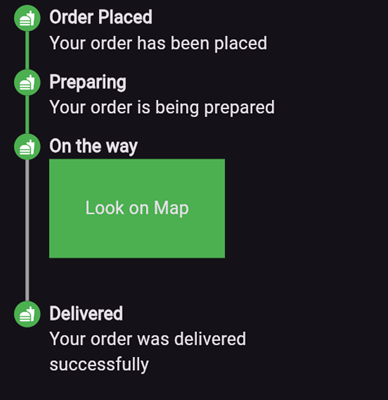
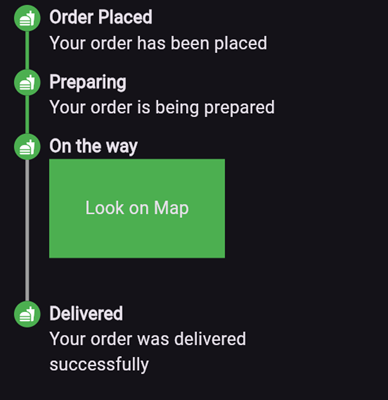
Here’s an example of what the result might look like:
elementBuilder: A builder for the content of the stepper.
badgeBuilder: A builder for the badge.
badgePosition: Determines the alignment of the badge. Options include StepperBadgePosition.start, StepperBadgePosition.center, or StepperBadgePosition.end.
pathBuilder: A builder for the main path (e.g., a line, dotted line, etc.). This is the most commonly used path.
subPathBuilder: A builder for the secondary path, used when badgePosition is set to StepperBadgePosition.center. This path is displayed under the badge and allows you to control its visibility based on the active step.
elementCount: The number of elements in the stepper.
inverted: A flag to invert the position of the path and badge relative to the element. By default, this is false, and for vertical steppers, the path appears on the left. When set to true, the path appears on the right. For horizontal steppers, the path appears on the top and when set to true, the path appears on the bottom.
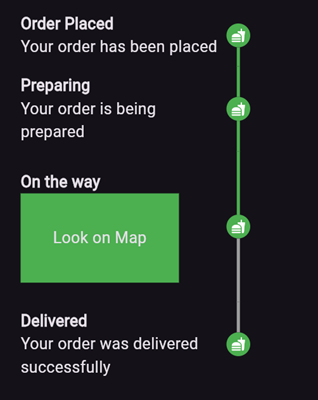
For example, if you set inverted to true and badgePosition to StepperBadgePosition.center, the result will look like this:
To create a horizontal stepper, set stepperDirection to Axis.horizontal.
Here’s an example of a horizontal stepper:

And here’s the inverted variant:

For full examples, check out the example app.
依存関係一覧 3 件
{"sdk":"flutter"}{"sdk":"flutter"}^4.0.0用途で絞り込み、開発状況を比較し、採用前に元のリポジトリで要件を確認しましょう。
“A repository is the most basic element of GitHub.”
GitHub Docs — About repositories ↗