

 v5.3.4
group_button
Flutterカスタムウィジェットでボタングループを作成します。ラジオボタンとチェックボックスボタンを含みます。
622いいね 25.6万30日間ダウンロード160Pub ポイント
AndroidiOSWebmacOSWindowsLinux
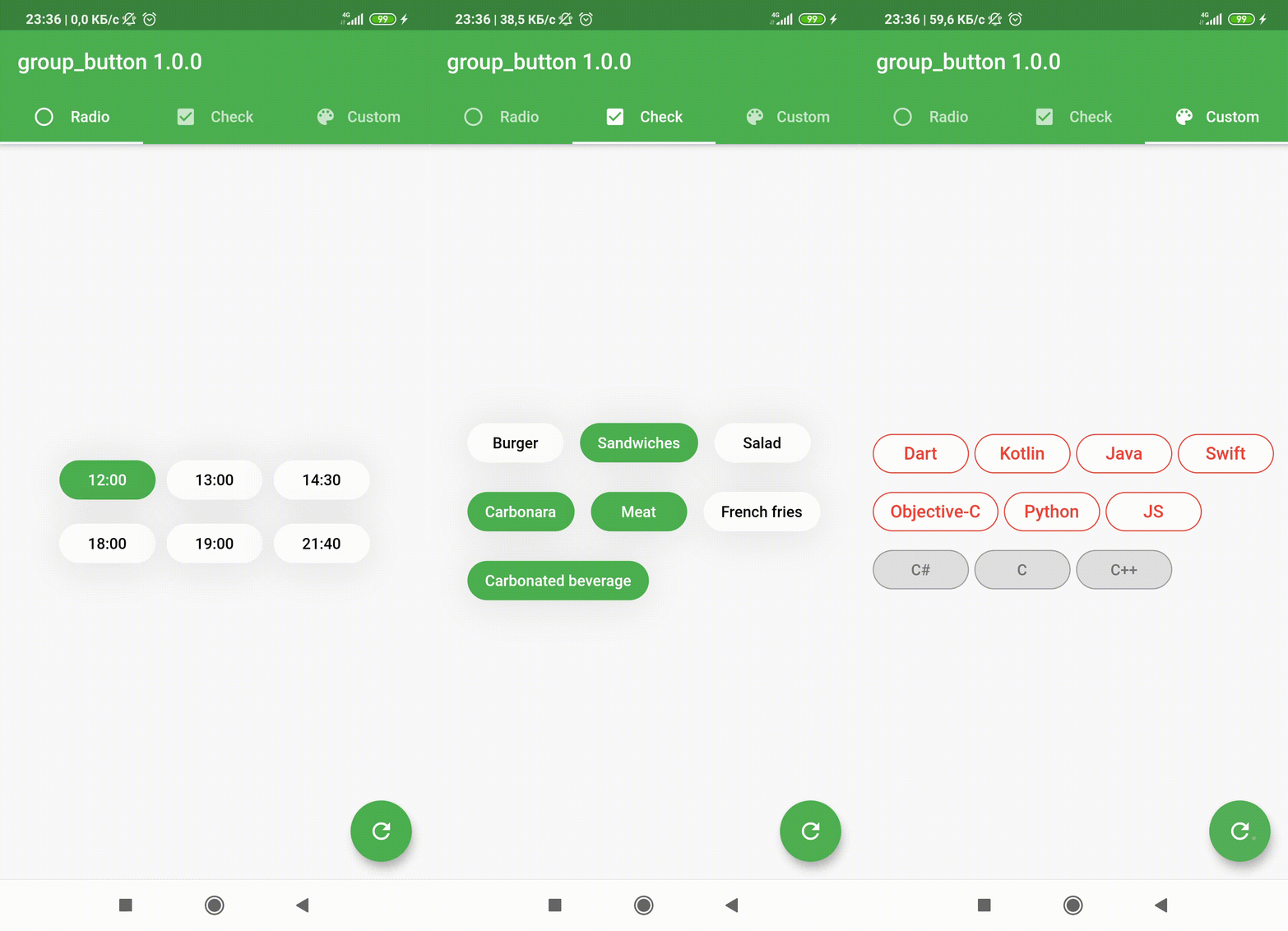
:sweat_drops: チームボタンを作成するためのFlutterカスタムウィジェット。ラジオボタンとチェックボックスボタンを含む。

以下は英語原文のスナップショットです。最新版は GitHub をご覧ください。

Included Radio and CheckBox buttons models with custom groping types 🤤
Show some ❤️ and star the repo to support the project!




 |
 |
 |
|---|
| GroupButtonController | GroupButtonBuilder | GroupButtonOptions |
|---|
Follow these steps to use this package
dependencies:
  group_button: ^5.4.0
import 'package:group_button/group_button.dart';
Simple example of use GroupButton
Put this code in your project at an screen and learn how it works 😊
GroupButton(
    isRadio: false,
    onSelected: (index, isSelected) => print('$index button is selected'),
    buttons: ["12:00", "13:00", "14:30", "18:00", "19:00", "21:40"],
)
Starting from version 4.1.0
You can control your Group Button using the controller
final controller = GroupButtonController();

Column(
  children: [
    GroupButton.checkbox(
      controller: controller,
      buttons: ['12:00', '13:00', '14:00'],
      onSelected: (i, selected) => debugPrint('Button #$i $selected'),
    ),
    TextButton(
      onPressed: () => controller.selectIndex(1),
      child: const Text('Select 1 button'),
    )
  ],
),
In new 5.0.0 version you can set custom buttons value type
It can be int, DateTime, double or YourCustomClass
Button text will be result of .toString() model method in common button display case
GroupButton<DateTime>(
  buttons: [DateTime(2022, 4, 9), DateTime(2022, 4, 10)],
)
Also you can use generic button values with cutsom buttonBuilder
In order to turn values into any widget
GroupButton<DateTime>(
  buttons: [DateTime(2022, 4, 9), DateTime(2022, 4, 10)],
  buttonBuilder: (selected, date, context) {
    return Text('${date.year}-${date.month}-${date.day}');
  },
),
In this package, there are four different possibilities for customizing your buttons through builders
In order to customize your buttons inside GroupButton you can use GroupButtonOptions
GroupButtonOptions(
  selectedShadow: const [],
  selectedTextStyle: TextStyle(
    fontSize: 20,
    color: Colors.pink[900],
  ),
  selectedColor: Colors.pink[100],
  unselectedShadow: const [],
  unselectedColor: Colors.amber[100],
  unselectedTextStyle: TextStyle(
    fontSize: 20,
    color: Colors.amber[900],
  ),
  selectedBorderColor: Colors.pink[900],
  unselectedBorderColor: Colors.amber[900],
  borderRadius: BorderRadius.circular(100),
  spacing: 10,
  runSpacing: 10,
  groupingType: GroupingType.wrap,
  direction: Axis.horizontal,
  buttonHeight: 60,
  buttonWidth: 60,
  mainGroupAlignment: MainGroupAlignment.start,
  crossGroupAlignment: CrossGroupAlignment.start,
  groupRunAlignment: GroupRunAlignment.start,
  textAlign: TextAlign.center,
  textPadding: EdgeInsets.zero,
  alignment: Alignment.center,
  elevation: 0,
),

You can check more examples of using this package here
Thanks to all contributors of this package
For help getting started with 😍 Flutter, view online documentation, which offers tutorials, samples, guidance on mobile development, and a full API reference.
依存関係一覧 3 件
{"sdk":"flutter"}{"sdk":"flutter"}^2.0.0用途で絞り込み、開発状況を比較し、採用前に元のリポジトリで要件を確認しましょう。
“A repository is the most basic element of GitHub.”
GitHub Docs — About repositories ↗