


 v0.5.0
gizmos_settings_screen
ネイティブな見た目と感触を持つアプリ内設定画面を表示するためのFlutterパッケージです。
19いいね 2330日間ダウンロード150Pub ポイント
AndroidiOSWebmacOSWindowsLinux
設定画面(または類似の画面)を表示するためのFlutterパッケージ。

以下は英語原文のスナップショットです。最新版は GitHub をご覧ください。


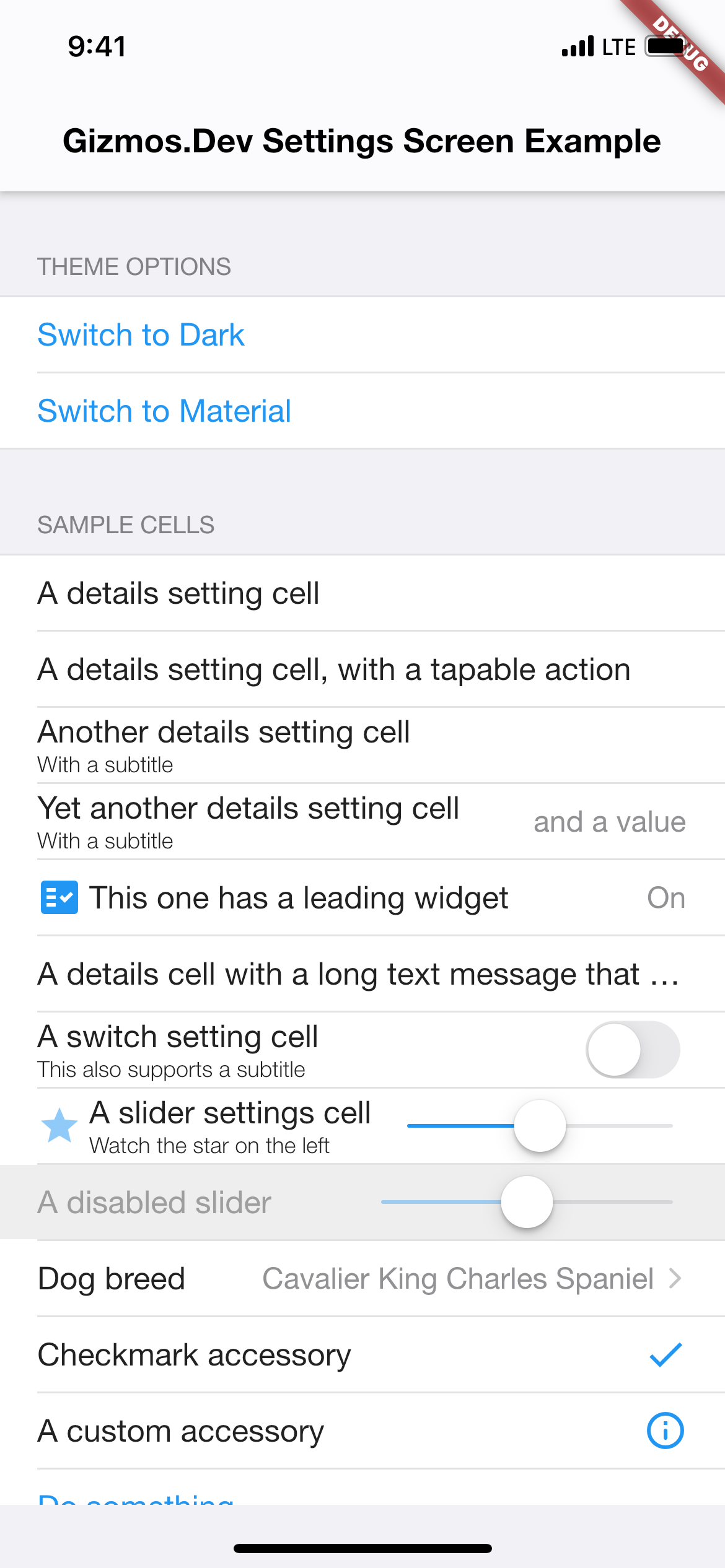
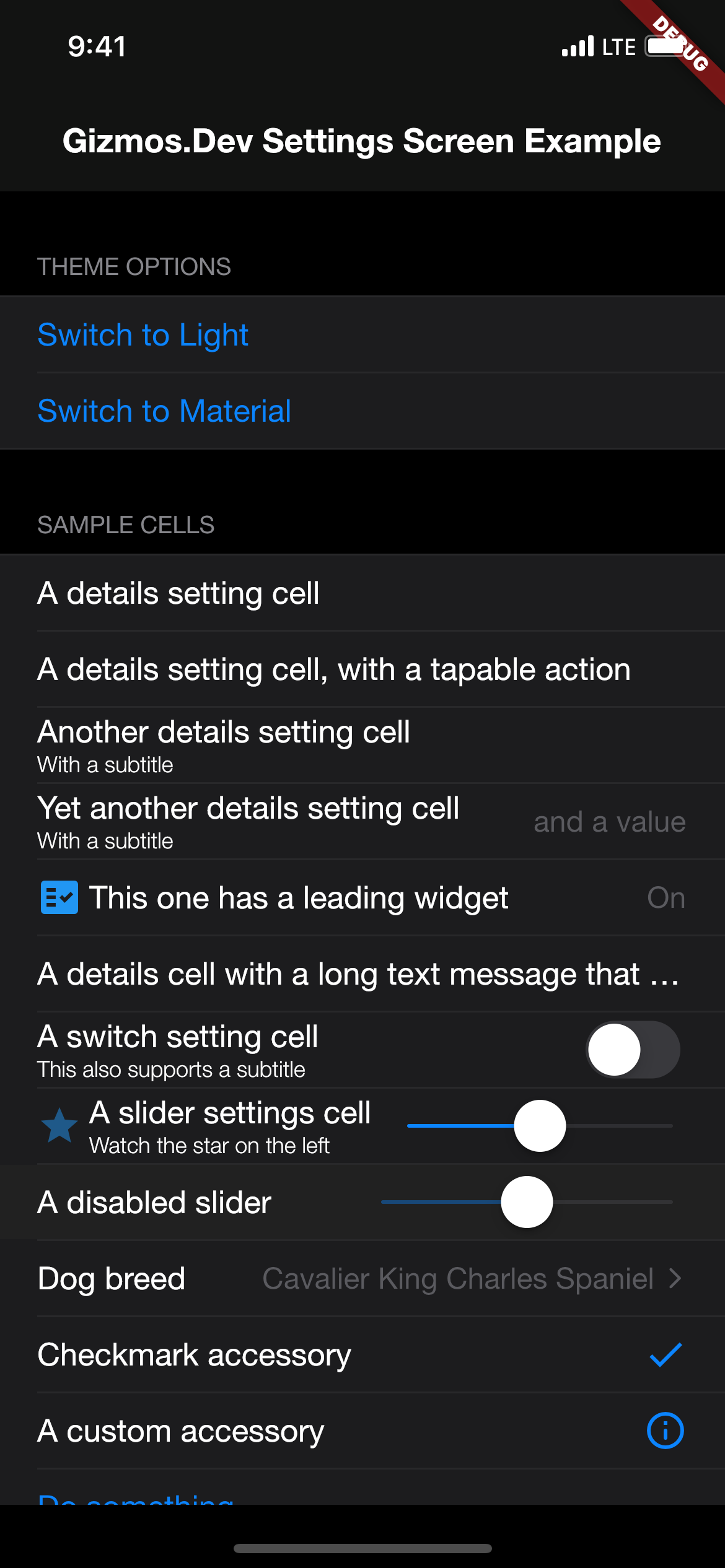
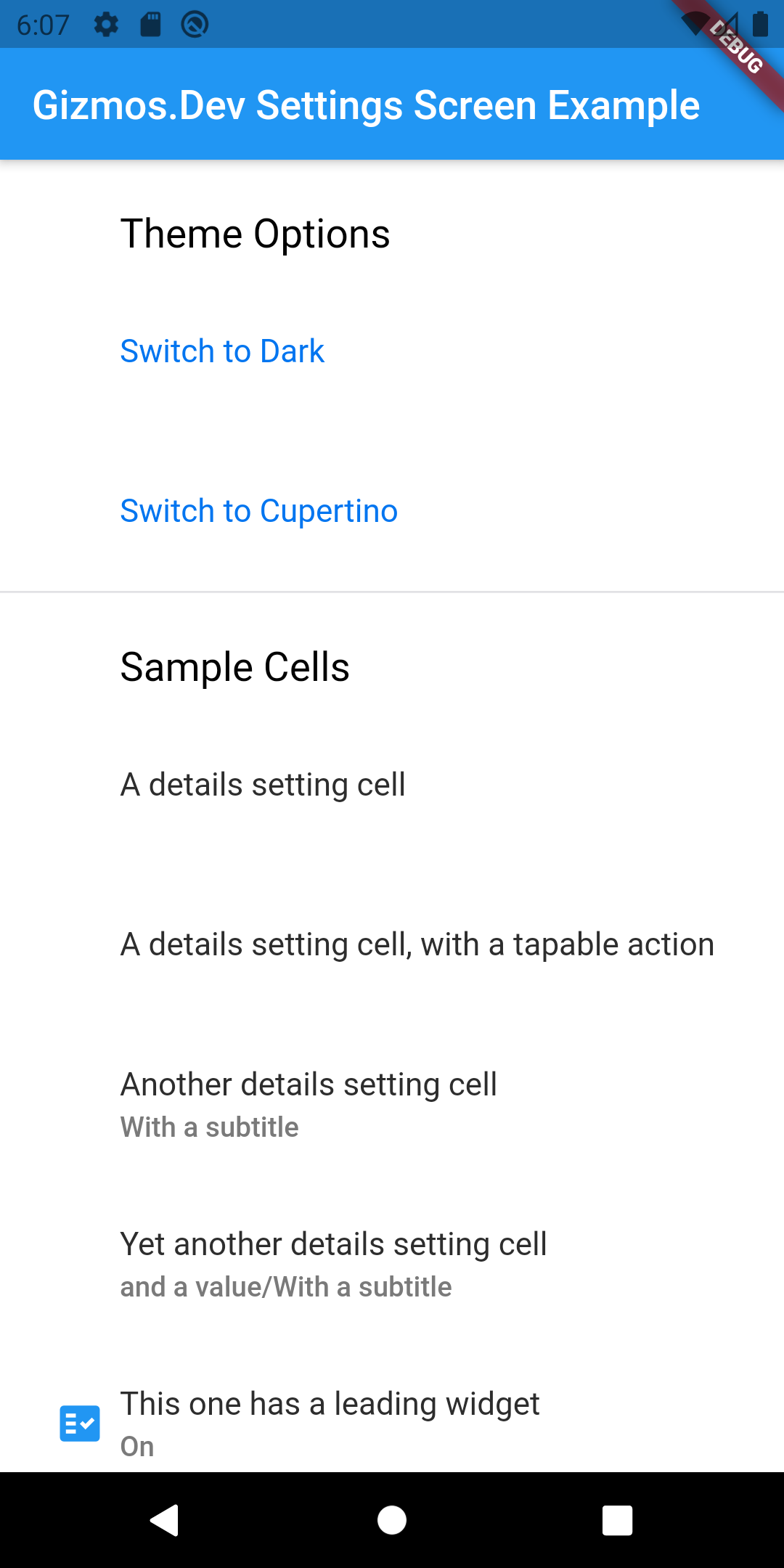
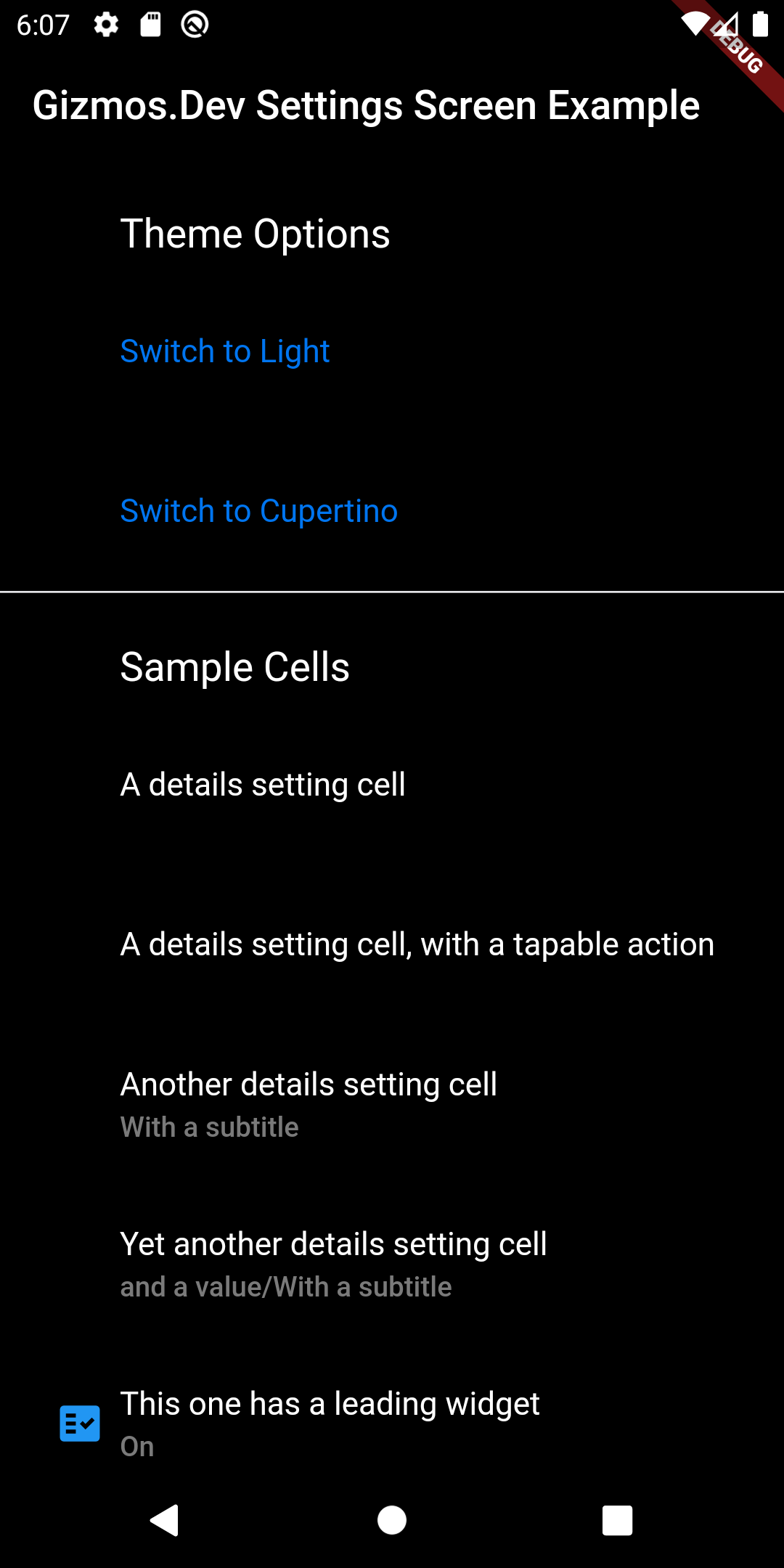
A Flutter package for displaying settings screens (or similar screens). I built this after finding it near impossible to customize the look and feel of the other popular settings screen packages. This package takes a different approach and separates the functionality from the UI customization. This lets you create custom skins to better fit into your existing app. There are several skin prototypes included for Cupertino (light and dark modes), and Material (light and dark modes). In most cases, you can just subclass those, alter your colours and move on to the rest of your app.
This package doesn't depend on any specific package for settings storage. In fact, gizmos_settings_screen can be used for any type of general purpose cell based list, it's just that settings is the most obvious use case. The example application included uses shared_preferences, but I've also used flutter_secure_storage in production apps.
To use this package, add gizmos_settings_screen as a dependency in your pubspec.yaml file.
dependencies:
  gizmos_settings_screen: any
import 'package:gizmos_settings_screen/gizmos_settings_screen.dart';
Check the included example app for full details. For basic usage, you need to instantiate a SkinDelegate using one of the supplied skins, or by create your own subclass of one of the supplied skins. Then customize a SettingsScreen by attaching one of more SettingsSections configured with one or more SettingsCell subclasses. Included subclasses include DetailsSettingCell, SwitchSettingsCell, 'SliderSettingsCellandButtonSettingsCell`. These will cover most of your basic needs, but it's trivial to create additional subclasses to handle specific options for your app.
// Select the default skin to use
SettingsSkinDelegate skinDelegate = !Platform.isIOS ? MaterialSettingsSkin() : CupertinoSettingsSkin();

// Return the configured SettingsScreen wrapped in a SettingsSkin with an assigned delegate
return SettingsSkin(
  delegate: skinDelegate,
  child: SettingsScreen(
	sections: [
	  SettingsSection(
		header: 'App Settings',
		footer: 'Your app preferences are set here',
		cells: [
		  DetailsSettingsCell(
			title: 'Informational',
			subtitle: 'Can include simple cells',
			leadingWidget: Icon(
			  Icons.star,
			  color: Colors.blue,
			),
		  ),
		  SwitchSettingsCell(
			title: 'Toggleable option',
			subtitle: 'Uses a switch to set something on or off',
			value: sampleBooleanSetting,
			onPressed: () {
			  setState(() {
				sampleBooleanSetting = !sampleBooleanSetting;
			  });
			},
			onChanged: (bool value) {
			  setState(() {
				sampleBooleanSetting = value;
			  });
			},
		  ),
		  SliderSettingsCell(
			title: 'Fractional option (i.e. Volume)',
			subtitle: 'Uses a slider to adjust a double',
			value: sampleDoubleSetting,
			onChanged: (value) {
			  setState(() {
				sampleDoubleSetting = value;
			  });
			},
		  ),
		  DetailsSettingsCell(
			title: 'Multiple choice option',
			value: preferences.currentOption.description,
			accessoryType: AccessoryType.Disclosure,
			onPressed: () async {
			  // Your code goes here
			},
		  ),
		  ButtonSettingsCell(
			type: ButtonType.Normal,
			title: 'Check for updates',
			onPressed: () async {
			  // Your code goes here
			},
		  ),
		],
	  ),
	],
  ),
);
Please see the example app in this package for a full example.
ThemeData etc in the skins to reduce duplication of having to set specific colours for your app.Please send me suggestions/bug fixes.
 gizmos.dev
依存関係一覧 3 件
{"sdk":"flutter"}{"sdk":"flutter"}^6.0.0用途で絞り込み、開発状況を比較し、採用前に元のリポジトリで要件を確認しましょう。
“A repository is the most basic element of GitHub.”
GitHub Docs — About repositories ↗