
 v1.4.2
json_editor_flutter
このパッケージの助けを借りて、JSON オブジェクトを編集してください。この使いやすいウィジェットを使ってオブジェクトを作成および削除します。
31いいね 459030日間ダウンロード150Pub ポイント
AndroidiOSWebmacOSWindowsLinux
JSON オブジェクトを編集するための使いやすいウィジェット。

{"sdk":"flutter"}{"sdk":"flutter"}^2.0.0以下は英語原文のスナップショットです。最新版は GitHub をご覧ください。
Edit your JSON object with this package. Create, edit and format objects using this user friendly widget.
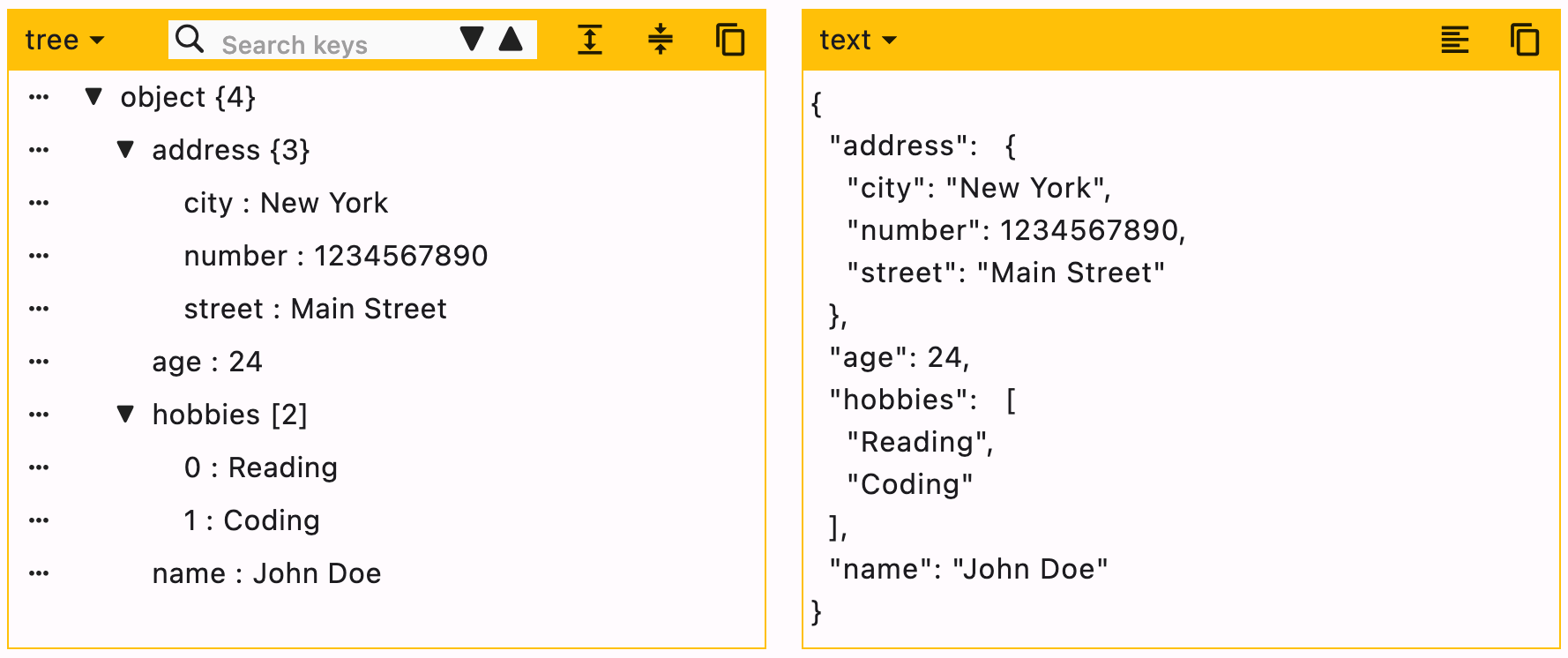
See the sample below for an example.
JsonEditor
flutter pub add json_editor_flutter.import 'package:json_editor_flutter/json_editor_flutter.dart';.JSON can be edited in two ways, Tree editor or text editor. You can disable either of them.
When UI editor is active, you can disable adding/deleting keys by using enableMoreOptions. Editing keys and values can also be disabled by using enableKeyEdit and enableValueEdit.
When text editor is active, it will simply ignore enableMoreOptions, enableKeyEdit and enableValueEdit.
duration is the debounce time for onChanged function. Defaults to 500 milliseconds.
editors is the supported list of editors. First element will be used as default editor. Defaults to [Editors.tree, Editors.text].
JsonEditor(
  onChanged: (value) {
    // Do something
  },
  json: jsonEncode({
    "name": "John Doe",
    "age": 24,
    "hobbies": ["Reading", "Coding"],
    "address": {
      "street": "Main Street",
      "number": 1234567890,
      "city": "New York"
    }
  }),
)
Supported editors for JSON Editor.
enum Editors { tree, text }
[expandedObjects] refers to the objects that will be expanded by default. Index can be provided when the data is a List.
data = {
  "hobbies": ["Reading books", "Playing Cricket"],
  "education": [
    {"name": "Bachelor of Engineering", "marks": 75},
    {"name": "Master of Engineering", "marks": 72},
  ],
}
For the given data
["education"]["hobbies", "education"][["education", 0]]JsonEditor(
expandedObjects: const [
"hobbies",
["education", 0] // expands nested object in `education`
],
onChanged: (_) {},
json: jsonEncode(data),
)
| Property | Type | Default Value | Description |
|---|---|---|---|
| json | String | required | JSON object to be edited |
| onChanged | Function | required | Callback function that will be called with the new data |
| duration | Duration | 500 ms | Debounce duration for onChanged function |
| enableMoreOptions | bool | true | Enables more options like adding or deleting data |
| enableKeyEdit | bool | true | Enables editing of keys |
| enableValueEdit | bool | true | Enables editing of values |
| themeColor | Color? | null | Theme color for the editor, changes the border color and header color |
| editors | List | [tree, text] | List of supported editors, first element will be used as default editor |
| actions | List<Widget> | [] | A list of Widgets to display in a row at the end of header |
| enableHorizontalScroll | bool | false | Enables horizontal scroll for the tree view |
| searchDuration | Duration | 500 ms | Debounce duration for search function |
| hideEditorsMenuButton | bool | false | Hides the option of changing editor |
| expandedObjects | List | [] | List of objects to expand by default |
You can raise an issue/feature request on github Json Editor Issues
Please leave a like if you find this package useful. :+1: