
 v0.1.1
selectable_list
選択可能なアイテムのリストを表示するウィジェットです。アイテムの1つが選択されると、リスト内の他の要素がアニメーションで非表示になり、選択された値だけが残ります。
55いいね 2230日間ダウンロード150Pub ポイント
AndroidiOSWebmacOSWindowsLinux
選択可能なアイテムのリストを表示する Flutter ウィジェット。

{"sdk":"flutter"}{"sdk":"flutter"}^2.0.0以下は英語原文のスナップショットです。最新版は GitHub をご覧ください。
A widget displaying a list of selectable items
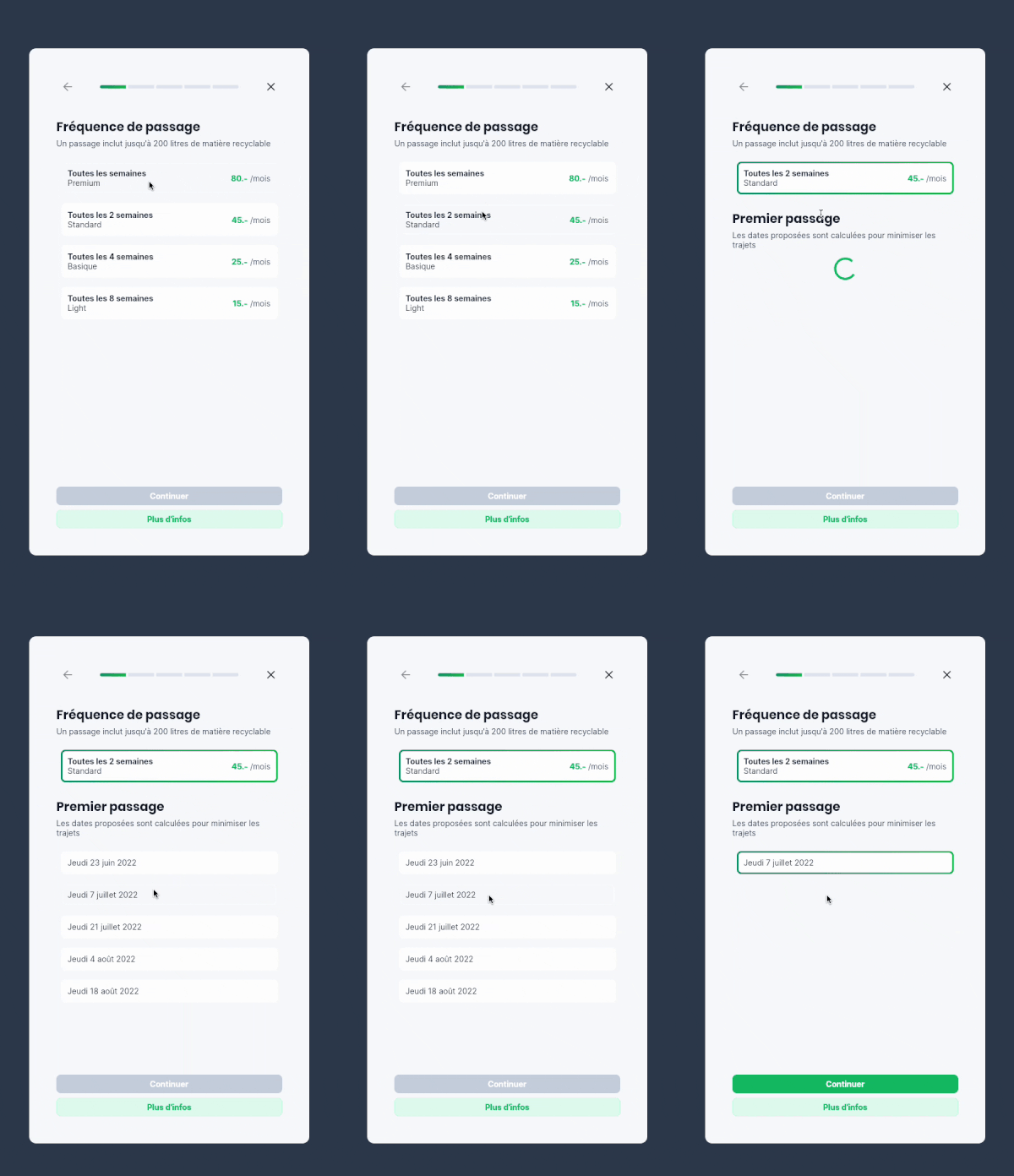
When one of the items is selected, the other elements of the list are animated out, leaving the selected value. When tapping on the value again, the other values are animated back into the list.
Example app
Use this package when you want to allow the user to choose one element in a list, and only show this element when selected.
Based on the Flutter AnimatedList widget
Import the package
import 'package:selectable_list/selectable_list.dart';
Use the widget
class _ScrollableListExampleState extends State<_ScrollableListExample> {
  final persons = [
    Person("Ella", 3),
    Person("James", 25),
    Person("Gertrude", 99)
  ];

  String? selectedName;

  @override
  Widget build(BuildContext context) {
    return SelectableList<Person, String?>(
        items: persons,
        itemBuilder: (context, person, selected, onTap) => ListTile(
            title: Text(person.name),
            subtitle: Text('${person.age.toString()} years old'),
            selected: selected,
            onTap: onTap),
        valueSelector: (person) => person.name,
        selectedValue: selectedName,
        onItemSelected: (person) =>
            setState(() => selectedName = person.name),
        onItemDeselected: (person) => setState(() => selectedName = null),
    ),
  }
}
Useful to make forms cleaner and more compact on mobile
Example in a form