
v6.1.5+1
provider
InheritedWidget をラップして、使いやすく、再利用しやすくするためのツールです。
1.1万いいね 110万30日間ダウンロード150Pub ポイント
AndroidiOSWebmacOSWindowsLinux
Windows Subsystem for Android (WSA) 向けのGUIパッケージマネージャーおよびパッケージインストーラー

InheritedWidget をラップして、使いやすく、再利用しやすくするためのツールです。
 v4.16.1
FlutterでMicrosoftのWindowsユーザーインターフェースを実装します。
 v0.1.6
Flutter デスクトップでカスタムウィンドウ(カスタムボーダー、タイトルバー、最小化/最大化/閉じるボタン)を作成し、Windows および macOS 用の一般的なデスクトップウィンドウ操作(表示/非表示/画面内の位置)を支援するパッケージ
FFI を使用して Dart から直接一般的な Windows API を呼び出します。
 v1.1.4
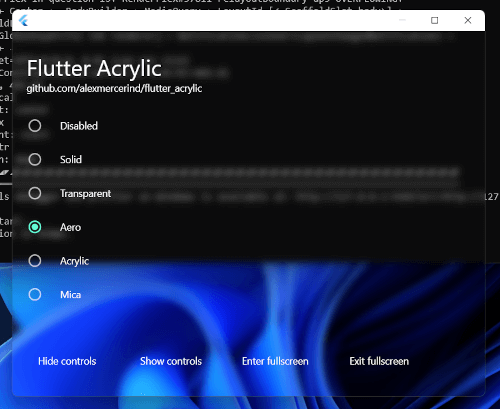
Flutter 用の Windows、macOS、Linux のウィンドウ アクリル、ミカ、透過効果。
プロトコルバッファのサポート用ランタイムライブラリ。'.proto' ファイル用の Dart コードを生成するには、package:protoc_plugin と併用してください。
zip、tar、bzip2、gzip、zlib などのさまざまなアーカイブおよび圧縮形式用のエンコーダーとデコーダーを提供します。
非同期コードへの同時アクセスを防ぐためのロックメカニズム。
 v1.1.31
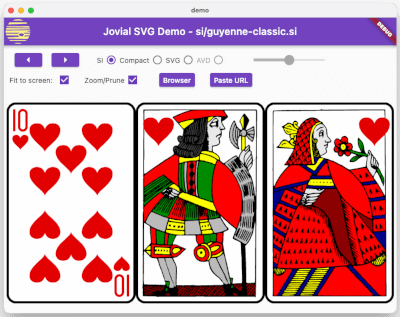
SVG - サイズを自由に変更可能なベクターグラフィック画像の堅牢なレンダリング。定義されたSVGプロファイル、高速読み込みのバイナリストレージフォーマット、アニメーションをサポートしています。
YAML のパーサー、人間向けのデータシリアライズ標準
システムのアクセントカラーを取得およびリスニングするためのFlutterプラグインです。Android、iOS、Web、Windows、macOS、Linuxをサポートしています。
文字セットのエンコードおよびデコードライブラリで、iso-(2-15)、Windowsシリーズ、gbk、euc-jp、euc-kr、shift-jisを含みます。また、文字セットの検出、canEncode、canDecodeをサポートしています。
{"sdk":"flutter"}{"sdk":"flutter"}3.12.0^2.1.2^3.0.0^6.0.02.0.0{"git":{"url":"https://github.com/alesimula/bitsdojo_window.git","path":"bitsdojo_window","ref":"master"}}{"git":"https://github.com/alesimula/dyn_mouse_scroll.git"}^1.0.0+2^0.2.0^3.1.0{"git":"https://github.com/brendan-duncan/archive.git"}{"git":"https://github.com/alesimula/jovial_svg.git"}^2.0.0^5.0.0-nullsafety.0^3.0.0^2.1.1^0.1.1{"sdk":"flutter"}^1.0.4以下は英語原文のスナップショットです。最新版は GitHub をご覧ください。
Installer
A GUI package manager and package installer for Windows Subsystem for Android (WSA).
Currently provides a double-click GUI installer for .apk and .xapk files that shows app information (package, icon, version and permissions), allows normal installations as well as upgrades and downgrades.
The app additionally provides a button to open Android settings and one to open the "Manage Applications" Android settings page, from which you can uninstall or disable applications and grant or revoke permissions
Q: WSA PacMan is always showing the Offline status, why is that?
A: First things first make sure WSA is installed (duh); Open the 'Windows Subsystem for Android™ Settings' app, in the Developer tab and make sure the 'Developer mode' switch is enabled; inside manage developer settings, make sure the 'USB debugging' option is enabled.
Should all of the above fail, try following this procedure; make sure to check the 'always allow' option.
Q: Can I use WSA PacMan on older versions of Windows (eg. Windows 10)?
A: WSA PacMan depends on Windows Subsystem for Linux, which is only officially supported on Windows 11.
However, you may be able to install WSA on Windows 10 using this project by JimDude7404 and following the step-by-step guide on the GitHub page.
Q: Can i install the Play Store?
A: The play store is not officially supported on WSA, and at the moment it is only possible to install it using an unofficial WSA build. I recommend installing the Aurora Store instead, which is an unofficial Play Store client; but if you really want the Play Store and other Google apps, check out this project.
Installing Installed Downgrade Main screen Settings