
 v2.4.0
circular_bottom_navigation
円形の下部ナビゲーション(またはタブバーかもしれません)
222いいね 28030日間ダウンロード130Pub ポイント
AndroidiOSWebmacOSWindowsLinux
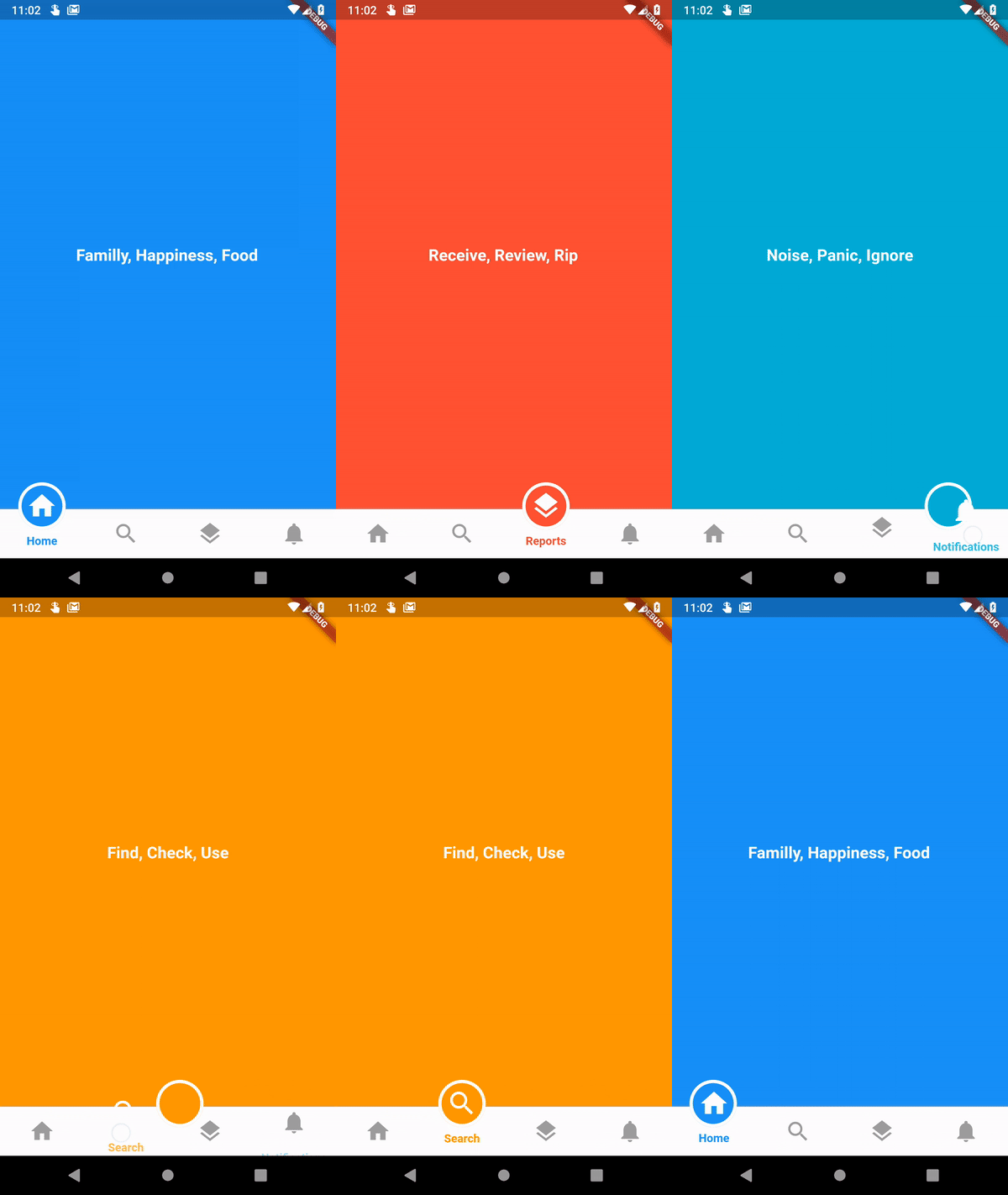
円形の下部ナビゲーションは、円形のインジケーターとクールなアニメーションを備えたFlutter用の下部ナビゲーションライブラリです。

{"sdk":"flutter"}^3.0.1{"sdk":"flutter"}以下は英語原文のスナップショットです。最新版は GitHub をご覧ください。
This is implementation of an artwork in Uplabs
https://github.com/benyaminbeyzaie/circular_bottom_navigation/raw/master/repo_files/images/demo.gifimport 'package:circular_bottom_navigation/circular_bottom_navigation.dart';
import 'package:circular_bottom_navigation/tab_item.dart';
List<TabItem> tabItems = List.of([
    TabItem(Icons.home, "Home", Colors.blue, labelStyle: TextStyle(fontWeight: FontWeight.normal)),
    TabItem(Icons.search, "Search", Colors.orange, labelStyle: TextStyle(color: Colors.red, fontWeight: FontWeight.bold)),
    TabItem(Icons.layers, "Reports", Colors.red, circleStrokeColor: Colors.black),
    TabItem(Icons.notifications, "Notifications", Colors.cyan),
  ]);
CircularBottomNavigation(
      tabItems,
      selectedCallback: (int selectedPos) {
        print("clicked on $selectedPos");
      },
    )
CircularBottomNavigation supports RTL designs, If you wrap your widget in a Directionality widget and set the textDirection property you can customize the direction:
MaterialApp(
  title: 'Circular Bottom Navigation Demo',
  theme: ThemeData(
    primarySwatch: Colors.blue,
  ),
  home: Directionality(
    // use this property to change direction in whole app
    // CircularBottomNavigation will act accordingly
    textDirection: TextDirection.rtl,
    child: MyHomePage(title: 'circular_bottom_navigation'),
  ),
);
With this controller you can read the current tab position, and set a tab position on widget (without needing to rebuild the tree) with the widget built in animation.
Just create a new instance of controller
CircularBottomNavigationController _navigationController =
new CircularBottomNavigationController(selectedPos);
Then pass it in your widget
CircularBottomNavigation(
      tabItems,
      controller: _navigationController,
    );
Now you can write (set new position with animation) and read value from it everywhere you want
// Write a new value
_navigationController.value = 0;

// Read the latest value
int latest = _navigationController.value;