

 v2.0.1
easy_mask
TextField、TextFormField、文字列用の簡単で強力なマスク。複数のマスクをサポートし、通貨用の逆マスクとプレースホルダーがあります。ユーザーのカーソルを制御します。
159いいね 2.8万30日間ダウンロード150Pub ポイント
AndroidiOSWebmacOSWindowsLinux
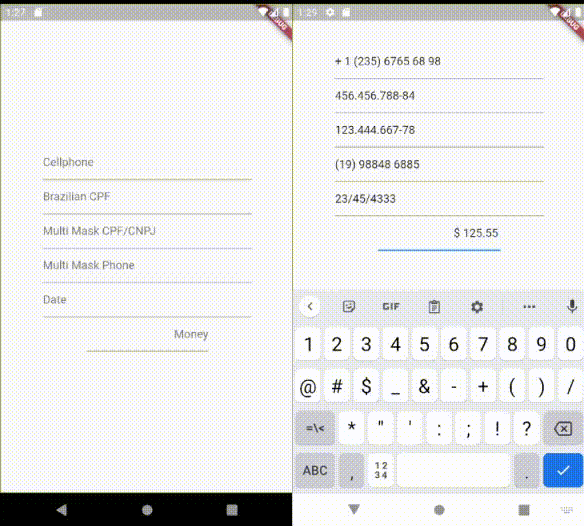
TextInputMaskとして適用できる簡単なテキストフィールドマスク

以下は英語原文のスナップショットです。最新版は GitHub をご覧ください。
Easy way to apply a mask to Flutter's TextFields and on Strings
To use it, you only need to pass EasyMask on TextField's parameter inputFormatters.
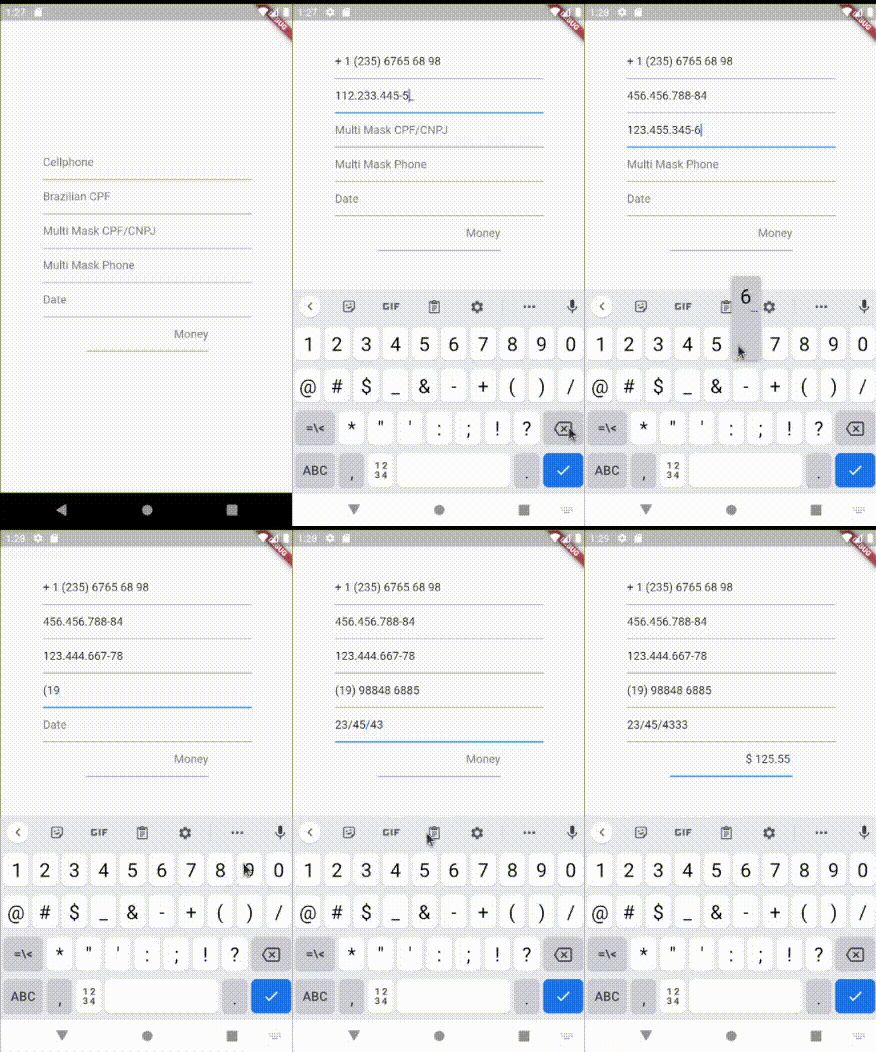
The Easy Mask cares about user's cursor position, to make fluid it's usability.
Supports Multi Mask based on masks length.
Supports Placeholders.
Import package:easy_mask/text_input_mask.dart
Then instantiate TextInputMask passing at least a String mask parameter.
import package:easy_mask/text_input_mask.dart
...
  TextField(
    inputFormatters: [ TextInputMask(mask: '99? (99) 999 99-99') ],
  ),
  TextField(
    inputFormatters: [ TextInputMask(mask: '999.999.999-99', reverse:true ) ],
  )
...
Formatting a String
import package:easy_mask/text_input_mask.dart
...
  String text = '432516565';
  MagicMask mask = MagicMask.buildMask('\\+99 (99) 99999-9999');
  String formattedString = mask.getMaskedString(text);
...
Import package:easy_mask/text_input_mask.dart
Then instantiate TextInputMask passing at least a String mask parameter.
import package:easy_mask/text_input_mask.dart
...
  TextField(
    inputFormatters: [ TextInputMask(mask: ['999.999.999-99', '99.999.999/9999-99'] ],
  ),
  TextField(
    inputFormatters: [ TextInputMask(mask: ['(99) 9999 9999', '(99) 99999 9999'], reverse:true ) ],
  )
...
Import package:easy_mask/text_input_mask.dart
Then instantiate TextInputMask passing at least a String mask parameter.
import package:easy_mask/text_input_mask.dart
...
  TextField(
    inputFormatters: [ TextInputMask(mask: '999.999.999-99', placeholder: '_', maxPlaceHolders: 11 ],
  ),
...
Import package:easy_mask/text_input_mask.dart
Then instantiate TextInputMask passing at least a String mask parameter.
import package:easy_mask/text_input_mask.dart
...
  TextField(
    inputFormatters: [ TextInputMask(mask: '\$! !9+,999.99', placeholder: '0', maxPlaceHolders: 3, reverse: true],
  ),
...
9 - is used to allow a number from 0-9
A - is used to allow a letter from a-z or A-Z
N - is used to allow a number or letter from 0-9, a-z or A-Z
X - is used to allow any character
? - indicates that is optional
+ - indicates that must have at least 1 or more repetitions
* - indicates that can have 0 or more repetitions
\ - is used as scape
! - Used to force print it, when it has at least 1 character typed on TextField.
Any other letters will be displayed on masking.
(card number) 999 999 999 999
(us cellphone) \+1 (999) 999 99 99
(currency) $! !9+,999.99
(version) 99?9?.99?9?.99?9?
(RG brazilian document) 99.999.999-N
依存関係一覧 2 件
{"sdk":"flutter"}{"sdk":"flutter"}用途で絞り込み、開発状況を比較し、採用前に元のリポジトリで要件を確認しましょう。
“A repository is the most basic element of GitHub.”
GitHub Docs — About repositories ↗