Easy Mask
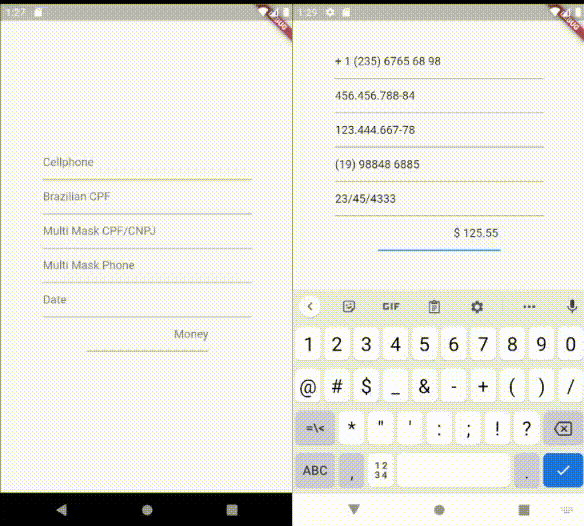
Easy way to apply a mask to Flutter's TextFields and on Strings
To use it, you only need to pass EasyMask on TextField's parameter inputFormatters.
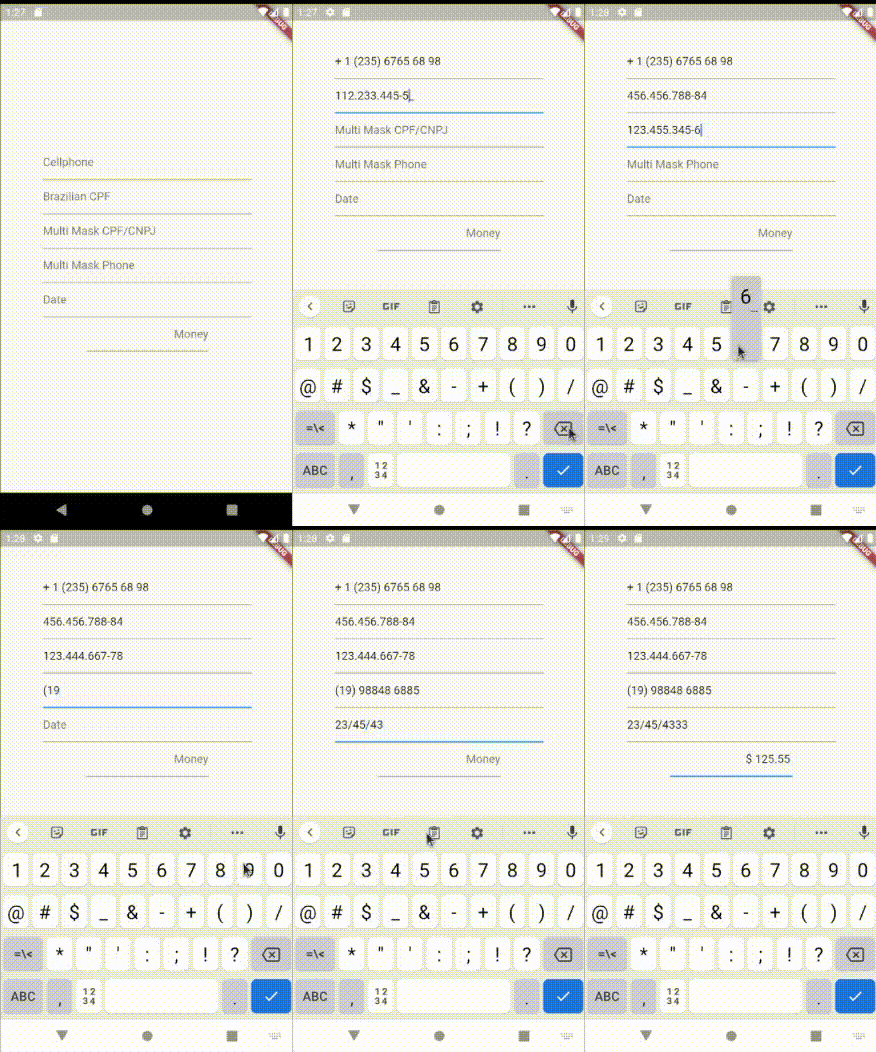
The Easy Mask cares about user's cursor position, to make fluid it's usability.
Supports Multi Mask based on masks length.
Supports Placeholders.
Usage
Simplest Sample
Import package:easy_mask/text_input_mask.dart
Then instantiate TextInputMask passing at least a String mask parameter.
import package:easy_mask/text_input_mask.dart
...
  TextField(
    inputFormatters: [ TextInputMask(mask: '99? (99) 999 99-99') ],
  ),
  TextField(
    inputFormatters: [ TextInputMask(mask: '999.999.999-99', reverse:true ) ],
  )
...
Formatting a String
import package:easy_mask/text_input_mask.dart
...
  String text = '432516565';
  MagicMask mask = MagicMask.buildMask('\\+99 (99) 99999-9999');
  String formattedString = mask.getMaskedString(text);
...
Multi Mask Sample
Import package:easy_mask/text_input_mask.dart
Then instantiate TextInputMask passing at least a String mask parameter.
import package:easy_mask/text_input_mask.dart
...
  TextField(
    inputFormatters: [ TextInputMask(mask: ['999.999.999-99', '99.999.999/9999-99'] ],
  ),
  TextField(
    inputFormatters: [ TextInputMask(mask: ['(99) 9999 9999', '(99) 99999 9999'], reverse:true ) ],
  )
...
PlaceHolder Sample
Import package:easy_mask/text_input_mask.dart
Then instantiate TextInputMask passing at least a String mask parameter.
import package:easy_mask/text_input_mask.dart
...
  TextField(
    inputFormatters: [ TextInputMask(mask: '999.999.999-99', placeholder: '_', maxPlaceHolders: 11 ],
  ),
...
Pretty Currency Sample
Import package:easy_mask/text_input_mask.dart
Then instantiate TextInputMask passing at least a String mask parameter.
import package:easy_mask/text_input_mask.dart
...
  TextField(
    inputFormatters: [ TextInputMask(mask: '\$! !9+,999.99', placeholder: '0', maxPlaceHolders: 3, reverse: true],
  ),
...
Possible parameters
- mask can be a String or an List with the wanted masks pattern.
- reverse is a boolean that indicates if the user will type from right to left. Used normally on currency TextFields.
- maxLength is an Integer that limits the maximum size of returned masked text.
- placeholder is a String character to be used as placeholder on untyped characters. Must define maxPlaceHolders
- maxPlaceHolders an integer to map how many possible places it would be placed. Typed characters consumes a position from this counter.
Mask Patterns Characters
9 - is used to allow a number from 0-9
A - is used to allow a letter from a-z or A-Z
N - is used to allow a number or letter from 0-9, a-z or A-Z
X - is used to allow any character
Those tokens 9,A,N and X can be followed by one following modifier
? - indicates that is optional
+ - indicates that must have at least 1 or more repetitions
* - indicates that can have 0 or more repetitions
\ - is used as scape
*Any character that is interpreted as letter to be placed, can be followed by modifier **
! - Used to force print it, when it has at least 1 character typed on TextField.
Any other letters will be displayed on masking.
Examples of String masks
(card number) 999 999 999 999
(us cellphone) \+1 (999) 999 99 99
(currency) $! !9+,999.99
(version) 99?9?.99?9?.99?9?
(RG brazilian document) 99.999.999-N