

 v1.2.1
cool_stepper
CoolStepper は、ステップバイステップの操作シーケンスを表示するウィジェットです。フォームウィザードやオンボーディングに役立ちます。
147いいね 127030日間ダウンロード130Pub ポイント
AndroidiOSWebmacOSWindowsLinux
emrade/flutter-cool-stepper open-source repository details.

以下は英語原文のスナップショットです。最新版は GitHub をご覧ください。
CoolStepper is a widget that displays a step by step sequence of operations. it could be helpful for a form wizard or onboarding.
To use this package, add cool_stepper as a dependency in your pubspec.yaml file. And add this import to your file.
import 'package:cool_stepper/cool_stepper.dart';
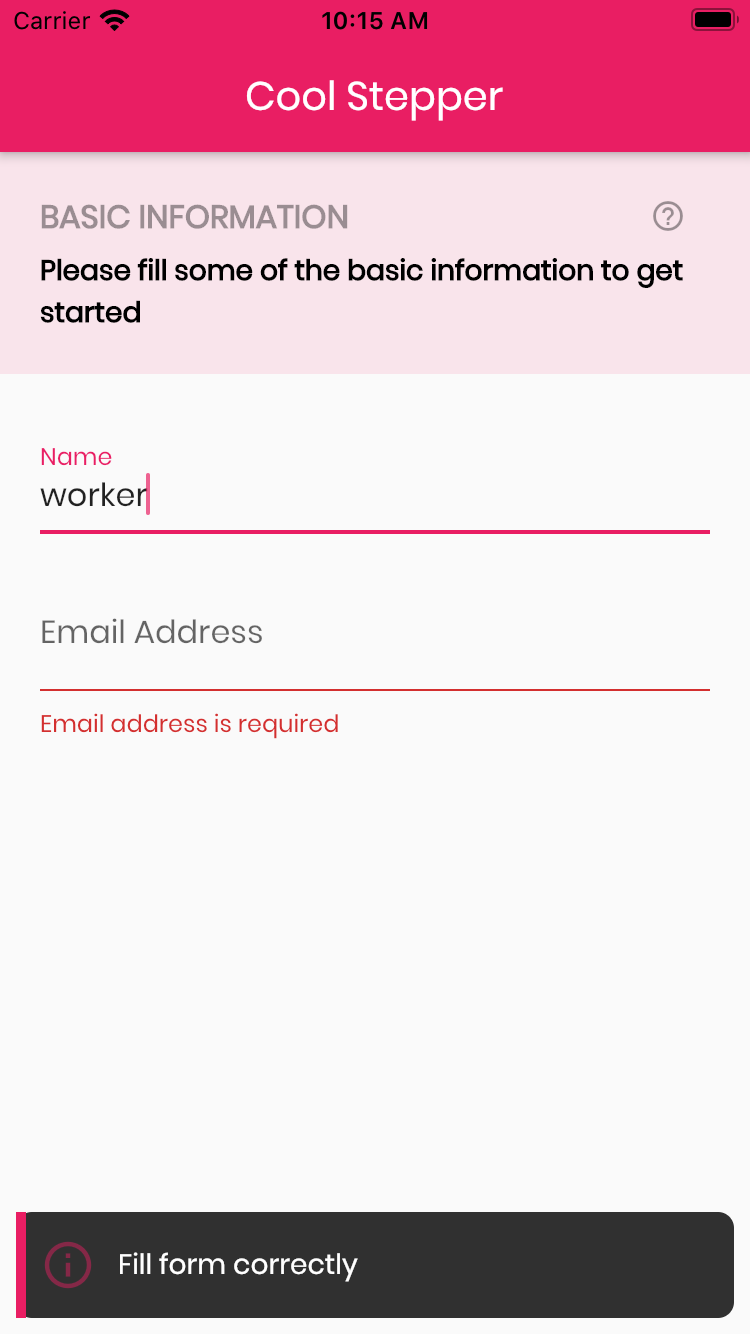

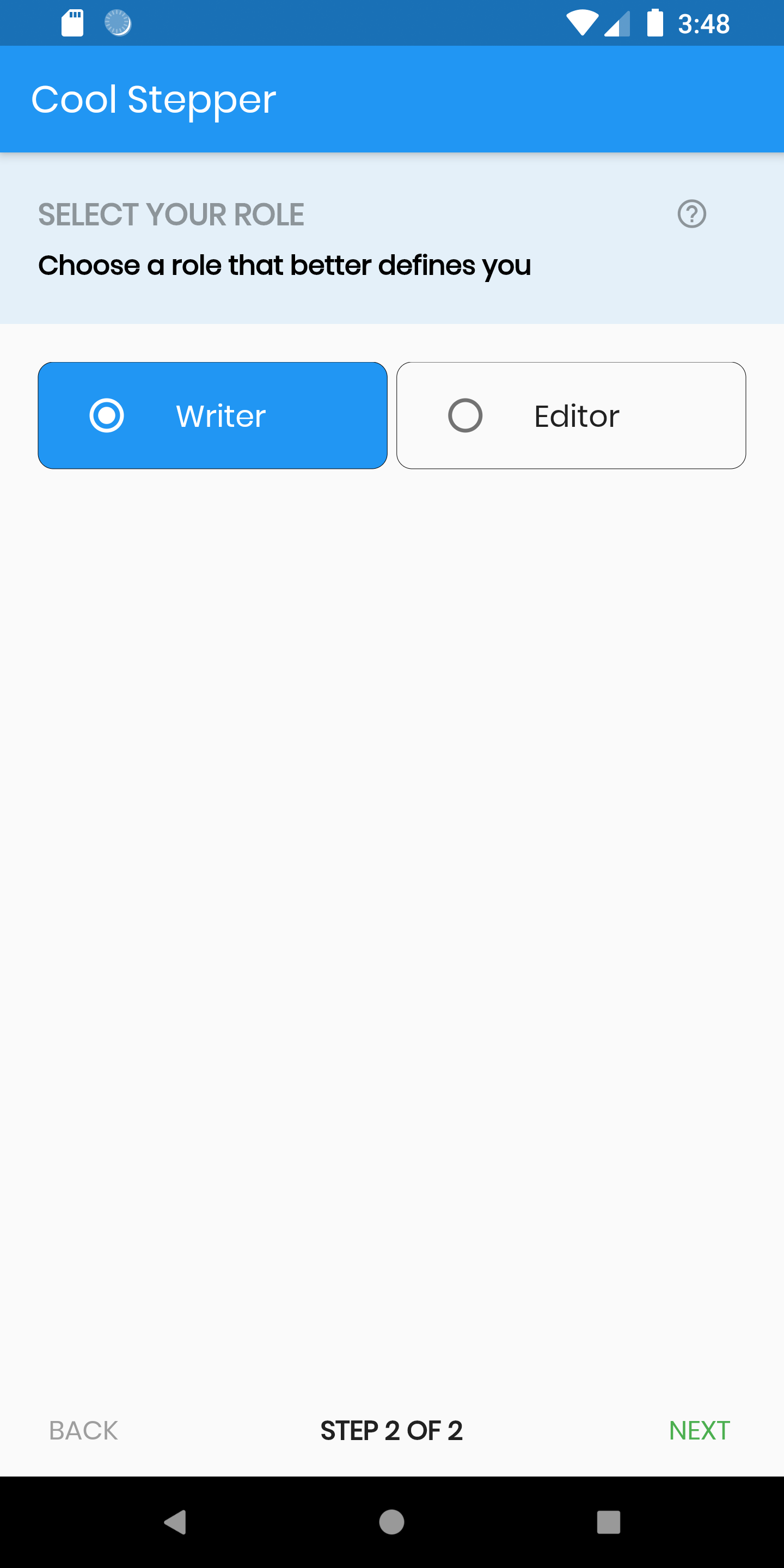
CoolStepper(
   onCompleted: () {},
   steps: List<CoolStep>[
       CoolStep(
        title: "Basic Information",
        subtitle: "Please fill some of the basic information to get started",
        content: Container()
       ),
   ],
);
For each step, return a null, if you want the validation to pass or a String message which would be displayed if you set the showErrorSnackbar attribute to true.
validation: () {
          if (!_formKey.currentState!.validate()) {
            return 'Fill form correctly';
          }
          return null;
        },
| Attribute | Data type | Description | Default Value |
|---|---|---|---|
| onCompleted | Void Function() | @required - A function that is triggers when all steps have been completed | Null |
| steps | List | @required | Null |
| config | CoolStepperConfig | Helps to customize your stepper | CoolStepperConfig(backText: "BACK", nextText: "NEXT", stepText: "STEP", ofText: "OF") |
| showErrorSnackbar | boolean | Shows a snakbar at the bottom of the page when a step validation fails if set to true | false |
| Attribute | Data type | Description | Default Value |
|---|---|---|---|
| backText | String | The text that should be displayed for the back button | BACK |
| nextText | String | The text that should be displayed for the next button | NEXT |
| finalText | String | The text that should be displayed for the next button on the final step | FINISH |
| stepText | String | The text that describes the progress | STEP |
| ofText | String | The text that describes the progress | OF |
| headerColor | Color | This is the background color of the header | Theme.of(context).primaryColor.withOpacity(0.1) |
| iconColor | Color | This is the color of the icon | Color.black38 |
| icon | Icon | This icon replaces the default icon | Icon(Icons.help_outline,size: 18,Colors.black38) |
| titleTextStyle | TextStyle | This is the textStyle for the title text | TextStyle(fontSize: 16.0,fontWeight: FontWeight.bold,color: Colors.black38) |
| subtitleTextStyle | TextStyle | This is the textStyle for the subtitle text | TextStyle(fontSize: 14.0,fontWeight: FontWeight.w600,color: Colors.black) |
| backTextList | List | A List of string that when supplied will override 'backText'. Must be one less than the number of steps since for the first step, the backText won't be visible | null |
| nextTextList | List | A List of string that when supplied will override 'nextText'Must be one less than the number of steps since the 'finalText' attribute is able to set the value for the final step's next button | null |
依存関係一覧 4 件
^1.12.29{"sdk":"flutter"}^2.0.0{"sdk":"flutter"}用途で絞り込み、開発状況を比較し、採用前に元のリポジトリで要件を確認しましょう。
“A repository is the most basic element of GitHub.”
GitHub Docs — About repositories ↗