パッケージ、リポジトリ、アプリカテゴリを検索

cool_stepper のカバー
パッケージ詳細v1.2.1

cool_stepper

CoolStepper は、ステップバイステップの操作シーケンスを表示するウィジェットです。フォームウィザードやオンボーディングに役立ちます。

AndroidiOSWebmacOSWindowsLinux
30日間ダウンロード
1270
いいね数
147
Pub ポイント
130

パッケージをインストール

flutter pub add cool_stepper

パッケージ概要

公開情報に基づく選定ガイドです。参考としてご利用ください。

CoolStepper は、フォームウィザードやオンボーディングフローなどの順次プロセスをユーザーにガイドするように設計されたカスタマイズ可能な Flutter ウィジェットです。明確でインタラクティブな方法でステップを視覚的に表現し、段階間のスムーズな遷移をサポートしています。Android、iOS、Web、macOS、Windows、Linux といったすべての主要プラットフォームに対応しており、一貫したユーザー体験を提供します。軽量で簡単に統合できるため、段階的なナビゲーションが必要なアプリケーションに最適です。

用途

  • オンボーディングチュートリアル
  • マルチステップフォーム
  • チェックアウトプロセス
  • ガイド付きセットアップウィザード
  • ユーザー登録フロー

主な機能

  • カスタマイズ可能なステップインジケーター
  • スムーズな遷移アニメーション
  • クロスプラットフォーム互換性
  • 既存のUIとの簡単な統合
  • 水平および垂直レイアウトをサポートしています
  • 設定可能なアクティブ/非アクティブ状態

適している対象

  • ガイド付きワークフローを構築する開発者
  • 直感的なナビゲーションを必要とするアプリ
  • 現代的なステッパー コンポーネントを探しているデザイナー
  • 最小限のボイラープレートが必要なプロジェクト
  • 複数のプラットフォームをターゲットにするチーム

注意事項

  • 制限された組み込み検証ロジック
  • 手動での状態管理が必要です
  • 複雑なデザインにはカスタムスタイルが必要になる場合があります
  • 非常に大きなステップ数に対して最適化されていない
  • 高度な機能には外部の依存関係に依存しています

元の README

関連するソースリポジトリの README 原文のスナップショットです。最新の内容はリポジトリをご覧ください。

cool_stepper

CoolStepper is a widget that displays a step by step sequence of operations. it could be helpful for a form wizard or onboarding.

Usage

To use this package, add cool_stepper as a dependency in your pubspec.yaml file. And add this import to your file.

import 'package:cool_stepper/cool_stepper.dart';

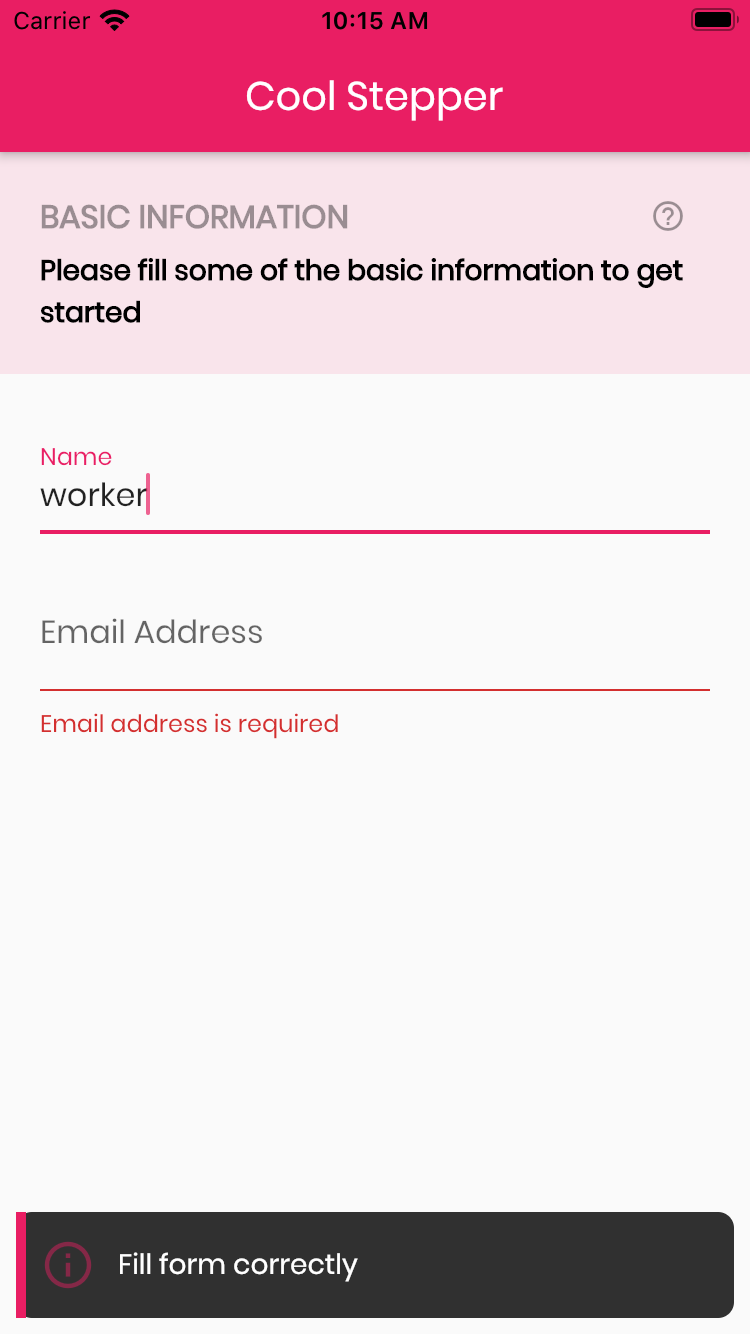
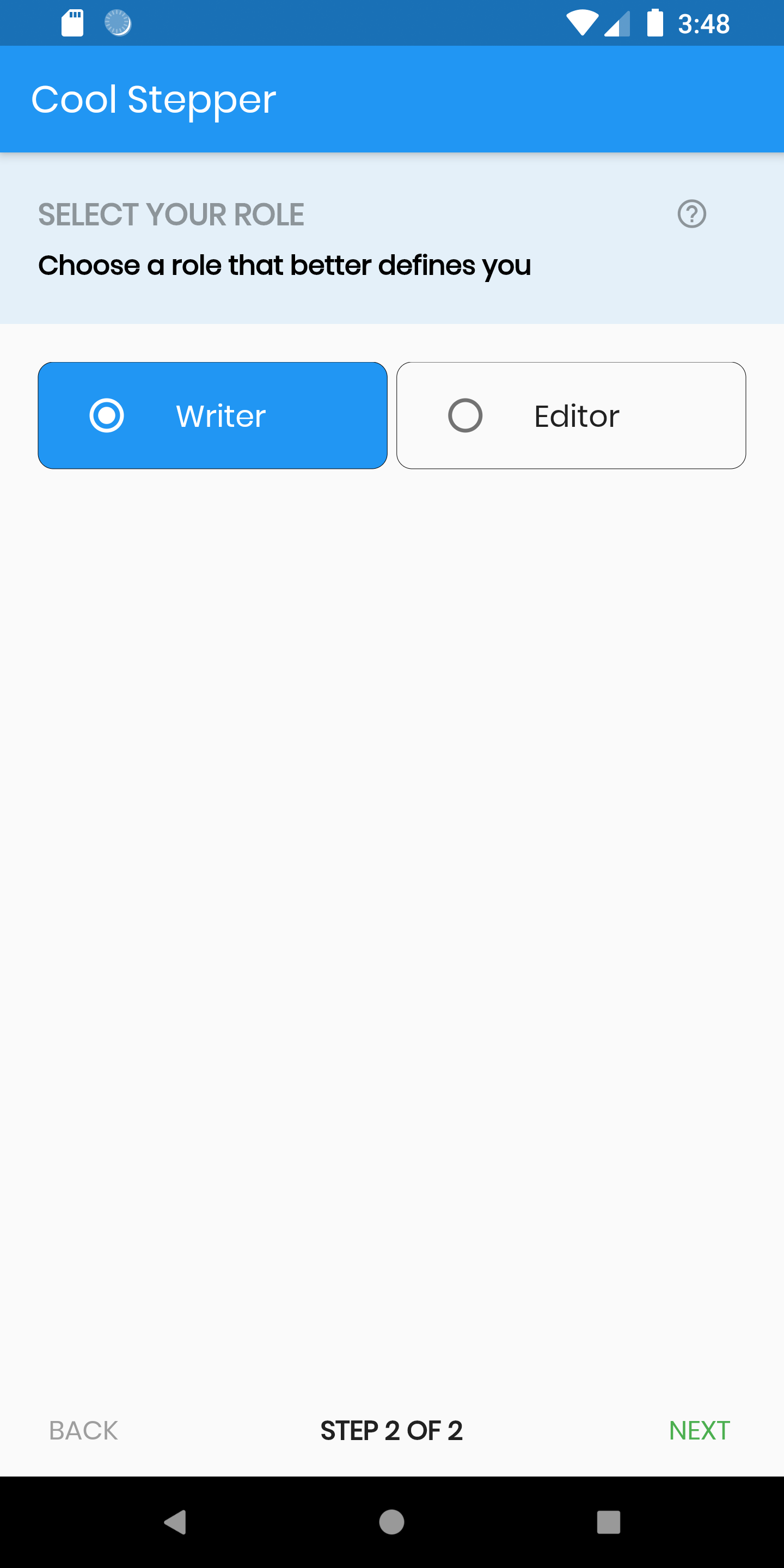
Screenshots

Example
CoolStepper(
   onCompleted: () {},
   steps: List<CoolStep>[
       CoolStep(
        title: "Basic Information",
        subtitle: "Please fill some of the basic information to get started",
        content: Container()
       ),
   ],
);

For each step, return a null, if you want the validation to pass or a String message which would be displayed if you set the showErrorSnackbar attribute to true.

validation: () {
          if (!_formKey.currentState!.validate()) {
            return 'Fill form correctly';
          }
          return null;
        },
CoolStepper Class
Attribute Data type Description Default Value
onCompleted Void Function() @required - A function that is triggers when all steps have been completed Null
steps List @required Null
config CoolStepperConfig Helps to customize your stepper CoolStepperConfig(backText: "BACK", nextText: "NEXT", stepText: "STEP", ofText: "OF")
showErrorSnackbar boolean Shows a snakbar at the bottom of the page when a step validation fails if set to true false
CoolStepperConfig Properties
Attribute Data type Description Default Value
backText String The text that should be displayed for the back button BACK
nextText String The text that should be displayed for the next button NEXT
finalText String The text that should be displayed for the next button on the final step FINISH
stepText String The text that describes the progress STEP
ofText String The text that describes the progress OF
headerColor Color This is the background color of the header Theme.of(context).primaryColor.withOpacity(0.1)
iconColor Color This is the color of the icon Color.black38
icon Icon This icon replaces the default icon Icon(Icons.help_outline,size: 18,Colors.black38)
titleTextStyle TextStyle This is the textStyle for the title text TextStyle(fontSize: 16.0,fontWeight: FontWeight.bold,color: Colors.black38)
subtitleTextStyle TextStyle This is the textStyle for the subtitle text TextStyle(fontSize: 14.0,fontWeight: FontWeight.w600,color: Colors.black)
backTextList List A List of string that when supplied will override 'backText'. Must be one less than the number of steps since for the first step, the backText won't be visible null
nextTextList List A List of string that when supplied will override 'nextText'Must be one less than the number of steps since the 'finalText' attribute is able to set the value for the final step's next button null

カテゴリー

依存関係

依存関係一覧 1 件

ソースリポジトリ

このパッケージを使用しているプロジェクト

データはまだありません。