
 v1.3.0
fl_chart
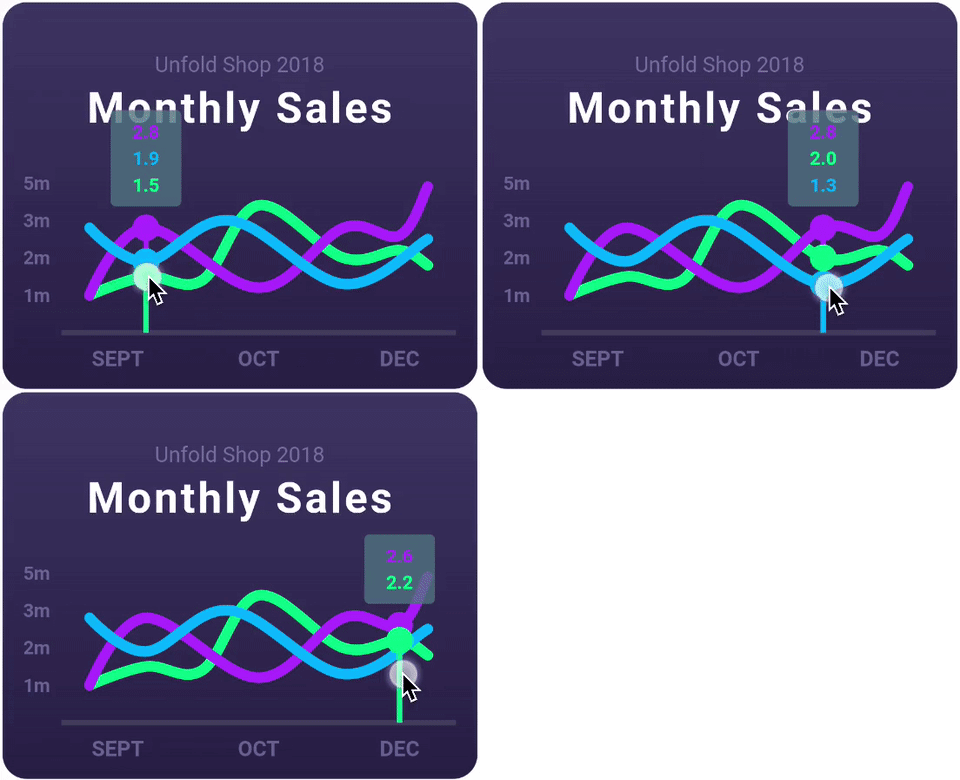
ラインチャート、棒グラフ、円グラフ、散布図、レーダーチャートをサポートする、非常にカスタマイズ可能なFlutterチャートライブラリです。
7200いいね 222万30日間ダウンロード160Pub ポイント
AndroidiOSWebmacOSWindowsLinux
PSLab Android、iOS、デスクトップおよびウェブアプリ https://play.google.com/store/apps/details?id=io.pslab
 v1.3.0
ラインチャート、棒グラフ、円グラフ、散布図、レーダーチャートをサポートする、非常にカスタマイズ可能なFlutterチャートライブラリです。
fonts.google.com からフォントを使用するためのFlutterパッケージ。HTTP取得、キャッシュ、アセットバンドルをサポートしています。
 v5.9.3
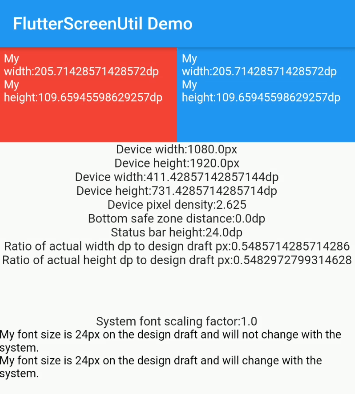
スクリーンおよびフォントサイズの調整用のFlutterプラグイン。さまざまなモデルで良好な見た目を保証します
 v8.3.2
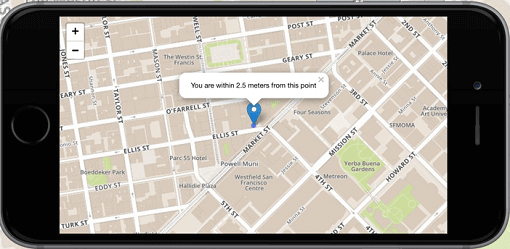
Flutter向けの1番目の非商用マップクライアント:使いやすく、多用途で、ベンダーに依存せず、完全にクロスプラットフォームであり、100%純粋なFlutterです
Android および iOS でのネットワーク(Wi-Fi およびモバイル/セルラー)接続状態を検出するための Flutter プラグイン。
加速度計、ジャイロスコープ、磁力計センサーにアクセスするためのFlutterプラグイン。
 v5.1.2
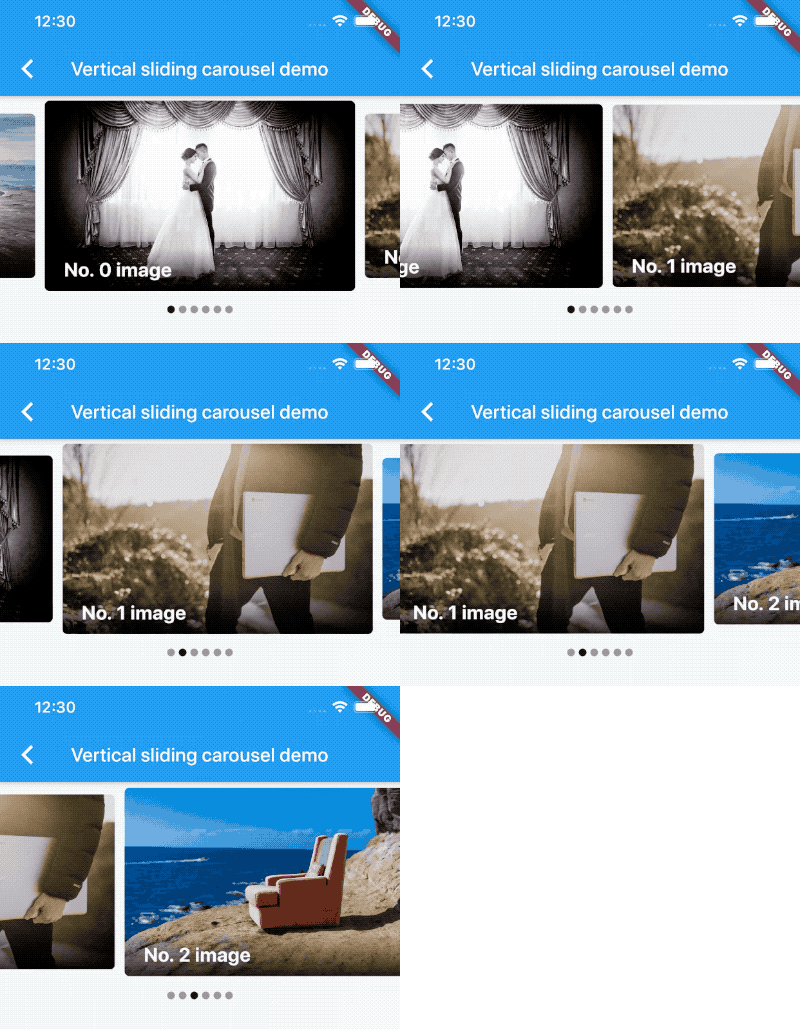
無限スクロールとカスタム子ウィジェットをサポートするカルーセルスライダー用ウィジェットです。
インターフェースと具体的な実装を分離し、アプリ内のどこからでも具体的な実装にアクセスできるシンプルで直接的なサービスロケーター。
Flutter用のジオロケーションプラグイン。このプラグインは、汎用的な位置情報(GPSなど)機能を、クロスプラットフォーム(iOS、Android)で利用できるAPIを提供します。
Dart Image Library は、サーバーおよび Web アプリケーションがさまざまな画像ファイル形式の画像を読み込み、操作し、保存できる機能を提供します。
Flutterアイコンとして利用可能なFont Awesomeアイコンパック。アプリで使用するための追加の2000個のアイコンを提供します。
Android および iOS の周囲の明るさセンサーからのデータを収集するためのプラグイン。
依存関係一覧 55 件
{"sdk":"flutter"}{"sdk":"flutter"}0.20.3^1.0.9^2.3.0^8.2.1^1.2.0^6.1.5^9.2.1^7.1.1^0.15.1^2.8.0^6.3.2^11.0.0^10.2.1^7.1.0^2.1.0^0.6.0^5.0.0^7.3.1^5.1.1^3.2.1^2.5.5^8.0.0^13.3.0^2.1.6^12.2.0^5.9.3^0.12.0^8.3.2^0.10.1^14.0.3^1.8.0^4.10.1^1.1.1^0.2.2^2.2.0^0.9.4^0.0.6^1.2.3{"path":"rust_builder"}2.13.0^3.11.0^5.12.0^3.0.3^3.1.0^4.0.9^1.6.0^0.14.1{"sdk":"flutter"}{"sdk":"flutter"}^6.0.0^3.2.0^2.16.1^4.0.1以下は英語原文のスナップショットです。最新版は GitHub をご覧ください。
Repository for the PSLab App for performing experiments with the Pocket Science Lab open-hardware platform.
Build Mailing List GitHub repo size Gitter Twitter Follow Translation status
This repository contains the PSLab application, a cross-platform app for performing science and engineering experiments with the Pocket Science Lab (PSLab) device. PSLab is an open-source hardware platform that combines multiple laboratory instruments into a single portable device, including an oscilloscope, waveform generator, frequency counter, programmable voltage and current source, logic analyzer, and data logger. The application provides an intuitive interface for interacting with these instruments across multiple platforms. Our website is at https://pslab.io.
The PSLab app is available for Android, iOS, Windows, macOS, Linux, and Web.
Sign up for the latest updates and test new features early by joining our beta program.
| https://raw.githubusercontent.com/fossasia/pslab-app/HEAD/docs/readme_images/instrument.jpg | https://raw.githubusercontent.com/fossasia/pslab-app/HEAD/docs/readme_images/nav_drawer.jpg | https://raw.githubusercontent.com/fossasia/pslab-app/HEAD/docs/readme_images/pin_front.jpg | https://raw.githubusercontent.com/fossasia/pslab-app/HEAD/docs/readme_images/pin_back.jpg |
| https://raw.githubusercontent.com/fossasia/pslab-app/HEAD/docs/readme_images/oscilloscope_guide.jpg | https://raw.githubusercontent.com/fossasia/pslab-app/HEAD/docs/readme_images/logic_analyzer_guide.jpg |
| https://raw.githubusercontent.com/fossasia/pslab-app/HEAD/docs/readme_images/oscilloscope.jpg | https://raw.githubusercontent.com/fossasia/pslab-app/HEAD/docs/readme_images/logic_analyzer.jpg |
| https://raw.githubusercontent.com/fossasia/pslab-app/HEAD/docs/readme_images/wave_sin.jpg | https://raw.githubusercontent.com/fossasia/pslab-app/HEAD/docs/readme_images/wave_sqaure.jpg | https://raw.githubusercontent.com/fossasia/pslab-app/HEAD/docs/readme_images/multimeter.jpg | https://raw.githubusercontent.com/fossasia/pslab-app/HEAD/docs/readme_images/power_source.jpg |
| https://raw.githubusercontent.com/fossasia/pslab-app/HEAD/docs/readme_images/sensor_screen.jpg | https://raw.githubusercontent.com/fossasia/pslab-app/HEAD/docs/readme_images/gyroscope.jpg | https://raw.githubusercontent.com/fossasia/pslab-app/HEAD/docs/readme_images/acc_meter.jpg | https://raw.githubusercontent.com/fossasia/pslab-app/HEAD/docs/readme_images/oled_display.jpg |
| https://raw.githubusercontent.com/fossasia/pslab-app/HEAD/docs/readme_images/robotic_arm.jpg | https://raw.githubusercontent.com/fossasia/pslab-app/HEAD/docs/readme_images/oscilloscope_mic.jpg |
| https://raw.githubusercontent.com/fossasia/pslab-app/HEAD/docs/readme_images/compass.jpg | https://raw.githubusercontent.com/fossasia/pslab-app/HEAD/docs/readme_images/luxmeter.jpg | https://raw.githubusercontent.com/fossasia/pslab-app/HEAD/docs/readme_images/soundmeter.jpg | https://raw.githubusercontent.com/fossasia/pslab-app/HEAD/docs/readme_images/logged_data.jpg |
| https://raw.githubusercontent.com/fossasia/pslab-app/HEAD/docs/readme_images/logged_data_chart.jpg | https://raw.githubusercontent.com/fossasia/pslab-app/HEAD/docs/readme_images/faq.jpg | https://raw.githubusercontent.com/fossasia/pslab-app/HEAD/docs/readme_images/settings.jpg | https://raw.githubusercontent.com/fossasia/pslab-app/HEAD/docs/readme_images/about.jpg |
| Feature | Description | Status |
|---|---|---|
| Home Screen | Show status and version of PSLab device | :heavy_check_mark: |
| Instruments | Exposes PSLab instruments like Oscilloscope, etc | :heavy_check_mark: |
| Oscilloscope | Shows variation of analog signals | :heavy_check_mark: |
| Multimeter | Measures voltage, current, resistance and capacitance | :heavy_check_mark: |
| Logical Analyzer | Captures and displays signals from digital system | :heavy_check_mark: |
| Wave Generator | Generates arbitrary analog and digital waveforms | :heavy_check_mark: |
| Power Source | Generates programmable voltage and currents | :heavy_check_mark: |
| Luxmeter | Measures the ambient light intensity | :heavy_check_mark: |
| Barometer | Measures the Pressure | :heavy_check_mark: |
| Accelerometer | Measures the acceleration of the device | :heavy_check_mark: |
| Gyrometer | Measures the rate of rotation | :heavy_check_mark: |
| Compass | Measures the absolute rotation relative to earth magnetic poles | :heavy_check_mark: |
| Thermometer | Measures the ambient temperature | :heavy_check_mark: |
| Gas Sensor | Detects gases, including NH3, NOx, alcohol, benzene, smoke and CO2 | :heavy_check_mark: |
| Robotic Arm Controller | Allows to control 4 servo motors of the robotic arm independently | :heavy_check_mark: |
| OLED Display | Displays graphics, animations, GIFs, and retro games on external I²C OLED displays | :heavy_check_mark: |
| Sound Meter | Measures ambient sound levels using the device microphone | :heavy_check_mark: |
Supported Devices:
04d8, ProductID 00df10c4, ProductID ea60To use the PSLab device with Android, you need:
Connect the PSLab device to your Android device using the OTG cable. The application will automatically detect the device and establish communication.
iOS support currently communicates with the PSLab device over Wi-Fi using an ESP-01 module. This functionality is currently under development.
These platforms communicate with the PSLab device over USB serial. Before connecting the device, install the CP210x USB-to-UART Bridge Virtual COM Port (VCP) drivers for your operating system.
Download the drivers from:
https://www.silabs.com/software-and-tools/usb-to-uart-bridge-vcp-drivers?tab=downloads
The application requests the following permissions:
| Permission | Purpose |
|---|---|
| Location | GPS logging and location-based features |
| Microphone | Audio oscilloscope functionality |
| Internet | Network connectivity |
| Storage | Reading and writing logged data |
| USB Host | Communication with PSLab hardware |
| Motion Sensors | Compass and motion-based features |
| Ambient Temperature Sensor | Device temperature measurements (optional) |
The application requests the following permissions:
| Permission | Purpose |
|---|---|
| Microphone | Audio oscilloscope functionality |
| Motion Sensors | Compass and motion-based features |
| Storage | Reading and writing logged data |
| Location | GPS logging and location-based features |
| Internet | Network connectivity |
No runtime permissions are required.
Linux: Users must install the provided
udevrules and add themselves to thedialoutgroup to access USB serial devices.
No runtime permissions are required.
This is a Cross-platform application build with flutter and rust that supports:
Flutter & Dart
Java
Rust
The user interface and most of the application state management are implemented in Flutter. Flutter enables the application to run on multiple platforms from a single codebase while maintaining a consistent user experience.
Why Flutter?
Cross-platform development for Android, iOS, Windows, macOS, Linux, and Web.
A rich ecosystem of UI libraries and packages.
High-performance rendering with a native-like user experience.
Hot reload for faster development and debugging.
Excellent integration with native code through the Foreign Function Interface (FFI), making it easy to communicate with the Rust-based serial communication backend.
For setting up the Flutter development environment refer to:
The application uses a Rust-based serial communication backend to interface with PSLab hardware. Instead of relying directly on platform-specific hardware communication dependencies, all low-level serial communication is handled by the Rust backend.
Why Rust?
For setting up the Rust development environment and building the backend, refer to:
git clone https://github.com/fossasia/pslab-app.git
cd pslab-app
flutter pub get
No additional setup is required.
Install the CocoaPods dependencies:
cd ios
pod install
cd ..
No additional setup is required. If Windows does not automatically detect your PSLab device, install the appropriate USB drivers.
Install the provided udev rules and grant your user access to serial devices:
sudo cp linux/99-pslab.rules /etc/udev/rules.d/
sudo udevadm control --reload-rules
sudo udevadm trigger

sudo usermod -a -G dialout $USER
Log out and log back in for the group changes to take effect.
The following commands use the CLI. List available devices:
flutter devices
Run the application:
flutter run
Use for development and debugging:
flutter build apk --debug
Use for performance testing and local release-like builds:
flutter build apk --profile
Note: Release builds are generated automatically through CI stored in the app branch.
Run all tests:
flutter test
Run integration tests:
flutter test integration_test/
Common Issues:
USB permissions on Linux:
ls -la /etc/udev/rules.d/99-pslab.rulesgroups $USERFlutter version mismatch:
flutter channel stable
flutter upgrade
flutter pub get
iOS build issues:
cd ios
pod deintegrate
pod install
cd ..
flutter clean
flutter pub get
Android build issues:
flutter clean && flutter pub getGit dependency issues:
flutter pub deps
flutter pub get
Follow the steps below to confirm that your local development environment is correctly configured.
flutter doctor
Resolve any critical issues reported by the command.
flutter pub get
flutter test
flutter run
Run the app on a connected physical device, emulator, or desktop target.
We use Weblate for managing translations.
If you want to help translate the app into your language, please visit the PSLab App project on Weblate.
The app uses the standard Flutter flutter_localizations package.
lib/l10n/ in .arb (Application Resource Bundle) format.lib/l10n/app_en.arb..arb files and submit a Pull Request.Please follow these best practices to make the review process easier for both contributors and reviewers. This allows us to focus on code quality.
Follow the pull request template whenever you create a pull request.
Always reference the related issue number at the top of the pull request description.
If an issue does not already exist, create one before opening the pull request and link it in the description.
Include screenshots or a short video demonstrating your changes whenever applicable, especially for UI-related changes.
Always format your Dart code before committing:
dart format .
Ensure your code builds successfully and is free of warnings before pushing. Pull requests with build issues or warnings may fail the CI checks.
Enable GitHub Copilot Review or ChatGPT Codex Review in your GitHub account. The AI reviewer may provide useful suggestions on your pull request. Address the relevant comments.
We have the following branches
This project is currently licensed under the Apache License 2.0. A copy of LICENSE is to be present along with the source code. To obtain the software under a different license, please contact FOSSASIA.