
 v3.0.0+1
slidable_button
シンプルでカスタマイズ可能なFlutterスライドボタンウィジェット。
65いいね 2530日間ダウンロード160Pub ポイント
AndroidiOSWebmacOSWindowsLinux
husainazkas/slidable_button open-source repository details.

{"sdk":"flutter"}^2.0.1{"sdk":"flutter"}以下は英語原文のスナップショットです。最新版は GitHub をご覧ください。
A simple flutter plugin for Slidable Button.
Note : This plugin is cloned and remade from swipe_button.
dependencies:
  slidable_button: ^3.0.0+1
Import this library on your code.
import 'package:slidable_button/slidable_button.dart';
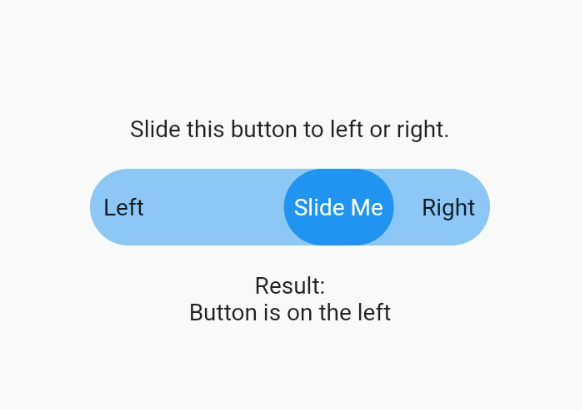
Now you can make your slidable button vertically or horizontally by using one of them widget. For horizontal usage example :
    HorizontalSlidableButton(
      width: MediaQuery.of(context).size.width / 3,
      buttonWidth: 60.0,
      color: Theme.of(context).accentColor.withOpacity(0.5),
      buttonColor: Theme.of(context).primaryColor,
      dismissible: false,
      label: Center(child: Text('Slide Me')),
      child: Padding(
        padding: const EdgeInsets.all(8.0),
        child: Row(
          mainAxisAlignment: MainAxisAlignment.spaceBetween,
          children: [
            Text('Left'),
            Text('Right'),
          ],
        ),
      ),
      onChanged: (position) {
        setState(() {
          if (position == SlidableButtonPosition.end) {
            result = 'Button is on the right';
          } else {
            result = 'Button is on the left';
          }
        });
      },
    ),
Vertical usage example :
    VerticalSlidableButton(
      height: MediaQuery.of(context).size.height / 3,
      buttonHeight: 60.0,
      color: Theme.of(context).accentColor.withOpacity(0.5),
      buttonColor: Theme.of(context).primaryColor,
      dismissible: false,
      label: Center(child: Text('Slide Me')),
      child: Padding(
        padding: const EdgeInsets.all(8.0),
        child: Column(
          mainAxisAlignment: MainAxisAlignment.spaceBetween,
          children: [
            Text('Top'),
            Text('Bottom'),
          ],
        ),
      ),
      onChanged: (position) {
        setState(() {
          if (position == SlidableButtonPosition.end) {
            result = 'Button is on the bottom';
          } else {
            result = 'Button is on the top';
          }
        });
      },
    ),
If you already use this package before v3.x.x you may need to migrate your code to HorizontalSlidableButton or VerticalSlidableButton for specific direction usage because SlidableButton class has been removed start from v3.0.0.