
v3.1.0+1
isar
Flutter用に非常に高速で使いやすく、完全に非同期なNoSQLデータベースです。
2450いいね 413030日間ダウンロード130Pub ポイント
AndroidiOSWebmacOSWindowsLinux
日本語の表記体系であるひらがな、カタカナ、漢字を学ぶためのシンプルなFlutterアプリ。

Flutter用に非常に高速で使いやすく、完全に非同期なNoSQLデータベースです。
Isar データベース用のコードジェネレーター。@Collection で注釈されたクラスを検出します。
Dartのインポートを自動的に整理する
 v0.2.3
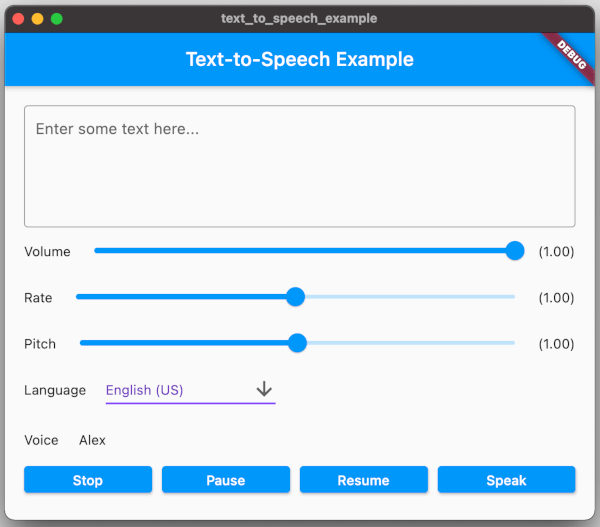
Flutterプラグインは、TTS(テキストから音声)サービスを提供します。
Flutterでデバイスにファイルを保存する方法を提供するインターフェース。
{"sdk":"flutter"}{"sdk":"flutter"}any^1.0.2^6.0.2^3.1.0+1^3.1.0+1^0.9.34^6.0.20^2.0.15^1.4.0^0.2.3^2.0.15^1.16.0^5.3.3any{"sdk":"flutter"}^2.0.2^3.1.0+1any^0.13.1^4.6.0以下は英語原文のスナップショットです。最新版は GitHub をご覧ください。
Simple Flutter app to learn Japanese writing systems Hiragana, Katakana and Kanji.
With Fun With Kanji you are able to learn all common used Japanese characters. All starts with Hiragana, Katakana and their special cases and combinations. After this you learn the Kanji Radicals and then you are ready to start with the 2136 Jōyō-Kanji. You no longer need 4 different apps to learn them!
The app also contains a dictionary and a full-text search over all characters.
Fun With Kanji is open source under Mozilla Public License 2.0. Contributions and new translations are always welcome <3.
https://raw.githubusercontent.com/krille-chan/fun-with-kanji/HEAD/assets/screenshots/Simulator%20Screen%20Shot%20-%20iPhone%2013%20Pro%20-%202022-05-20%20at%2010.39.58.png https://raw.githubusercontent.com/krille-chan/fun-with-kanji/HEAD/assets/screenshots/Simulator%20Screen%20Shot%20-%20iPhone%2013%20Pro%20-%202022-05-20%20at%2010.40.09.png https://raw.githubusercontent.com/krille-chan/fun-with-kanji/HEAD/assets/screenshots/Simulator%20Screen%20Shot%20-%20iPhone%2013%20Pro%20-%202022-05-20%20at%2010.39.35.png https://raw.githubusercontent.com/krille-chan/fun-with-kanji/HEAD/assets/screenshots/Simulator%20Screen%20Shot%20-%20iPhone%2013%20Pro%20-%202022-05-20%20at%2010.40.18.png https://raw.githubusercontent.com/krille-chan/fun-with-kanji/HEAD/assets/screenshots/Simulator%20Screen%20Shot%20-%20iPhone%2013%20Pro%20-%202022-05-20%20at%2010.39.19.png https://raw.githubusercontent.com/krille-chan/fun-with-kanji/HEAD/assets/screenshots/Simulator%20Screen%20Shot%20-%20iPhone%2013%20Pro%20-%202022-05-20%20at%2010.40.04.png
Get it on F-Droid Get it on Google Play
Install Flutter and run with:
flutter run
Import translator package and run this script:
import 'dart:io';

import 'package:translator/translator.dart';

void main() async {
  const language = 'de';
  for (var i = 1; i <= 8; i++) {
    print('Load Kanji Level $i');
    final radicalsFile = File('assets/data/kanji_level_$i.json');
    final radicals = jsonDecode(radicalsFile.readAsStringSync()) as List;

    final translator = GoogleTranslator();
    for (final radical in radicals) {
      final input = radical['meanings'].join(', ');
      print('Translate: ${radical['kanji']} (ID: ${radical['id']}) $input ...');
      try {
        final translated =
            await translator.translate(input, from: 'en', to: language);
        radical['meanings'] = translated.text.split(', ');
      } catch (e, s) {
        print('Translation failed! Stop here!');
        print(e);
        print(s);
        break;
      }
    }

    print('Write to output file...');
    final outputFile = File('assets/data/kanji_level_${i}_${language}.json');
    await outputFile.writeAsString(jsonEncode(radicals));
    print('Finished!');
  }
}