

v1.3.0
another_audio_recorder
(Null-Safe + V2) 録音、一時停止、再開、停止をサポートし、平均パワー、ピークパワーなどの音声レベルメータリングプロパティにアクセスできるオーディオ録音プラグイン。
31いいね 43730日間ダウンロード150Pub ポイント
AndroidiOS
(Null-Safe + V2) 録音、一時停止、再開、停止をサポートし、平均パワー、ピークパワーなどの音声レベルメータリングプロパティにアクセスできるオーディオ録音プラグイン。

以下は英語原文のスナップショットです。最新版は GitHub をご覧ください。



English | 简体中文
Flutter Audio Record Plugin that supports Record Pause Resume Stop and provide access to audio level metering properties average power peak power
Android and iOS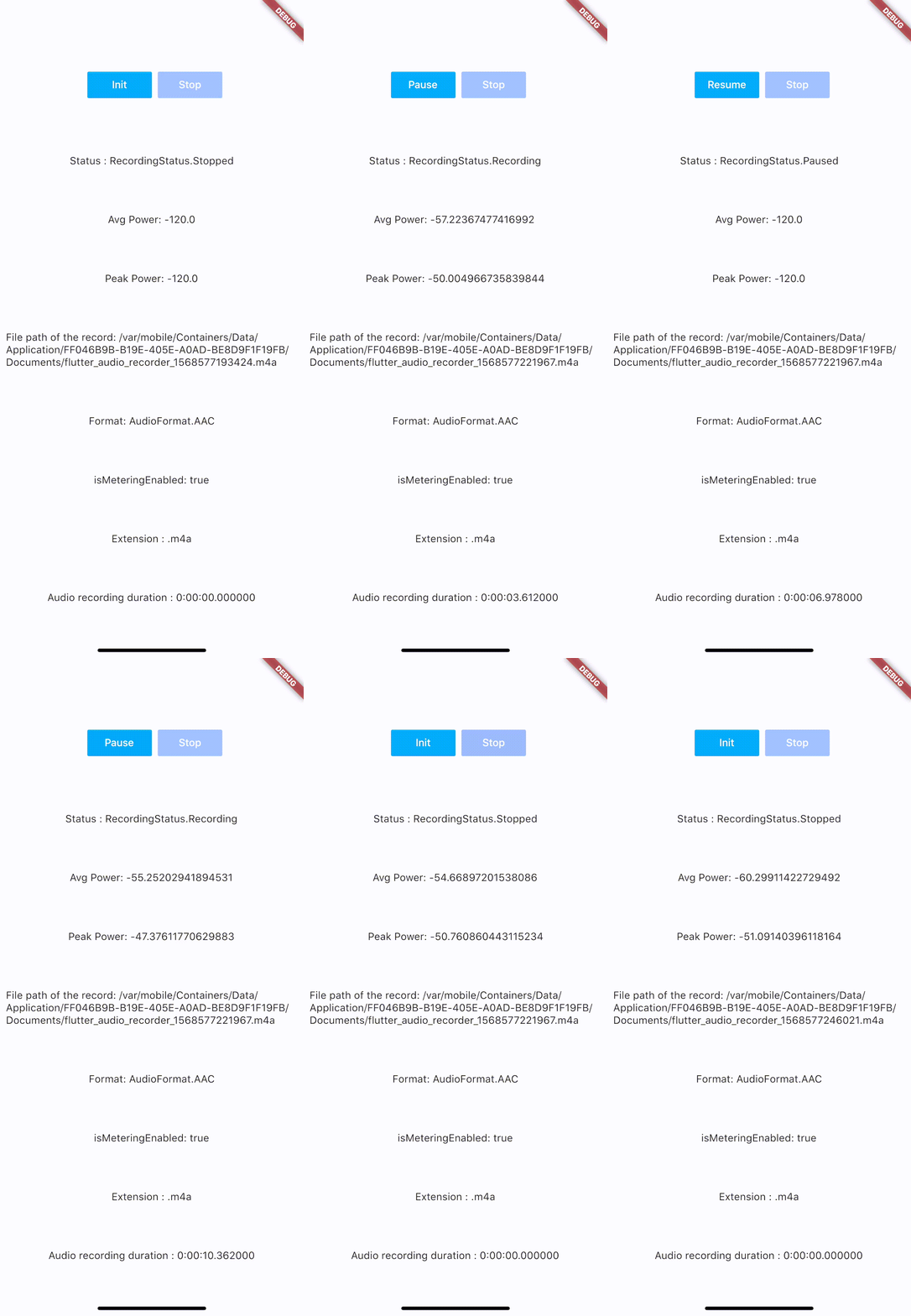
add another_audio_recorder to your pubspec.yaml
<key>NSMicrophoneUsageDescription</key>
<string>Can We Use Your Microphone Please</string>
hasPermission api to ask user for permission when neededuses-permission to ./android/app/src/main/AndroidManifest.xml in xml root level like below ...
</application>
<uses-permission android:name="android.permission.RECORD_AUDIO"/>
<uses-permission android:name="android.permission.WRITE_EXTERNAL_STORAGE"/>
...
</manifest>
hasPermission api to ask user for permission when needed0.5.x)0.4.9)Recommended API Usage: hasPermission => init > start -> (pause <-> resume) * n -> stop, call init again before start another recording
bool hasPermission = await AnotherAudioRecorder.hasPermissions;
Initialize (run this before start, so we could check if file with given name already exists)var recorder = AnotherAudioRecorder("file_path.mp4"); // .wav .aac .m4a
await recorder.initialized;
or
var recorder = AnotherAudioRecorder("file_path", audioFormat: AudioFormat.AAC); // or AudioFormat.WAV
await recorder.initialized;
var recorder = AnotherAudioRecorder("file_path", audioFormat: AudioFormat.AAC, sampleRate: 22000); // sampleRate is 16000 by default
await recorder.initialized;
| Audio Format | Audio Extension List |
|---|---|
| AAC | .m4a .aac .mp4 |
| WAV | .wav |
await recorder.start();
var recording = await recorder.current(channel: 0);
var current = await recording.current(channel: 0);
// print(current.status);
You could use a timer to access details every 50ms(simply cancel the timer when recording is done)
new Timer.periodic(tick, (Timer t) async {
        var current = await recording.current(channel: 0);
        // print(current.status);
        setState(() {
        });
      });
| Name | Description |
|---|---|
| path | String |
| extension | String |
| duration | Duration |
| audioFormat | AudioFormat |
| metering | AudioMetering |
| status | RecordingStatus |
| Name | Description |
|---|---|
| peakPower | double |
| averagePower | double |
| isMeteringEnabled | bool |
Unset,Initialized,Recording,Paused,Stopped
await recorder.pause();
await recorder.resume();
stop, run init again to create another recording)var result = await recorder.stop();
File file = widget.localFileSystem.file(result.path);
Please check example app using Xcode.
This project is a starting point for a Flutter plug-in package, a specialized package that includes platform-specific implementation code for Android and/or iOS.
For help getting started with Flutter, view our online documentation, which offers tutorials, samples, guidance on mobile development, and a full API reference.
用途で絞り込み、開発状況を比較し、採用前に元のリポジトリで要件を確認しましょう。
“A repository is the most basic element of GitHub.”
GitHub Docs — About repositories ↗