

 v5.1.3
animated_size_and_fade
異なる高さのウィジェット間でフェードおよびサイズのトランジションを実行します。また、ウィジェットの表示/非表示にも使用されます。
245いいね 1.5万30日間ダウンロード160Pub ポイント
AndroidiOSWebmacOSWindowsLinux
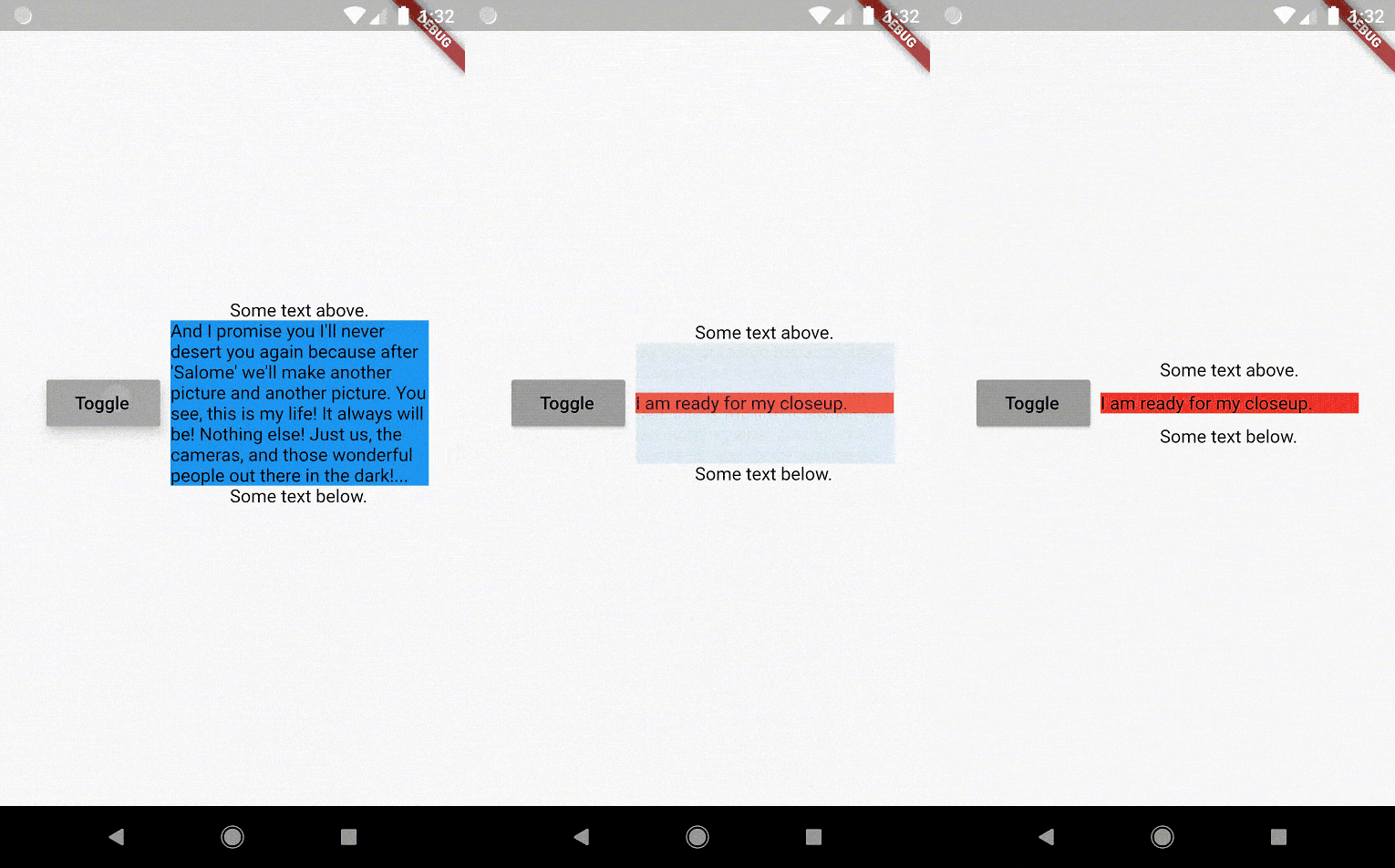
Flutterパッケージ:幅は同じだが高さが異なるウィジェット間でフェードとサイズの遷移を行うウィジェットで、事前にそのサイズを知る必要はありません。

以下は英語原文のスナップショットです。最新版は GitHub をご覧ください。








The AnimatedSizeAndFade widget allows you to:

To do a fade and size transition when you change the child widget,
the "old" and the "new" child must have the same width,
but can have different heights,
and you don't need to know their sizes in advance.
You can also define a duration and curve for both the fade and the size, separately.
Important: If the "new" child is the same widget type as the "old" child, but with different
parameters, then AnimatedSizeAndFade will NOT do a transition between them, since as far as
the framework is concerned, they are the same widget, and the existing widget can be updated with
the new parameters. To force the transition to occur, set a Key (typically a ValueKey
taking any widget data that would change the visual appearance of the widget) on each child widget
that you wish to be considered unique.
Example:
bool toggle=true;
Widget widget1 = ...;
Widget widget2 = ...;

AnimatedSizeAndFade(
   child: toggle ? widget1 : widget2
);
The AnimatedSizeAndFade.showHide constructor may be used to show/hide a widget, by resizing it
vertically while fading.
Example:
bool toggle=true;
Widget widget = ...;

AnimatedSizeAndFade.showHide(
   show: toggle,
   child: widget,
);
With AnimatedCrossFade you must provide both the firstChild and secondChild
at the same time, but with AnimatedSizeAndFade you may simply change its child.
With AnimatedSwitcher you may simply change its child, but then it only animates
the fade, not the size.
AnimatedContainer only works if you know the size of the children in advance.
Note: See the StackOverflow question that prompted this widget development.
glasberg.dev
github.com/marcglasberg
linkedin.com/in/marcglasberg/
twitter.com/glasbergmarcelo
stackoverflow.com/users/3411681/marcg
medium.com/@marcglasberg
My article in the official Flutter documentation:
The Flutter packages I've authored:
My Medium Articles:
依存関係一覧 2 件
{"sdk":"flutter"}{"sdk":"flutter"}用途で絞り込み、開発状況を比較し、採用前に元のリポジトリで要件を確認しましょう。
“A repository is the most basic element of GitHub.”
GitHub Docs — About repositories ↗