パッケージ、リポジトリ、アプリカテゴリを検索

animated_size_and_fade のカバー
パッケージ詳細v5.1.3

animated_size_and_fade

異なる高さのウィジェット間でフェードおよびサイズのトランジションを実行します。また、ウィジェットの表示/非表示にも使用されます。

AndroidiOSWebmacOSWindowsLinux
30日間ダウンロード
1.5万
いいね数
245
Pub ポイント
160

パッケージをインストール

flutter pub add animated_size_and_fade

パッケージ概要

公開情報に基づく選定ガイドです。参考としてご利用ください。

異なる高さを持つウィジェット間の遷移を、フェードとサイズ変更の両方を使用してスムーズにアニメートするFlutterパッケージです。セクションの展開/折りたたみやUI要素の表示/非表示など、動的にコンテンツを表示または非表示にする場合に最適です。アニメーションは不透明度と寸法の補間により視覚的な連続性を確保します。モバイル、ウェブ、デスクトップを含むすべての主要プラットフォームをサポートしています。パッケージは軽量で、既存のFlutterアプリへの統合が容易です。

用途

  • 折りたたみ可能なコンテンツの表示/非表示
  • 動的なリスト項目のアニメーション
  • スムーズなUI遷移の作成
  • 隠されたパネルを明らかにする
  • 可変高さのウィジェットの交換処理
  • レスポンシブレイアウトにおけるユーザーエクスペリエンスの向上

主な機能

  • スムーズなフェードおよびサイズの遷移
  • 可変高さのウィジェットをサポートします
  • 表示/非表示ロジック用のシンプルな API
  • クロスプラットフォーム互換性
  • 軽量でパフォーマンスに優れる
  • 組み込みアニメーション制御

適している対象

  • 滑らかなUIの遷移を必要とする開発者
  • 動的コンテンツ表示を備えたアプリ
  • インタラクティブなフォームまたはアコーディオン
  • アニメーションを必要とするレスポンシブデザイン
  • クリーンで保守しやすいコードを重視するチーム

注意事項

  • 非常に複雑なアニメーションには向かない可能性があります
  • パフォーマンスはウィジェットの複雑さに依存します
  • 高頻度の更新には適していない
  • レイアウト制約の取り扱いに注意が必要です
  • 基本的なフェード/サイズ以外のカスタマイズは限られている
  • 予測可能な高さの変化と併用するのが最適です

元の README

関連するソースリポジトリの README 原文のスナップショットです。最新の内容はリポジトリをご覧ください。

Pub popularity Pub Version GitHub stars Code Climate issues GitHub closed issues GitHub repo size GitHub forks PRs Welcome Developed by Marcelo Glasberg Glasberg.dev on pub.dev Platforms

Sponsor

animated_size_and_fade

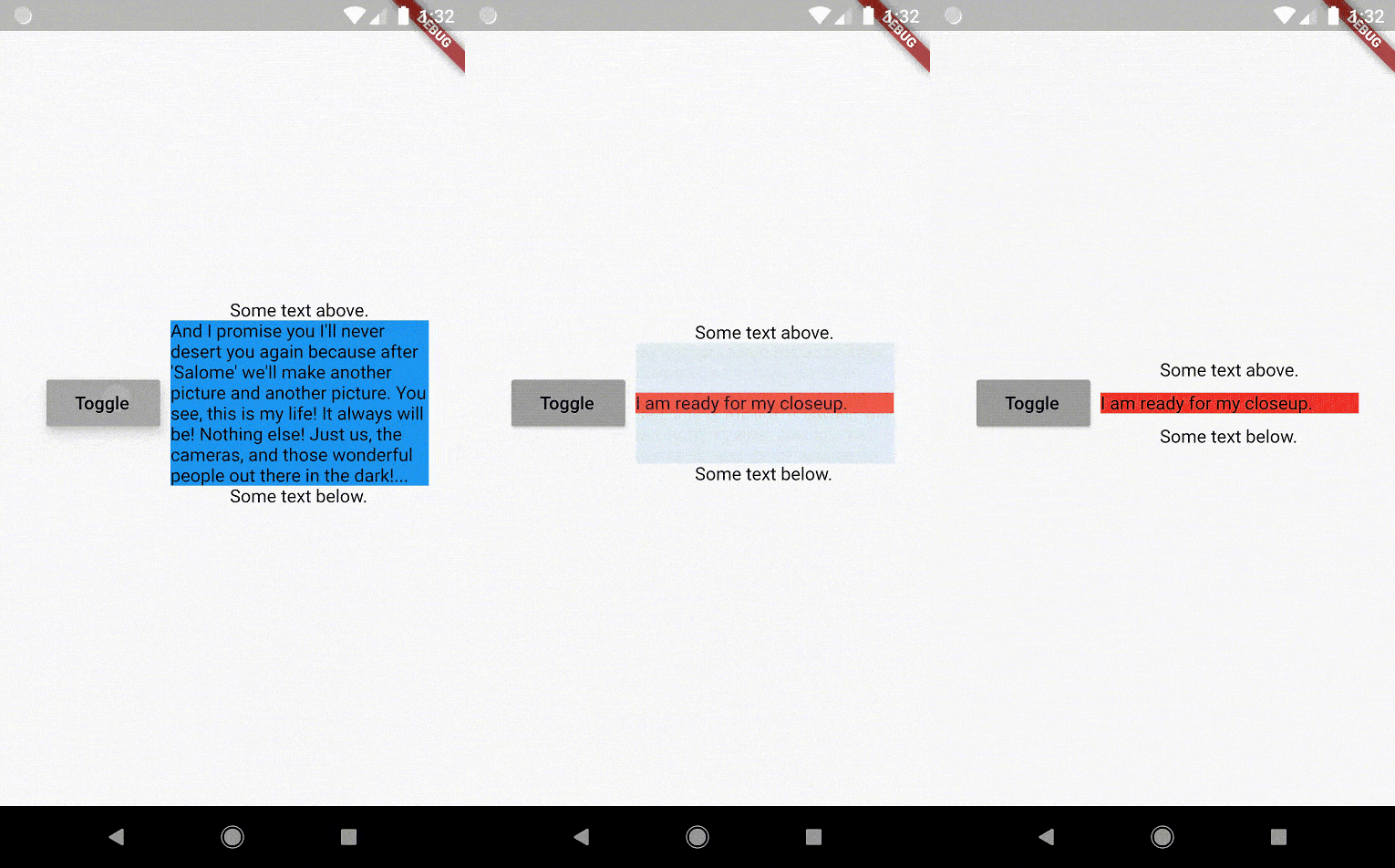
The AnimatedSizeAndFade widget allows you to:

  1. Do a fade and size transition between two widgets.
  2. Show and hide a widget, by resizing it vertically while fading.
Size and Fade

To do a fade and size transition when you change the child widget, the "old" and the "new" child must have the same width, but can have different heights, and you don't need to know their sizes in advance.

You can also define a duration and curve for both the fade and the size, separately.

Important: If the "new" child is the same widget type as the "old" child, but with different parameters, then AnimatedSizeAndFade will NOT do a transition between them, since as far as the framework is concerned, they are the same widget, and the existing widget can be updated with the new parameters. To force the transition to occur, set a Key (typically a ValueKey taking any widget data that would change the visual appearance of the widget) on each child widget that you wish to be considered unique.

Example:

bool toggle=true;
Widget widget1 = ...;
Widget widget2 = ...;

AnimatedSizeAndFade(
   child: toggle ? widget1 : widget2
);
Show and Hide

The AnimatedSizeAndFade.showHide constructor may be used to show/hide a widget, by resizing it vertically while fading.

Example:

bool toggle=true;
Widget widget = ...;    

AnimatedSizeAndFade.showHide(
   show: toggle,
   child: widget,
);

How does it compare to other similar widgets?

  • With AnimatedCrossFade you must provide both the firstChild and secondChild at the same time, but with AnimatedSizeAndFade you may simply change its child.

  • With AnimatedSwitcher you may simply change its child, but then it only animates the fade, not the size.

  • AnimatedContainer only works if you know the size of the children in advance.


Note: See the StackOverflow question that prompted this widget development.


By Marcelo Glasberg

glasberg.dev
github.com/marcglasberg
linkedin.com/in/marcglasberg/
twitter.com/glasbergmarcelo
stackoverflow.com/users/3411681/marcg
medium.com/@marcglasberg

My article in the official Flutter documentation:

The Flutter packages I've authored:

My Medium Articles:

カテゴリー

ソースリポジトリ

このパッケージを使用しているプロジェクト