

 v0.2.0
flutter_interactive_keyboard
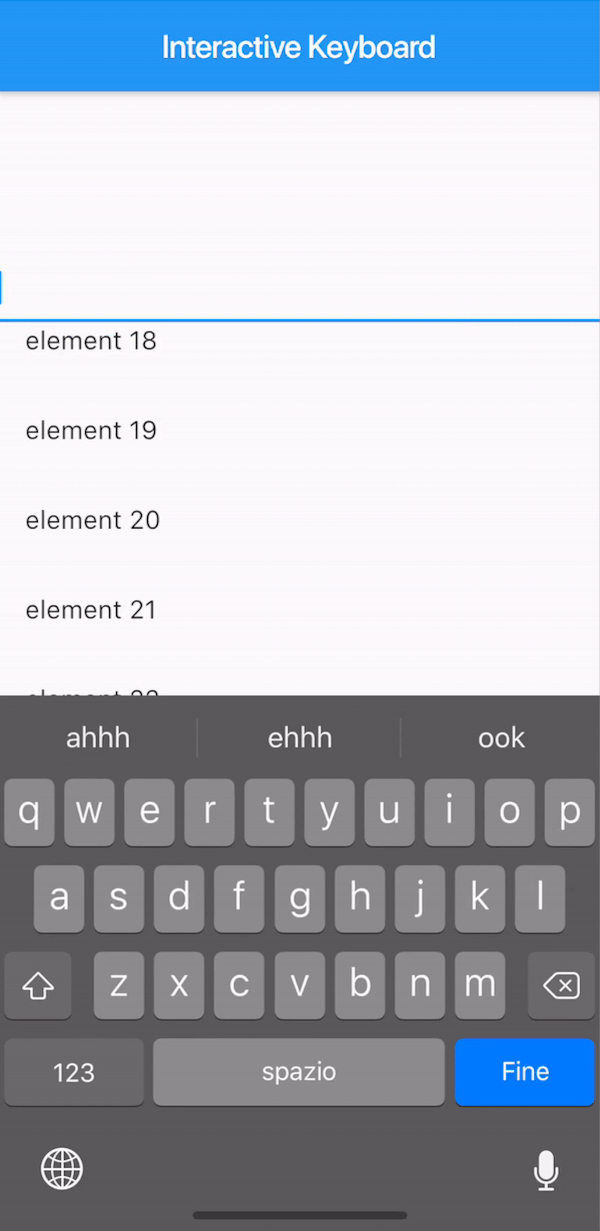
iOSのネイティブ動作に似たインタラクティブなキーボードの非表示を実現するFlutterプラグインです。Androidではドラッグなしで機能が模倣されます。
33いいね 5630日間ダウンロード140Pub ポイント
AndroidiOS
詳細は https://medium.com/@mattia_crovero/interactive-keyboard-in-flutter-5d7ac6ee096b を参照してください

以下は英語原文のスナップショットです。最新版は GitHub をご覧ください。

This plugin is not under active development. If you'd like to contribute, PRs are welcomed.
A way to mimic the iOS interactive dismissable keyboard in Flutter. For Android, the behavior will still be applied without animation due to the Android keyboard limitations.

The KeyboardManagerWidget defines the area where the draggable keyboard is enabled. Gestures are passed to the widget in order to permit both scrolling and drag-to-dismiss behavior.
focusNode is required when using a TextField to manage the keyboard opening and closing.
See the full example to see a complete implementation.
KeyboardManagerWidget(
  focusNode: _focusNode,
  child: ListView.builder(
    itemCount: 100,
    itemBuilder: (context,index){
      return ListTile(
        title: Text("element $index"),
      );
    },
  ),
)
If your app has more than one TextField that should trigger the keyboard, you can change the current FocusNode from the KeyboardManagerWidgetState as follows:
// Init variable
GlobalKey<KeyboardManagerWidgetState> _key = GlobalKey();

// In the build method
KeyboardManagerWidget(
  key: _key,
  ...
)

// Wherever you like
_key.currentState.substituteFocusNode = newFocusNode;
依存関係一覧 2 件
{"sdk":"flutter"}{"sdk":"flutter"}用途で絞り込み、開発状況を比較し、採用前に元のリポジトリで要件を確認しましょう。
“A repository is the most basic element of GitHub.”
GitHub Docs — About repositories ↗