パッケージ、リポジトリ、アプリカテゴリを検索

flutter_interactive_keyboard のカバー
パッケージ詳細v0.2.0

flutter_interactive_keyboard

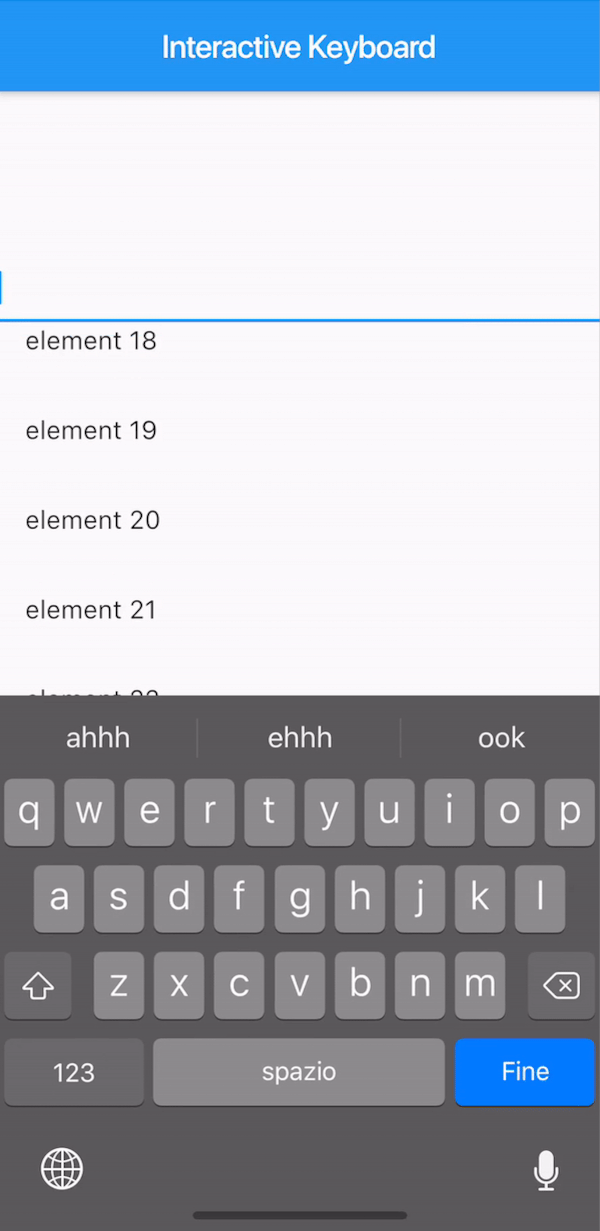
iOSのネイティブ動作に似たインタラクティブなキーボードの非表示を実現するFlutterプラグインです。Androidではドラッグなしで機能が模倣されます。

AndroidiOS
30日間ダウンロード
56
いいね数
33
Pub ポイント
140

パッケージをインストール

flutter pub add flutter_interactive_keyboard

パッケージ概要

公開情報に基づく選定ガイドです。参考としてご利用ください。

Flutterプラグインで、iOSのネイティブなドラッグして閉じる動作を再現するインタラクティブなキーボード非表示機能を提供します。iOSでは、ユーザーがキーボードを下にスワイプすることで閉じられます。Androidでは、実際のドラッグ操作なしに同様のジェスチャーをエミュレートします。このプラグインは、クロスプラットフォームでの直感的なキーボード制御を提供し、ネイティブモバイル動作と一貫性を保つことで、ユーザー体験を向上させます。既存のFlutterアプリへの統合は最小限の設定でスムーズに行えます。

用途

  • フォーム内のインタラクティブなキーボードの非表示
  • チャットや入力が重いアプリにおけるUXの向上
  • Android上でiOSネイティブキーボードのジェスチャーを模倣する
  • ジェスチャー制御によるアクセシビリティの向上

主な機能

  • iOSスタイルのドラッグして消去ジェスチャー
  • Android ジェスチャーのエミュレーション
  • 最小限の統合作業
  • クロスプラットフォームの一貫性
  • 非表示時のスムーズなアニメーション

適している対象

  • iOS風のUXをターゲットにする開発者
  • 頻繁にキーボードを使用するアプリ
  • ユーザーエクスペリエンスを重視したモバイルアプリケーション
  • フォーム中心またはメッセージインターフェース

注意事項

  • キーボードの非表示のみに制限
  • ジェスチャーの感度に対するカスタマイズなし
  • Android の動作は本物のドラッグとは異なります
  • 他のジェスチャーディテクタと競合する可能性があります

元の README

関連するソースリポジトリの README 原文のスナップショットです。最新の内容はリポジトリをご覧ください。

pub package

This plugin is not under active development. If you'd like to contribute, PRs are welcomed.

Flutter Interactive Keyboard

A way to mimic the iOS interactive dismissable keyboard in Flutter. For Android, the behavior will still be applied without animation due to the Android keyboard limitations.

How to use it

The KeyboardManagerWidget defines the area where the draggable keyboard is enabled. Gestures are passed to the widget in order to permit both scrolling and drag-to-dismiss behavior.

focusNode is required when using a TextField to manage the keyboard opening and closing.

See the full example to see a complete implementation.

KeyboardManagerWidget(
  focusNode: _focusNode,
  child: ListView.builder(
    itemCount: 100,
    itemBuilder: (context,index){
      return ListTile(
        title: Text("element $index"),
      );
    },
  ),
)

Advanced

Change focusNode

If your app has more than one TextField that should trigger the keyboard, you can change the current FocusNode from the KeyboardManagerWidgetState as follows:

// Init variable
GlobalKey<KeyboardManagerWidgetState> _key = GlobalKey();

// In the build method
KeyboardManagerWidget(
  key: _key,
  ...
)

// Wherever you like
_key.currentState.substituteFocusNode = newFocusNode;

カテゴリー

ソースリポジトリ

このパッケージを使用しているプロジェクト

データはまだありません。