

 v3.0.1
adaptive_dialog
プラットフォームに応じてアラートダイアログまたはモーダルアクションシートを適切に表示します。
1080いいね 3.4万30日間ダウンロード160Pub ポイント
AndroidiOSWebmacOSWindowsLinux
プラットフォームに応じてアラートダイアログまたはモーダルアクションシートを適切に表示します。

以下は英語原文のスナップショットです。最新版は GitHub をご覧ください。
Show alert dialog or modal action sheet adaptively according to platform.
Web Demo: https://mono0926.com/adaptive_dialog/
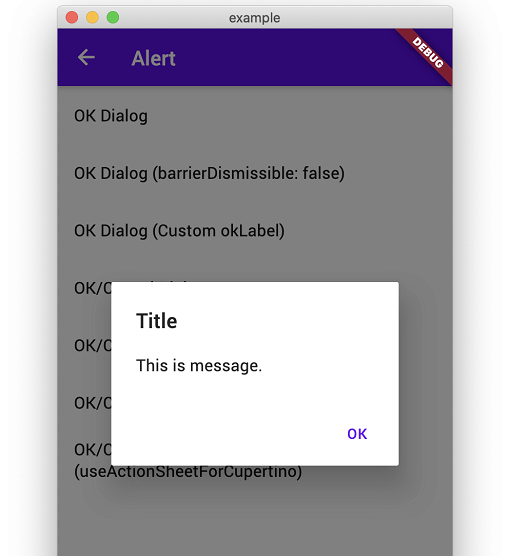
Convenient wrapper of showAlertDialog.
| iOS | Android |
|---|---|
 |
 |
Convenient wrapper of showAlertDialog.
| iOS | Android |
|---|---|
 |
 |
 |
 |
Show Confirmation Dialog. For Cupertino, fallback to ActionSheet.
| iOS | Android |
|---|---|
 |
 |
| iOS | Android |
|---|---|
 |
 |
 |
 |
 |
 |
| iOS | Android |
|---|---|
 |
 |
 |
 |
Show text input dialog until answer is correct or cancelled. This is useful for preventing very destructive action is executed mistakenly.
| iOS | Android |
|---|---|
 |
 |
This packages keeps usage and UI simple like iOS official alert dialog. Therefore, if you need more flexibility than this package provides, I recommend that you build your own directly using standard APIs to meet your requirements without using this package.
modalBarrierDismissLabel was called on nulladaptive_dialog uses Cupertino-style widgets internally on iOS, so GlobalCupertinoLocalizations.delegate is required under certain conditions.
import 'package:flutter/material.dart';
import 'package:flutter_localizations/flutter_localizations.dart';

class App extends StatelessWidget {
  const App({Key key}) : super(key: key);

  @override
  Widget build(BuildContext context) {
    return MaterialApp(
      //...
      localizationsDelegates: const [
        GlobalMaterialLocalizations.delegate,
        GlobalWidgetsLocalizations.delegate,
        GlobalCupertinoLocalizations.delegate, // This is required
      ],
    );
  }
}
This fixes the problem.
import 'package:flutter/cupertino.dart';
import 'package:flutter/material.dart' hide Router;

class App extends StatelessWidget {
  const App({Key key}) : super(key: key);

  @override
  Widget build(BuildContext context) {
    return MaterialApp(
      darkTheme: ThemeData(
        cupertinoOverrideTheme: const CupertinoThemeData(
          textTheme: CupertinoTextThemeData(), // This is required
        ),
      ),
    );
  }
}
AdaptiveStyle.macOS utilizes macos_ui widgets on native macOS.
On Web platforms (both JavaScript and WASM), macos_ui is excluded to ensure Web and WASM compatibility, and dialogs configured with macOS style automatically fall back to Cupertino (iOS-style) dialogs.
依存関係一覧 9 件
>=2.0.3 <4.0.0^1.15.0>=1.4.0 <3.0.0{"sdk":"flutter"}^2.0.0^2.0.0^1.3.0{"sdk":"flutter"}any用途で絞り込み、開発状況を比較し、採用前に元のリポジトリで要件を確認しましょう。
“A repository is the most basic element of GitHub.”
GitHub Docs — About repositories ↗