
flutter_mvvm_riverpod
MVVMアーキテクチャとRiverpod状態管理を備えた基本的なFlutterプロジェクト。

- スター
- 342
- フォーク
- 119
- 最終プッシュ(UTC)
- 2026/07/20
- プロジェクト状態
- 公開中
元の README
以下は英語原文のスナップショットです。最新版は GitHub をご覧ください。
Flutter MVVM Riverpod Starter
A lightweight Flutter starter template implementing MVVM architecture with Riverpod state management and Supabase backend. Perfect for indie hackers and solo developers looking to quickly bootstrap their projects.
This project was inspired by the Flutter App Architecture Guide and the Starter Architecture for Flutter & Firebase.
🎯 Features
- MVVM Architecture: Clean separation of concerns
- Riverpod State Management: Efficient and type-safe state management solution
- Supabase Backend: Ready-to-use backend infrastructure
- Dark/Light Theme: Built-in theme support
- Localization: Multi-language support
- Authentication: Email & Social login ready
- Routing: Declarative routing with go_router
- In-App Purchases: RevenueCat integration for subscriptions and purchases
📚 Libraries & Tools
| Category | Library | Purpose |
|---|---|---|
| State Management | ||
flutter_riverpod |
Reactive state management | |
riverpod_annotation |
Code generation for Riverpod | |
| Backend & Auth | ||
supabase_flutter |
Backend as a service | |
google_sign_in |
Google authentication | |
sign_in_with_apple |
Apple authentication | |
| Navigation | ||
go_router |
Declarative routing | |
| Storage | ||
shared_preferences |
Local key-value storage | |
sqflite |
Local database | |
| Network | ||
dio |
HTTP client | |
connectivity_plus |
Network connectivity | |
| UI/UX | ||
google_fonts |
Custom fonts | |
flutter_svg |
SVG rendering | |
shimmer |
Loading animations | |
lottie |
Animation files | |
| Utilities | ||
easy_localization |
Internationalization | |
envied |
Environment variables | |
uuid |
Unique identifiers | |
| Analytics | ||
firebase_analytics |
Usage tracking | |
firebase_crashlytics |
Crash reporting | |
| Monetization | ||
in_app_purchase |
In-app purchases | |
purchases_flutter |
RevenueCat integration |
🏗 Project Structure
lib/
├── constants/         # App constants and configurations
├── environment/       # Environment variables and config files
├── extensions/        # Extension methods and helpers
├── features/          # Feature modules
│   ├── common/
│   ├── authentication/
│   ├── home/
│   ├── onboarding/
│   ├── profile/
│   ├── premium/
├── routing/           # Route configurations
├── theme/             # Theme configurations
└── utils/             # Utility functions
🚀 Getting Started
-
Clone this repository
git clone https://github.com/namanh11611/flutter_mvvm_riverpod.git -
Install dependencies
flutter pub get -
Generate localization files
dart run easy_localization:generate -f keys -o locale_keys.g.dart --source-dir assets/translations -
Generate code
dart run build_runner build --delete-conflicting-outputs -
Change the app information
- To change the app package name, run the following command:
dart run change_app_package_name:main com.new.package.name- To change the Android app name, open the
android/app/src/main/AndroidManifest.xmlfile, change theandroid:label="New App Name" - To change the iOS app name, open the
ios/Runner/Info.plistfile, change theCFBundleDisplayNametoNew App Name - To change the iOS bundle name, open the
ios/Runner/Info.plistfile, change theCFBundleNametonew_bundle_name
-
Run the app
flutter run
📱 Screenshots
| Light Hero | Light Profile | Dark Hero | Dark Profile |
|---|---|---|---|
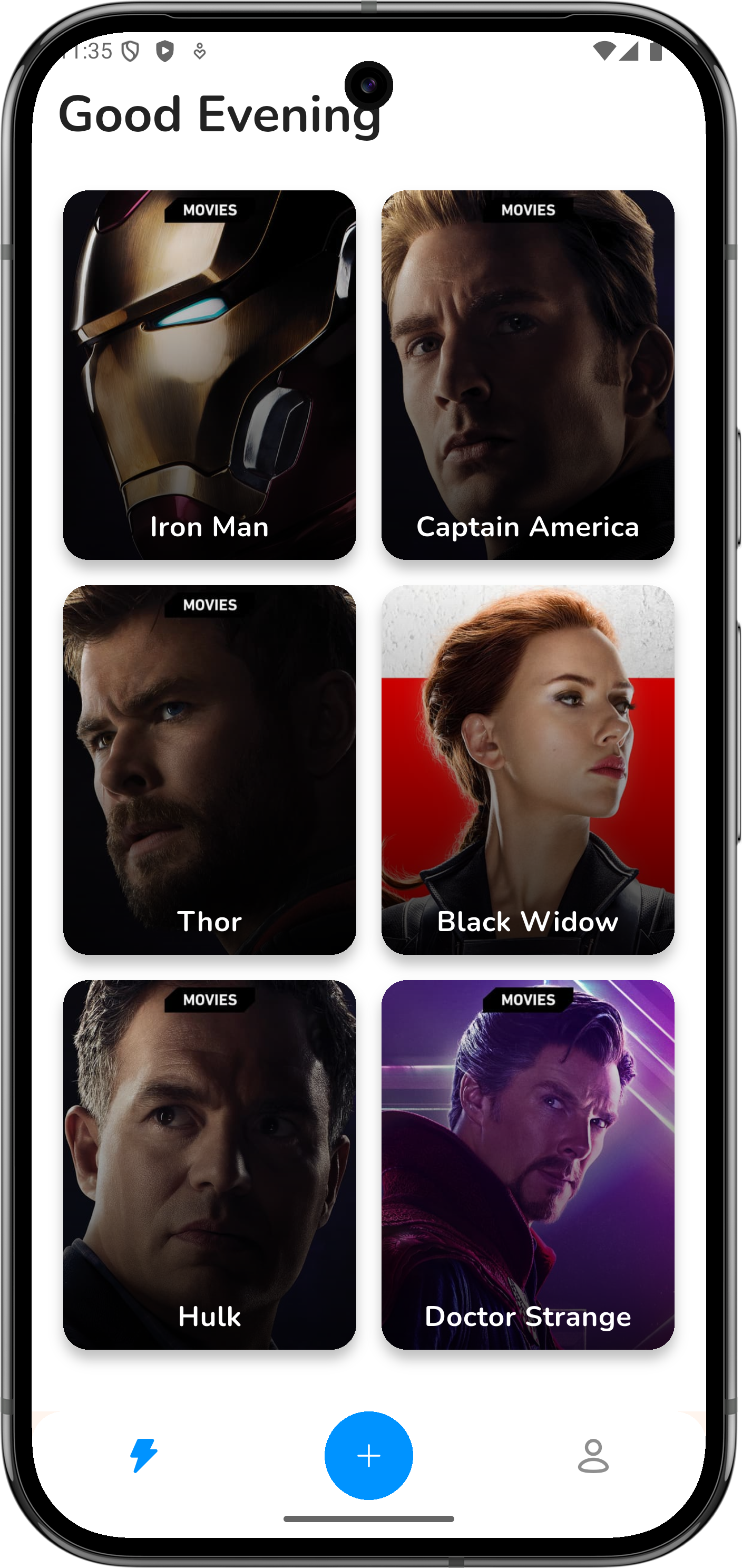 |
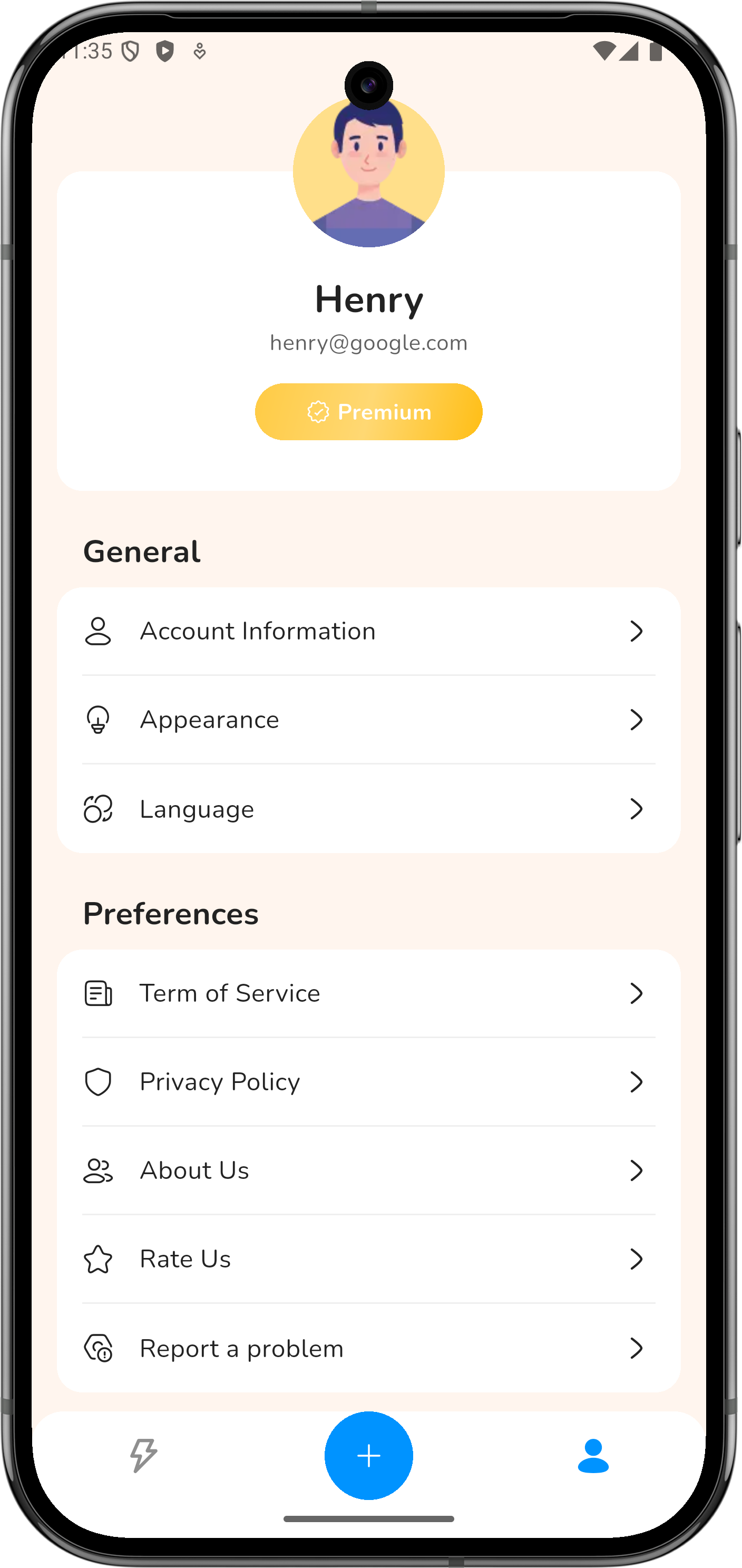 |
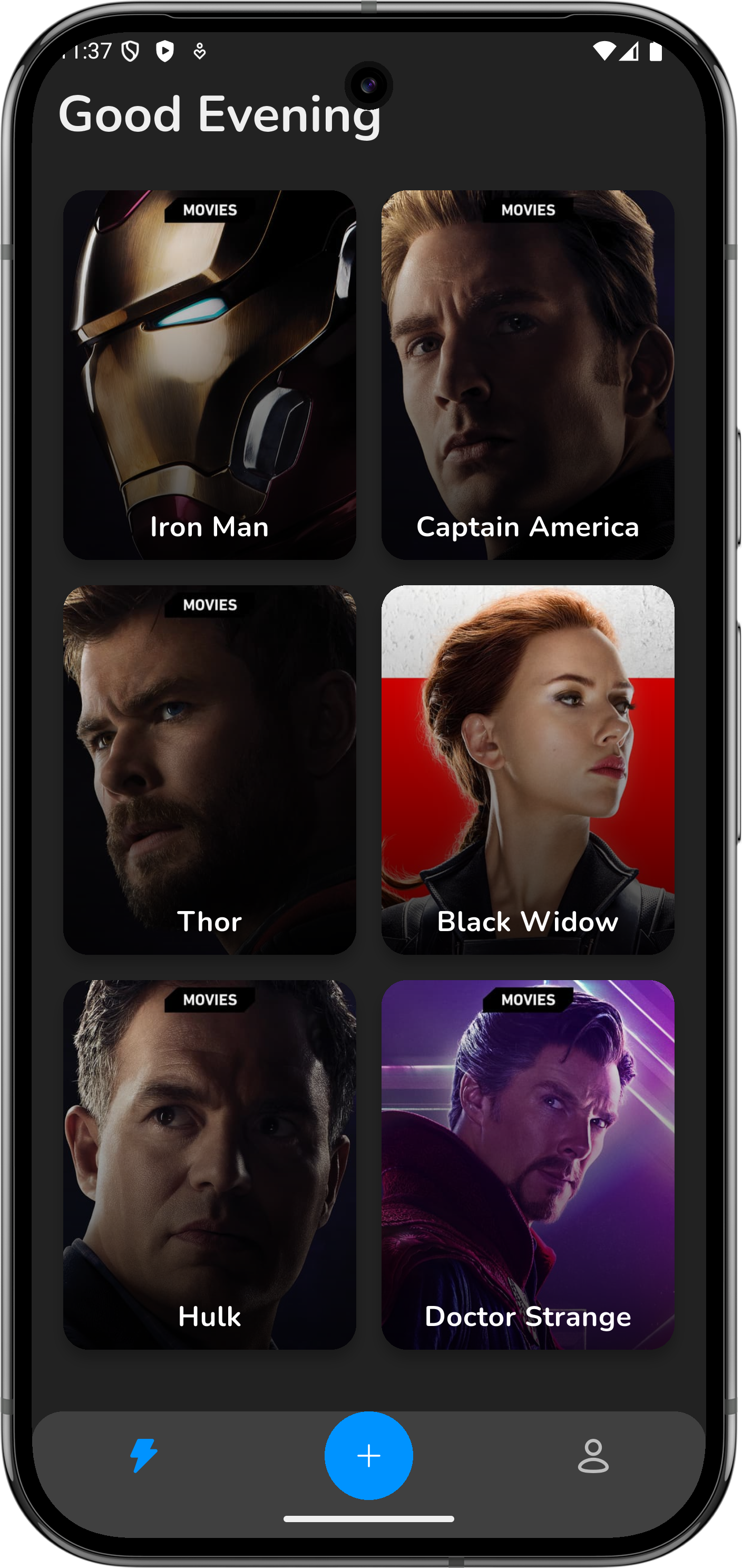 |
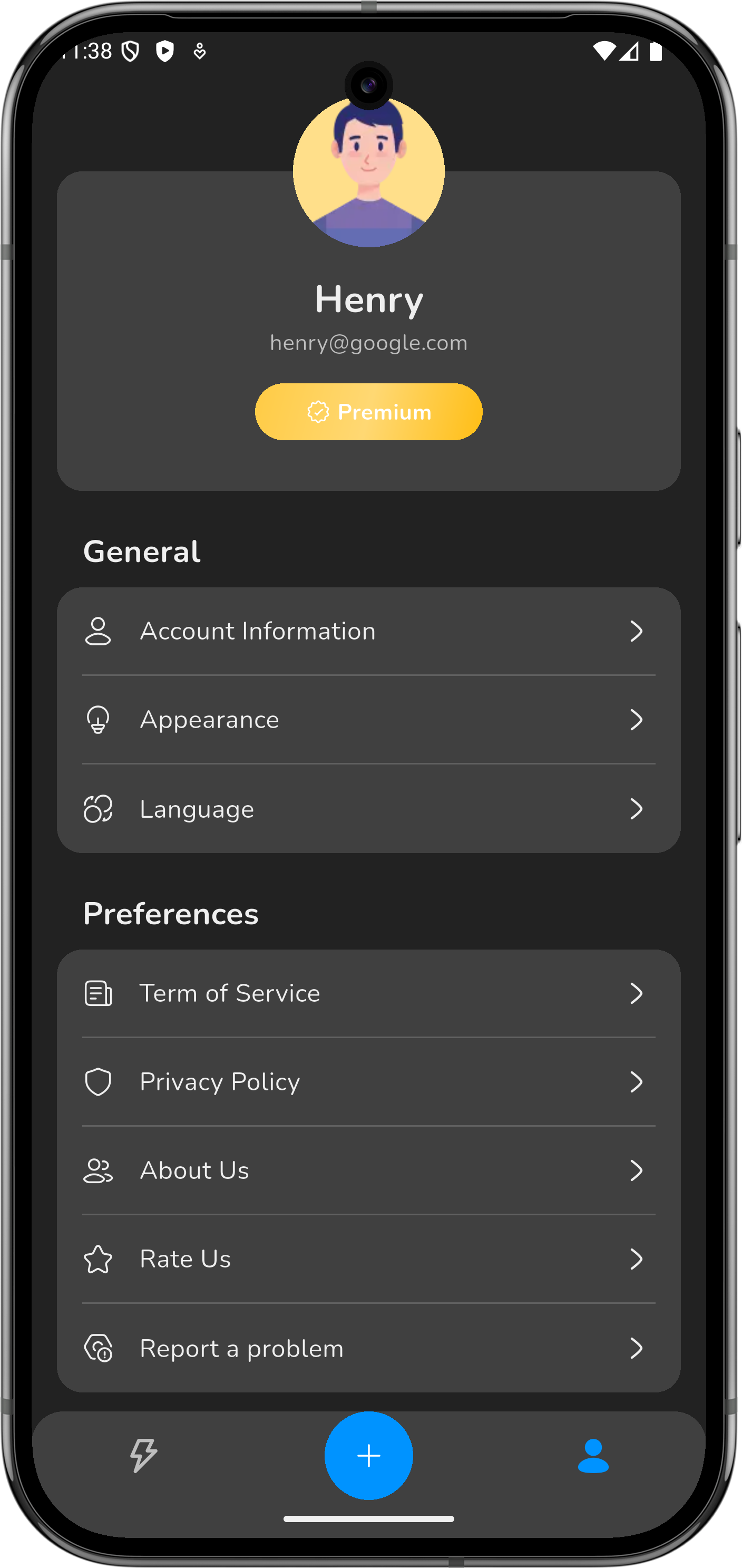 |
🤝 Contributing
Contributions, issues, and feature requests are welcome!
📝 License
This project is licensed under the MIT License - see the LICENSE file for details.
⭐ Star History

Nam Anh Nguyen ↗
カテゴリー
使用している依存関係
依存関係一覧 51 件
- flutter
{"sdk":"flutter"} - cached_network_image
^3.4.1 - collection
^1.19.0 - connectivity_plus
^7.0.0 - cupertino_icons
^1.0.6 - dio
^5.9.0 - easy_localization
^3.0.7 - envied
^1.1.1 - equatable
^2.0.5 - firebase_analytics
^11.3.6 - firebase_core
^3.8.1 - firebase_crashlytics
^4.2.0 - flutter_riverpod
^2.6.1 - flutter_svg
^2.2.1 - freezed_annotation
^3.0.0 - go_router
^16.2.4 - google_fonts
^6.3.2 - google_sign_in
^6.3.0 - hugeicons
^0.0.11 - image_picker
^1.2.0 - in_app_purchase
^3.2.3 - in_app_update
^4.2.5 - json_annotation
^4.9.0 - lottie
^3.3.2 - ming_cute_icons
^0.0.7 - package_info_plus
^9.0.0 - path
^1.9.0 - path_provider
^2.1.5 - permission_handler
^12.0.1 - persistent_bottom_nav_bar
^6.2.1 - pinput
^5.0.2 - purchases_flutter
^9.9.2 - riverpod_annotation
^2.6.1 - shared_preferences
^2.5.3 - shimmer
^3.0.0 - sign_in_with_apple
^7.0.1 - sqflite
^2.4.2 - supabase_flutter
^2.10.3 - url_launcher
^6.3.2 - uuid
^4.4.0 - build_runner開発用
^2.4.13 - change_app_package_name開発用
^1.5.0 - custom_lint開発用
^0.7.5 - envied_generator開発用
^1.1.1 - flutter_lints開発用
^6.0.0 - flutter_test開発用
{"sdk":"flutter"} - freezed開発用
^3.0.0 - json_serializable開発用
^6.9.5 - riverpod_generator開発用
^2.6.4 - riverpod_lint開発用
^2.6.4 - test開発用
^1.25.8
ランキング
プロジェクトに合うリポジトリを選ぶには?
用途で絞り込み、開発状況を比較し、採用前に元のリポジトリで要件を確認しましょう。
- 名前・作者・説明で検索し、技術トピックで絞り込みます。
- スター、フォーク、最近のプッシュを比較します。スターは関心の目安であり、品質の保証ではありません。
- 利用前に GitHub で README、ライセンス、Issues を確認します。
情報源と管理
“A repository is the most basic element of GitHub.”
GitHub Docs — About repositories ↗