
 v2.3.0
flutter_scroll_to_top
スクロール時にユーザーにトップに戻るプロンプトを表示できる、スクロール可能なウィジェットをラップするためのシンプルなラッパーを提供するパッケージです。
104いいね 27130日間ダウンロード70Pub ポイント
プラットフォーム情報なし
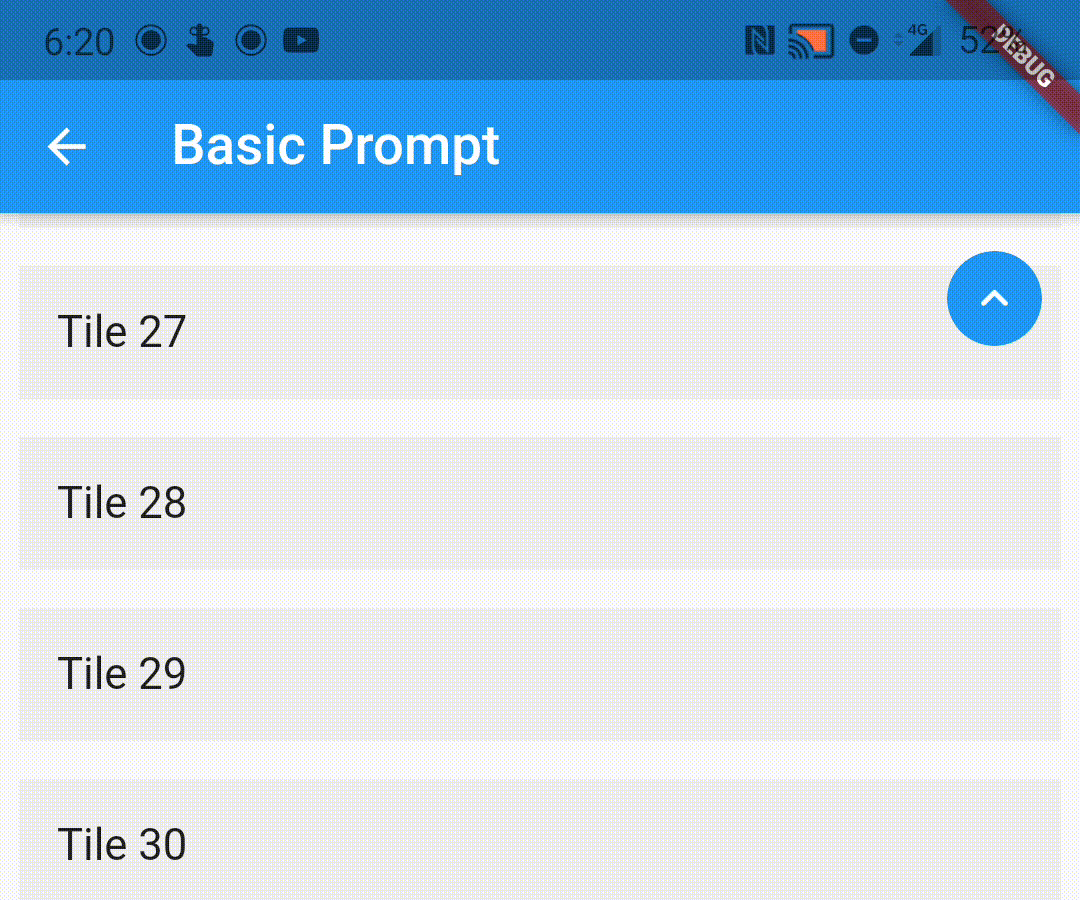
スクロール可能なウィジェットでスクロール時にユーザーにトップに戻るプロンプトを表示するラッパーです。
以下は英語原文のスナップショットです。最新版は GitHub をご覧ください。

A wrapper to show a scroll to top prompt to the user on ScrollView widgets.
Add the following dependency to your pubspec.yaml file:
dependencies:
  flutter_scroll_to_top: ^2.2.4
Import the package
import 'package:flutter_scroll_to_top/flutter_scroll_to_top.dart';
Just wrap the scrollable widget you want to show the scroll to top prompt over with a ScrollWrapper.
ScrollWrapper(
    builder: (context, properties) => ListView.builder(
        itemBuilder: (context, index) => Padding(
            padding: const EdgeInsets.all(8.0),
            child: ListTile(
                title: Text('Tile $index'),
                tileColor: Colors.grey.shade200,
            ),
        ),
    ),
)

If the child ScrollView has different properties for scrollController, scrollDirection,
primary or reverse parameters than the default values, you need to pass them to the ScrollWrapper
widget as it requires the same parameters. It provides a ScrollViewProperties object in the builder
callback that you can use to access the properties in the ScrollView widget.
ScrollWrapper(
    primary: true,
    scrollDirection: Axis.horizontal,
    reverse: true,
    builder: (context, properties) => ListView.builder(
        controller: properties.scrollController,
        scrollDirection: properties.scrollDirection,
        reverse: properties.reverse,
        primary: properties.primary,
        itemBuilder: (context, index) => Padding(
            padding: const EdgeInsets.all(8.0),
            child: ListTile(
                title: Text('Tile $index'),
                tileColor: Colors.grey.shade200,
            ),
        ),
    ),
)
You can pass the following parameters to customise the prompt accordingly
enabledAtOffset - At what scroll offset to enable the prompt on.alwaysVisibleAtOffset - If the prompt is to be always visible at the provided offset. Setting this to false only shows the prompt when the user starts scrolling upwards. Default value is false.scrollOffsetUntilVisible - Offset should the user scroll in the opposite direction before the prompt becomes visible.scrollOffsetUntilHide - Offset should the user scroll before the prompt hides itself, if visible.promptAlignment - Where on the widget to align the prompt.promptDuration - Duration it takes for the prompt to come into view/vanish.promptAnimationCurve - Animation Curve that the prompt will follow when coming into view.promptAnimationType - PromptAnimation that the prompt follows when animating. Has three options, fade, scale and size.scrollToTopDuration - Duration it takes for the page to scroll to the top on prompt button press.scrollToTopCurve - Animation Curve for scrolling to the top.promptTheme - You can pass PromptButtonTheme to modify the prompt button further. It has the following parameters:
padding - Padding around the prompt button.iconPadding - Padding around the icon inside the button.icon - The icon inside the button.color - Color of the prompt button.elevation - Elevation of the button.ScrollWrapper(
promptAlignment: Alignment.topCenter,
promptAnimationCurve: Curves.elasticInOut,
promptDuration: const Duration(milliseconds: 400),
enabledAtOffset: 300,
scrollOffsetUntilVisible: 500,
promptTheme: const PromptButtonTheme(
icon: Icon(Icons.arrow_circle_up, color: Colors.amber),
color: Colors.deepPurpleAccent,
iconPadding: EdgeInsets.all(16),
padding: EdgeInsets.all(32)),
builder: (context, properties) => ListView.builder(
controller: properties.scrollController,
scrollDirection: properties.scrollDirection,
reverse: properties.reverse,
primary: properties.primary,
itemBuilder: (context, index) => Padding(
padding: const EdgeInsets.all(8.0),
child: ListTile(
title: Text('Tile $index'),
tileColor: Colors.grey.shade200,
),
),
),
)

You can replace the default prompt widget with a widget of your choosing by passing it off in the promptReplacementBuilder parameter.
ScrollWrapper(
    promptReplacementBuilder: (context, function) => MaterialButton(
        onPressed: () => function(),
        child: const Text('Scroll to top'),
    ),
    builder: (context, properties) => ListView.builder(
        controller: properties.scrollController,
        scrollDirection: properties.scrollDirection,
        reverse: properties.reverse,
        primary: properties.primary,
        itemBuilder: (context, index) => Padding(
            padding: const EdgeInsets.all(8.0),
            child: ListTile(
                title: Text('Tile $index'),
                tileColor: Colors.grey.shade200,
            ),
        ),
    ),
)

This is a limitation of the way Flutter handles this scenario. If you are receiving this error (likely due to multiple scrollables under a NestedScrollView), this library bundles a modified version of the scrollviews which would fix this issue.
To use them, add the following import:
import 'package:flutter_scroll_to_top/scroll_view.dart' as scrollview;
Then replace your scrollview in the following way:
Before
ScrollWrapper(
    builder: (context, properties) => ListView.builder(
        itemBuilder: (context, index) => Padding(
            padding: const EdgeInsets.all(8.0),
            child: ListTile(
                title: Text('Tile $index'),
                tileColor: Colors.grey.shade200,
            ),
        ),
    ),
)
After
ScrollWrapper(
    builder: (context, properties) => scrollview.ListView.builder(
        properties: properties,
        itemBuilder: (context, index) => Padding(
            padding: const EdgeInsets.all(8.0),
            child: ListTile(
                title: Text('Tile $index'),
                tileColor: Colors.grey.shade200,
            ),
        ),
    ),
)

依存関係一覧 3 件
{"sdk":"flutter"}^2.0.1{"sdk":"flutter"}用途で絞り込み、開発状況を比較し、採用前に元のリポジトリで要件を確認しましょう。
“A repository is the most basic element of GitHub.”
GitHub Docs — About repositories ↗