パッケージ、リポジトリ、アプリカテゴリを検索

flutter_scroll_to_top のカバー
パッケージ詳細v2.3.0

flutter_scroll_to_top

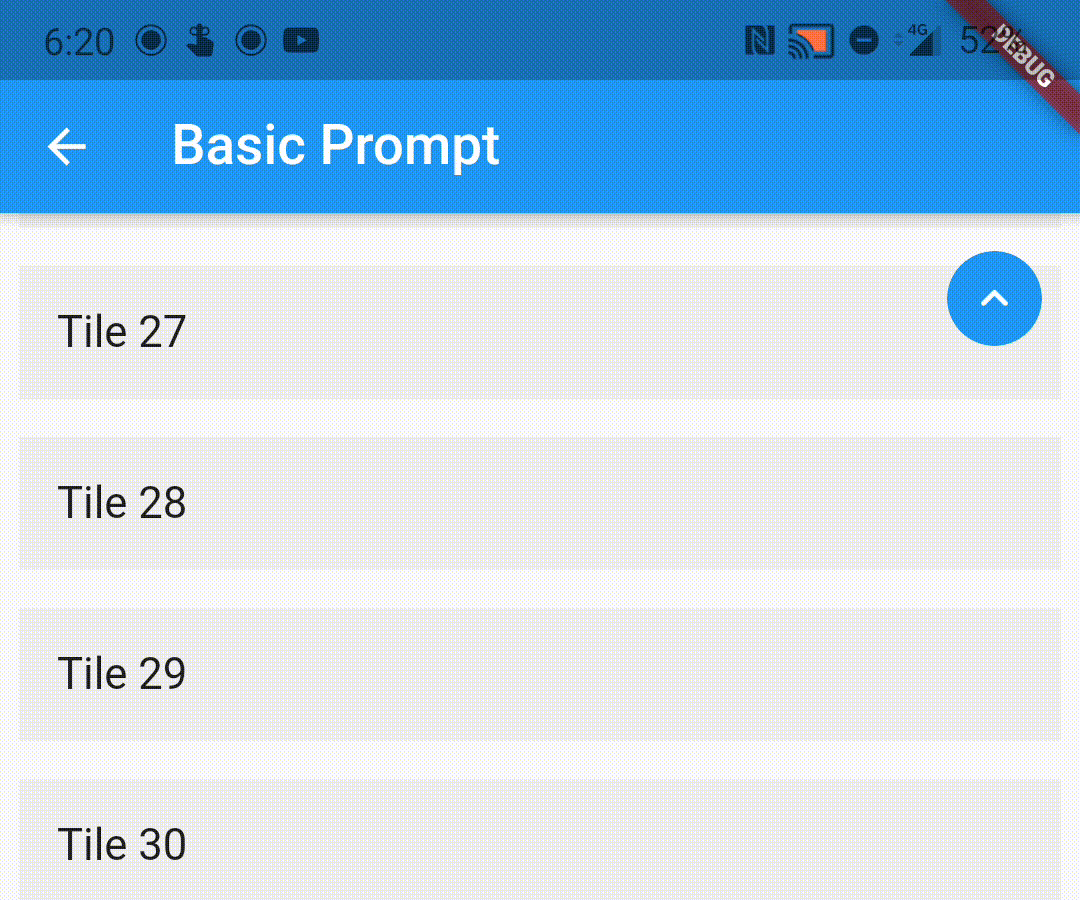
スクロール時にユーザーにトップに戻るプロンプトを表示できる、スクロール可能なウィジェットをラップするためのシンプルなラッパーを提供するパッケージです。

30日間ダウンロード
322
いいね数
104
Pub ポイント
70

パッケージをインストール

flutter pub add flutter_scroll_to_top

パッケージ概要

公開情報に基づく選定ガイドです。参考としてご利用ください。

ユーザーが下にスクロールすると自動的に「トップに戻る」インジケーターを表示するように、スクロール可能なウィジェットをラップする軽量なFlutterパッケージです。長いリストやスクロールビューの先頭に戻るための直感的な方法を提供することで、ユーザーエクスペリエンスを向上させます。このパッケージは簡単に統合でき、ListView、CustomScrollView、SingleChildScrollViewなどの任意のスクロール可能コンテンツとシームレスに連携します。ボタンの外観および動作のカスタマイズもサポートしています。

用途

  • 長いリストにトップへスクロールボタンを追加する
  • スクロール可能なダッシュボードにおけるUXの向上
  • コンテンツが多く含まれるアプリにおけるアクセシビリティの向上
  • スクロール中に視覚フィードバックを提供する
  • ネストされたスクロールビュー内のナビゲーションの簡素化

主な機能

  • スクロール位置に基づく自動可視性
  • カスタマイズ可能なフローティングアクションボタン
  • ラッパー・ウィジェットを使用した最小構成
  • すべてのスクロール可能なウィジェットと互換性があります
  • ダークモードとテーマ統合をサポート

適している対象

  • 長くスクロール可能なコンテンツを備えたアプリ
  • UXを重視するユーザーインターフェースデザイナー
  • 素早いスクロールトップ実装を求める開発者
  • 最小限の依存関係を必要とするプロジェクト
  • コンテンツ豊富な画面を持つモバイルアプリ

注意事項

  • 追加の構成なしでは、複雑なネストされたスクロールビューと互換性がない可能性があります
  • デフォルトを使用しない場合、スクロールコントローラーを手動で処理する必要があります
  • 基本的なスタイリング以外のカスタマイズオプションは限られている
  • スクロールできないウィジェットには適していません
  • プラットフォーム固有のスクロール動作に依存します

元の README

関連するソースリポジトリの README 原文のスナップショットです。最新の内容はリポジトリをご覧ください。

flutter_scroll_to_top

Pub

A wrapper to show a scroll to top prompt to the user on ScrollView widgets.

Installing

Add the following dependency to your pubspec.yaml file:

dependencies:
  flutter_scroll_to_top: ^2.2.4

Import the package

import 'package:flutter_scroll_to_top/flutter_scroll_to_top.dart';

ScrollWrapper

Just wrap the scrollable widget you want to show the scroll to top prompt over with a ScrollWrapper.

ScrollWrapper(
    builder: (context, properties) => ListView.builder(
        itemBuilder: (context, index) => Padding(
            padding: const EdgeInsets.all(8.0),
            child: ListTile(
                title: Text('Tile $index'),
                tileColor: Colors.grey.shade200,
            ),
        ),
    ),
)

ScrollView Properties

If the child ScrollView has different properties for scrollController, scrollDirection, primary or reverse parameters than the default values, you need to pass them to the ScrollWrapper widget as it requires the same parameters. It provides a ScrollViewProperties object in the builder callback that you can use to access the properties in the ScrollView widget.

ScrollWrapper(
    primary: true,
    scrollDirection: Axis.horizontal,
    reverse: true,
    builder: (context, properties) => ListView.builder(
        controller: properties.scrollController,
        scrollDirection: properties.scrollDirection,
        reverse: properties.reverse,
        primary: properties.primary,
        itemBuilder: (context, index) => Padding(
            padding: const EdgeInsets.all(8.0),
            child: ListTile(
                title: Text('Tile $index'),
                tileColor: Colors.grey.shade200,
            ),
        ),
    ),
)

Customisation

You can pass the following parameters to customise the prompt accordingly

  • enabledAtOffset - At what scroll offset to enable the prompt on.
  • alwaysVisibleAtOffset - If the prompt is to be always visible at the provided offset. Setting this to false only shows the prompt when the user starts scrolling upwards. Default value is false.
  • scrollOffsetUntilVisible - Offset should the user scroll in the opposite direction before the prompt becomes visible.
  • scrollOffsetUntilHide - Offset should the user scroll before the prompt hides itself, if visible.
  • promptAlignment - Where on the widget to align the prompt.
  • promptDuration - Duration it takes for the prompt to come into view/vanish.
  • promptAnimationCurve - Animation Curve that the prompt will follow when coming into view.
  • promptAnimationType - PromptAnimation that the prompt follows when animating. Has three options, fade, scale and size.
  • scrollToTopDuration - Duration it takes for the page to scroll to the top on prompt button press.
  • scrollToTopCurve - Animation Curve for scrolling to the top.
  • promptTheme - You can pass PromptButtonTheme to modify the prompt button further. It has the following parameters:
    • padding - Padding around the prompt button.
    • iconPadding - Padding around the icon inside the button.
    • icon - The icon inside the button.
    • color - Color of the prompt button.
    • elevation - Elevation of the button.
ScrollWrapper(
    promptAlignment: Alignment.topCenter,
    promptAnimationCurve: Curves.elasticInOut,
    promptDuration: const Duration(milliseconds: 400),
    enabledAtOffset: 300,
    scrollOffsetUntilVisible: 500,
    promptTheme: const PromptButtonTheme(
    icon: Icon(Icons.arrow_circle_up, color: Colors.amber),
    color: Colors.deepPurpleAccent,
    iconPadding: EdgeInsets.all(16),
    padding: EdgeInsets.all(32)),
    builder: (context, properties) => ListView.builder(
        controller: properties.scrollController,
        scrollDirection: properties.scrollDirection,
        reverse: properties.reverse,
        primary: properties.primary,
            itemBuilder: (context, index) => Padding(
            padding: const EdgeInsets.all(8.0),
            child: ListTile(
                title: Text('Tile $index'),
                tileColor: Colors.grey.shade200,
            ),
        ),
    ),
)

Custom Prompt Widget

You can replace the default prompt widget with a widget of your choosing by passing it off in the promptReplacementBuilder parameter.

ScrollWrapper(
    promptReplacementBuilder: (context, function) => MaterialButton(
        onPressed: () => function(),
        child: const Text('Scroll to top'),
    ),
    builder: (context, properties) => ListView.builder(
        controller: properties.scrollController,
        scrollDirection: properties.scrollDirection,
        reverse: properties.reverse,
        primary: properties.primary,
        itemBuilder: (context, index) => Padding(
            padding: const EdgeInsets.all(8.0),
            child: ListTile(
                title: Text('Tile $index'),
                tileColor: Colors.grey.shade200,
            ),
        ),
    ),
)


The prompt shows up inconsistently if I have multipe scrollviews listening to the same scroll controller, how do I fix it?

This is a limitation of the way Flutter handles this scenario. If you are receiving this error (likely due to multiple scrollables under a NestedScrollView), this library bundles a modified version of the scrollviews which would fix this issue.

To use them, add the following import:

import 'package:flutter_scroll_to_top/scroll_view.dart' as scrollview;

Then replace your scrollview in the following way:

Before

ScrollWrapper(
    builder: (context, properties) => ListView.builder(
        itemBuilder: (context, index) => Padding(
            padding: const EdgeInsets.all(8.0),
            child: ListTile(
                title: Text('Tile $index'),
                tileColor: Colors.grey.shade200,
            ),
        ),
    ),
)

After

ScrollWrapper(
    builder: (context, properties) => scrollview.ListView.builder(
        properties: properties,
        itemBuilder: (context, index) => Padding(
            padding: const EdgeInsets.all(8.0),
            child: ListTile(
                title: Text('Tile $index'),
                tileColor: Colors.grey.shade200,
            ),
        ),
    ),
)

カテゴリー

ソースリポジトリ

このパッケージを使用しているプロジェクト