

v0.3.4
timeline_editor
ビデオタイムラインのようにトラックを編集可能または編集不可能にできるタイムラインを管理するためのFlutterウィジェット。移動やアクションもサポートしています。
41いいね 4730日間ダウンロード30Pub ポイント
プラットフォーム情報なし
Flutter用のタイムラインエディタ

以下は英語原文のスナップショットです。最新版は GitHub をご覧ください。
Early version of a timeline editor. Support:
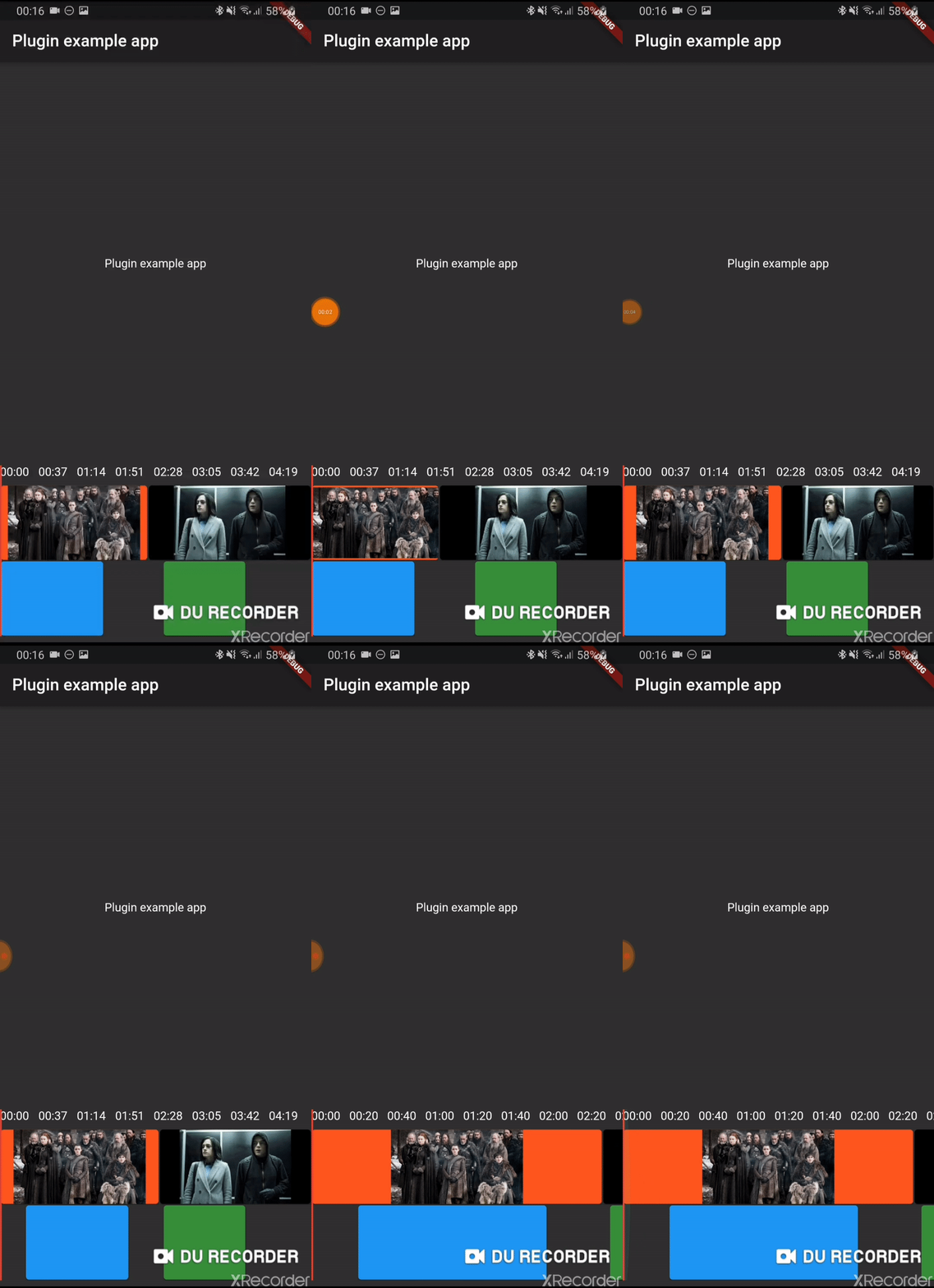
Add timeline_editor as a dependency in your pubspec.yaml file (what?).
Import timeline_editor:
import 'package:timeline_editor/timeline_editor.dart';
We now use Duration instead of seconds. To migrate you can use the helper functions to transform your seconds to Duration:
Duration durationFromSeconds(double seconds)
double durationToSeconds(Duration duration)
See example
TimelineEditor(
                  positionStream: positionStream,
                  onPositionTap: (s) => position = s,
                  countTracks: 2,
                  trackBuilder: (track, pps, duration) => track == 1
                      ? TimelineEditorTrack(
                          defaultColor: Colors.green[700],
                          boxes: [
                            TimelineEditorBox(box1Start, 100,
                                onMoved: updateBox1,
                                color: Colors.blue,
                                onMovedEnd: () => print('end moved')),
                            TimelineEditorBox(157, 80),
                          ],
                          pixelsPerSeconds: pps,
                          duration: duration,
                        )
                      : TimelineEditorTrack.fromContinuous(
                          continuousBoxes:[
                            TimelineEditorContinuousBox(
                                Duration.zero,
                                color: Colors.deepOrange,
                                child: const Image(image: const AssetImage('assets/image2.jpg')),
                            ),
                            TimelineEditorContinuousBox(
                                box2Start,
                                menuEntries: [
                                PopupMenuItem<String>(child: Text('Delete'), value: 'deleted')
                                ],
                                onMoved: updateBox2,
                                onSelectedMenuItem: (v) {
                                print('Selected: $v');
                                setState(() {
                                    deleted = true;
                                });
                                },
                                onTap: (start, duration) =>
                                    print('tapped for $start to ${start + duration}'),
                                color: Colors.black,
                                child: const Image(image: const AssetImage('assets/image.jpg')),
                            ),
                            ],
                          pixelsPerSeconds: pps,
                          duration: duration,
                        ),
                  duration: Duration(seconds: 300),
                ))
Main widget used to hold your tracks, display position and time
A provided track to use with the TimelineEditor track builder (you can use your own)
It can either hold simple TimelineEditorBox with a start and an end
or TimelineEditorTrack.fromContinuous with TimelineEditorContinuousBox to have a conitunuous track where you only set start time and duration will be calculated so the box go up to the next box
依存関係一覧 4 件
{"sdk":"flutter"}^0.1.2^0.24.1{"sdk":"flutter"}用途で絞り込み、開発状況を比較し、採用前に元のリポジトリで要件を確認しましょう。
“A repository is the most basic element of GitHub.”
GitHub Docs — About repositories ↗