
 v3.1.0
arrow_path
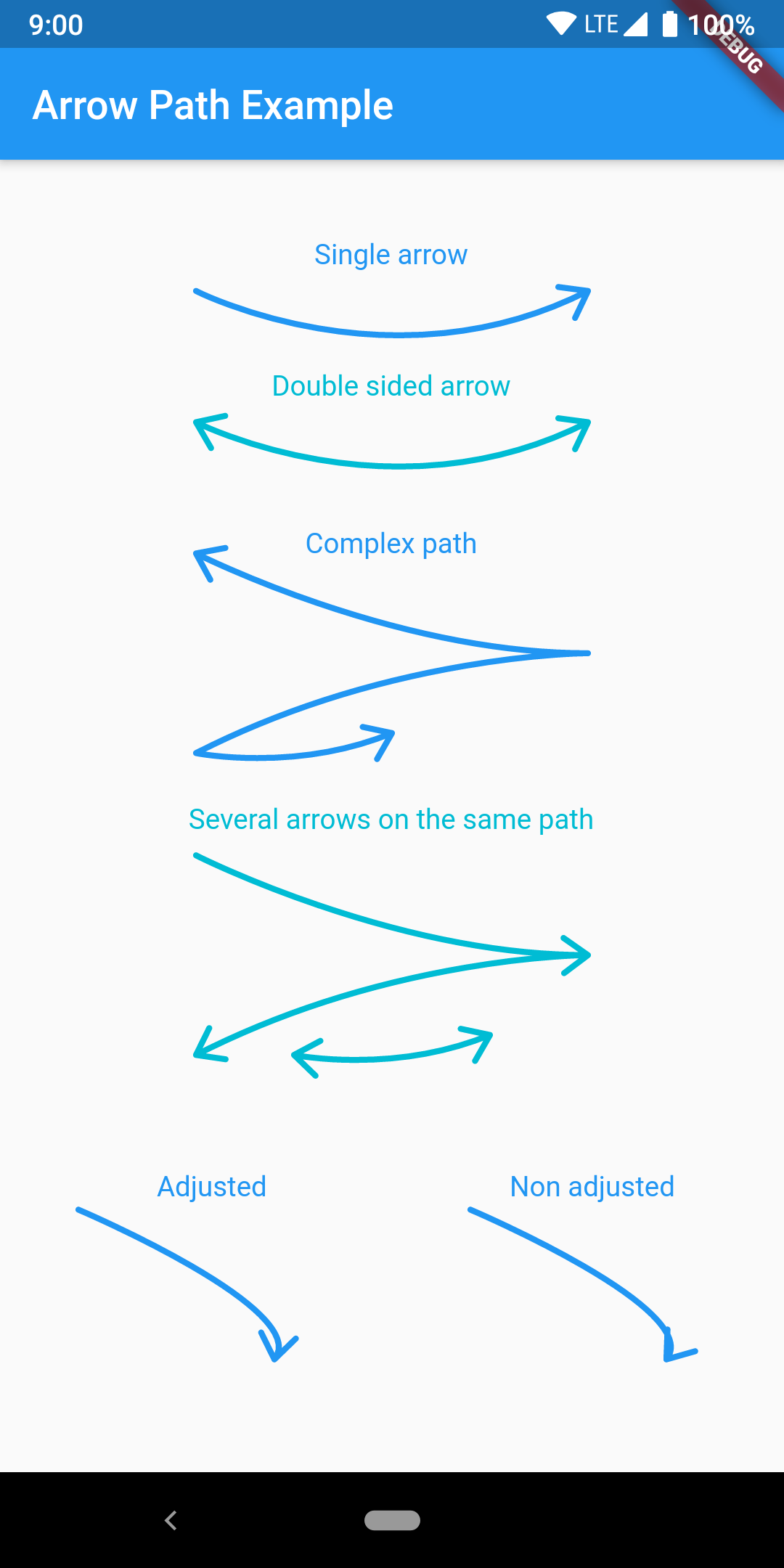
Path オブジェクトを使用して矢印を簡単に描画できます。パスを合成することで、任意の曲線に矢印を追加し、一度にすべてを描画できます。
50いいね 347030日間ダウンロード160Pub ポイント
AndroidiOSWebmacOSWindowsLinux
Path オブジェクトを使用して矢印を簡単に描画するための Flutter パッケージです。パスを合成して任意の曲線に矢印を追加し、一度にすべてを描画できます。

{"sdk":"flutter"}^2.0.1以下は英語原文のスナップショットです。最新版は GitHub をご覧ください。
Draw arrows with Path objects easily. Paths can be composited to add arrows to any curve and draw all at once.
https://raw.githubusercontent.com/quentinleguennec/flutter-arrow-path/master/example/arrow_path_example.png
The arrow is drawn using the direction of the tangent to the curve at the end of the curve. It features an adjustment parameter to also look at the tangent just before the end of the segment and rotate the tip of the arrow based on the angle difference to improve the look of the arrow when the curvature at the end is high.
Have a look at the example app to get started.
ArrowPath.make() is now deprecated, use ArrowPath.addTip() instead.
If you are not using the isDoubleSided argument of ArrowPath.make() then you can safely replace it by ArrowPath.addTip() without any other change.
If you are using the isDoubleSided argument of ArrowPath.make() then change yor code like this:
Before:
  Path path = Path();
  path.relativeLineTo(100, 100);
  path = ArrowPath.make(path, isDoubleSided: true);
After:
  Path path = Path();
  path.relativeLineTo(100, 100);
  path = ArrowPath.addTip(path);
  path = ArrowPath.addTip(path, isBackward: true);