パッケージ、リポジトリ、アプリカテゴリを検索

arrow_path のカバー
パッケージ詳細v3.1.0

arrow_path

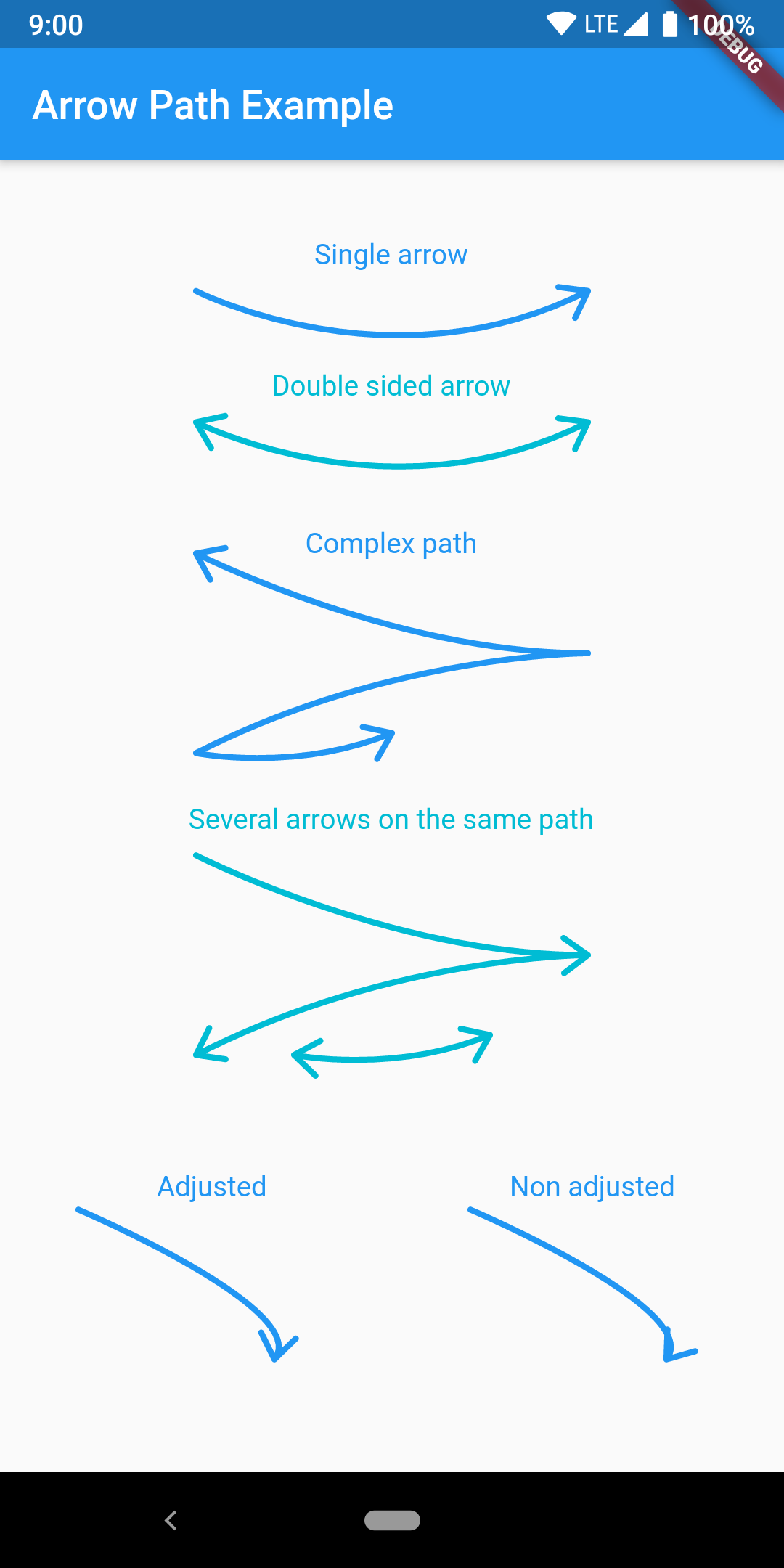
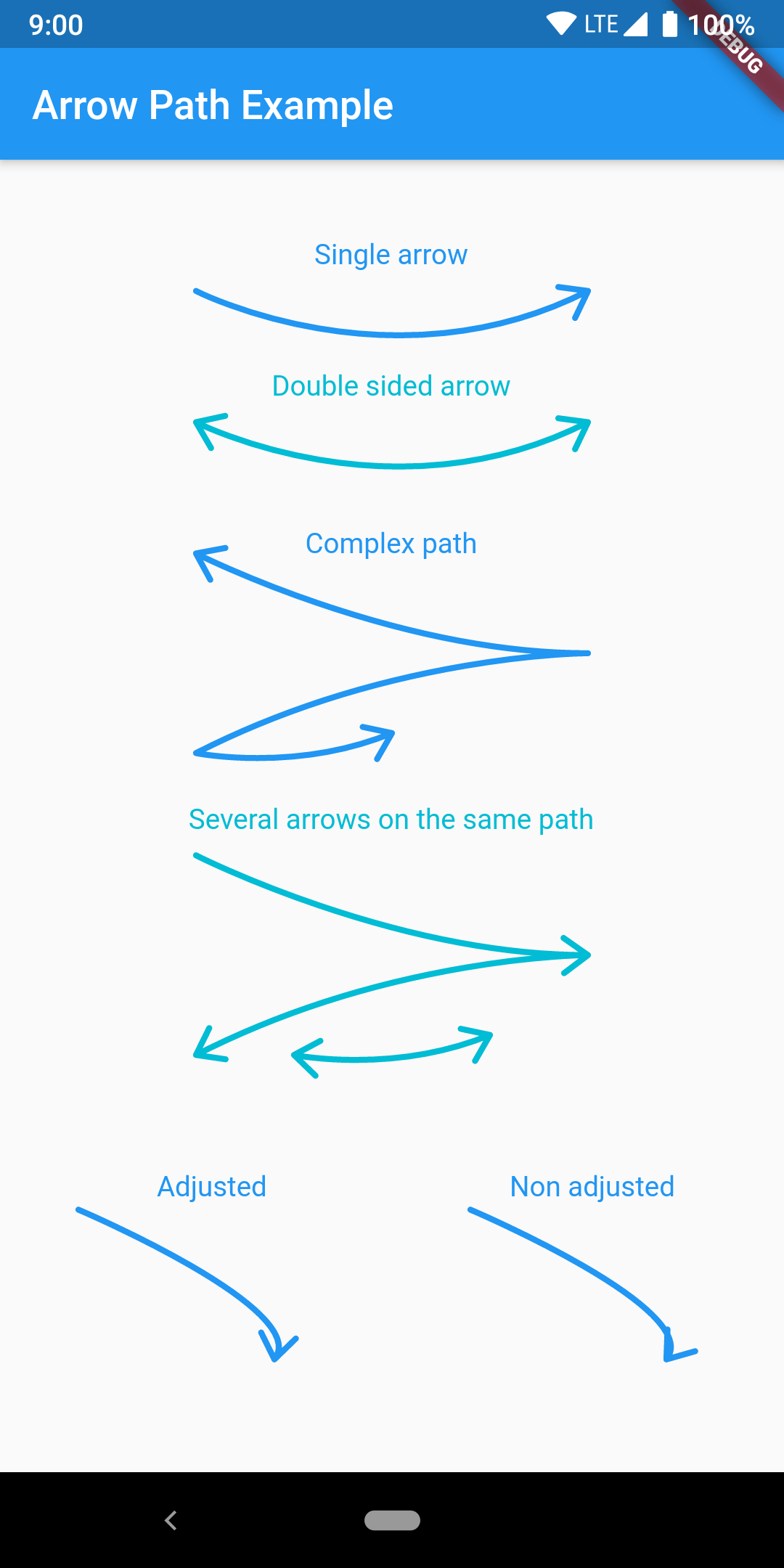
Path オブジェクトを使用して矢印を簡単に描画できます。パスを合成することで、任意の曲線に矢印を追加し、一度にすべてを描画できます。

AndroidiOSWebmacOSWindowsLinux
30日間ダウンロード
3420
いいね数
50
Pub ポイント
160

パッケージをインストール

flutter pub add arrow_path

パッケージ概要

公開情報に基づく選定ガイドです。参考としてご利用ください。

ArrowPath は、Path オブジェクトを使用して矢印を描画することを簡素化する Flutter パッケージです。開発者が任意のカーブやパスに矢印の先端を簡単に追加でき、複雑なデザインに複数の矢印を合成する機能もサポートしています。方向性の流れ、図解、インタラクティブな UI 要素の可視化に最適です。Android、iOS、Web、macOS、Windows、Linux といったすべての主要プラットフォームで動作し、一貫したレンダリングを保証します。パフォーマンスと柔軟性を重視して構築されており、既存のペイントワークフローにスムーズに統合できます。

用途

  • 方向性フロー図の作成
  • UI内のデータパスの可視化
  • 矢印ベースのインタラクティブなインターフェースの設計
  • 方向性インジケーターによるチャートの強化
  • カスタム描画ツールの作成

主な機能

  • 任意の Path に矢印先端を簡単に追加
  • 複合矢印パスのサポート
  • クロスプラットフォーム互換性
  • 高パフォーマンスレンダリング
  • Canvas との簡単な統合
  • 柔軟なカスタマイズオプション

適している対象

  • 動的パスを使用するUIデザイナー
  • 図解ツールを開発する開発者
  • 視覚的なガイド付き教育アプリ
  • データ可視化アプリケーション
  • インタラクティブな描画機能

注意事項

  • Flutter の Path および Canvas に精通している必要があります
  • 動的な矢印の位置決めには追加の論理が必要になる可能性があります
  • 非常に高い頻度の更新には最適化されていません
  • アニメーション対応なしの静的矢印スタイルに限定

元の README

関連するソースリポジトリの README 原文のスナップショットです。最新の内容はリポジトリをご覧ください。

pub package pub points

Flutter arrow_path package

Draw arrows with Path objects easily. Paths can be composited to add arrows to any curve and draw all at once.

The arrow is drawn using the direction of the tangent to the curve at the end of the curve. It features an adjustment parameter to also look at the tangent just before the end of the segment and rotate the tip of the arrow based on the angle difference to improve the look of the arrow when the curvature at the end is high.

Getting Started

Have a look at the example app to get started.

Migration from [3.0.0] to [3.1.0]

ArrowPath.make() is now deprecated, use ArrowPath.addTip() instead.

If you are not using the isDoubleSided argument of ArrowPath.make() then you can safely replace it by ArrowPath.addTip() without any other change.

If you are using the isDoubleSided argument of ArrowPath.make() then change yor code like this:

Before:

  Path path = Path();
  path.relativeLineTo(100, 100);
  path = ArrowPath.make(path, isDoubleSided: true);

After:

  Path path = Path();
  path.relativeLineTo(100, 100);
  path = ArrowPath.addTip(path);
  path = ArrowPath.addTip(path, isBackward: true);

カテゴリー

ソースリポジトリ

このパッケージを使用しているプロジェクト