
 v6.2.0
appflowy_editor
Flutter용으로 매우 사용자 정의 가능한 리치 텍스트 에디터입니다. AppFlowy 및 그 이상을 위한 AppFlowy 에디터 프로젝트입니다.
518좋아요 7.3천30일 다운로드60Pub 점수
AndroidiOSWebmacOSWindowsLinux
Flutter용으로 매우 사용자 정의 가능한 리치 텍스트 에디터입니다. AppFlowy 및 그 이상을 위한 AppFlowy 에디터 프로젝트입니다.

^1.18.0^12.3.0^0.4.1^10.3.10{"sdk":"flutter"}^2.0.6^0.15.5^1.2.0^0.20.2^0.1.5^1.2.0^7.2.1^1.0.0^2.1.2^3.10.7^6.0.5^3.0.1^1.0.0^2.2.4^1.1.0^6.1.11{"git":{"url":"https://github.com/LucasXu0/awesome_lints.git","ref":"main"}}^0.8.1^6.0.0{"sdk":"flutter"}{"sdk":"flutter"}^2.8.2^5.4.1^2.1.1^2.0.5^1.0.5아래는 영문 원문 스냅샷입니다. 최신 내용은 GitHub에서 확인하세요.
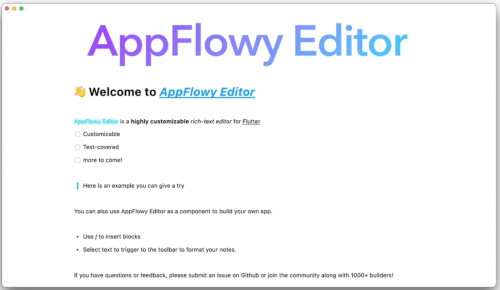
A highly customizable rich-text editor for Flutter
https://codecov.io/github/AppFlowy-IO/appflowy-editor/branch/main/graph/badge.svg?token=BXTGUXTWRU
| Preview | Customize your own theme |
|---|---|
| Preview | Customize your own theme |
| Change the color of your text | Format your text |
|---|---|
| Color | Format |
Add the AppFlowy editor Flutter package to your environment.
flutter pub add appflowy_editor
flutter pub get
Start by creating a new empty AppFlowyEditor object.
final editorState = EditorState.blank(withInitialText: true); // with an empty paragraph
final editor = AppFlowyEditor(
  editorState: editorState,
);
You can also create an editor from a JSON object in order to configure your initial state. Or you can create an editor from Markdown or Quill Delta.
final json = jsonDecode('YOUR INPUT JSON STRING');
final editorState = EditorState(document: Document.fromJson(json));
final editor = AppFlowyEditor(
  editorState: editorState,
);
Note: The parameters
localizationsDelegatesneed to be assigned in MaterialApp widget
MaterialApp(
  localizationsDelegates: const [
    AppFlowyEditorLocalizations.delegate,
  ],
);
To get a sense of how the AppFlowy Editor works, run our example:
git clone https://github.com/AppFlowy-IO/appflowy-editor.git
flutter pub get
flutter run
Please refer to our documentation on customizing AppFlowy for a detailed discussion about customizing theme.
Please refer to our documentation on customizing AppFlowy for a detailed discussion about customizing components.
Below are some examples of component customizations:
Please refer to our documentation on customizing AppFlowy for a detailed discussion about customizing shortcut events.
Below are some examples of shortcut event customizations:
Please refer to the migration documentation.
Please refer to the API documentation.
Contributions are what make the open source community such an amazing place to learn, inspire, and create. Any contributions you make are greatly appreciated.
Please look at CONTRIBUTING.md for details.
All code contributed to the AppFlowy Editor project is dual-licensed, and released under both of the following licenses:
See LICENSE for more information.