

v6.1.5
flutter_inappwebview
내장 웹뷰를 추가하고 헤드리스 웹뷰를 사용하며 앱 내 브라우저 창을 열 수 있는 플러터 플러그인입니다.
2.9천좋아요 133만30일 다운로드130Pub 점수
AndroidiOSWebmacOSWindows
RSSAid는 Flutter로 구축된 RSSHub의 보조 앱입니다 | RSSAid는 Flutter로 구축된 RSSHub의 보조 앱입니다

아래는 영문 원문 스냅샷입니다. 최신 내용은 GitHub에서 확인하세요.


RSSAid is a complementary app for RSSHub built with Flutter, similar to RSSHub Radar, which helps you quickly discover and subscribe to RSS feeds from websites, and supports common parameters of RSSHub (for filtering, getting full text, etc.) ChineseVersion
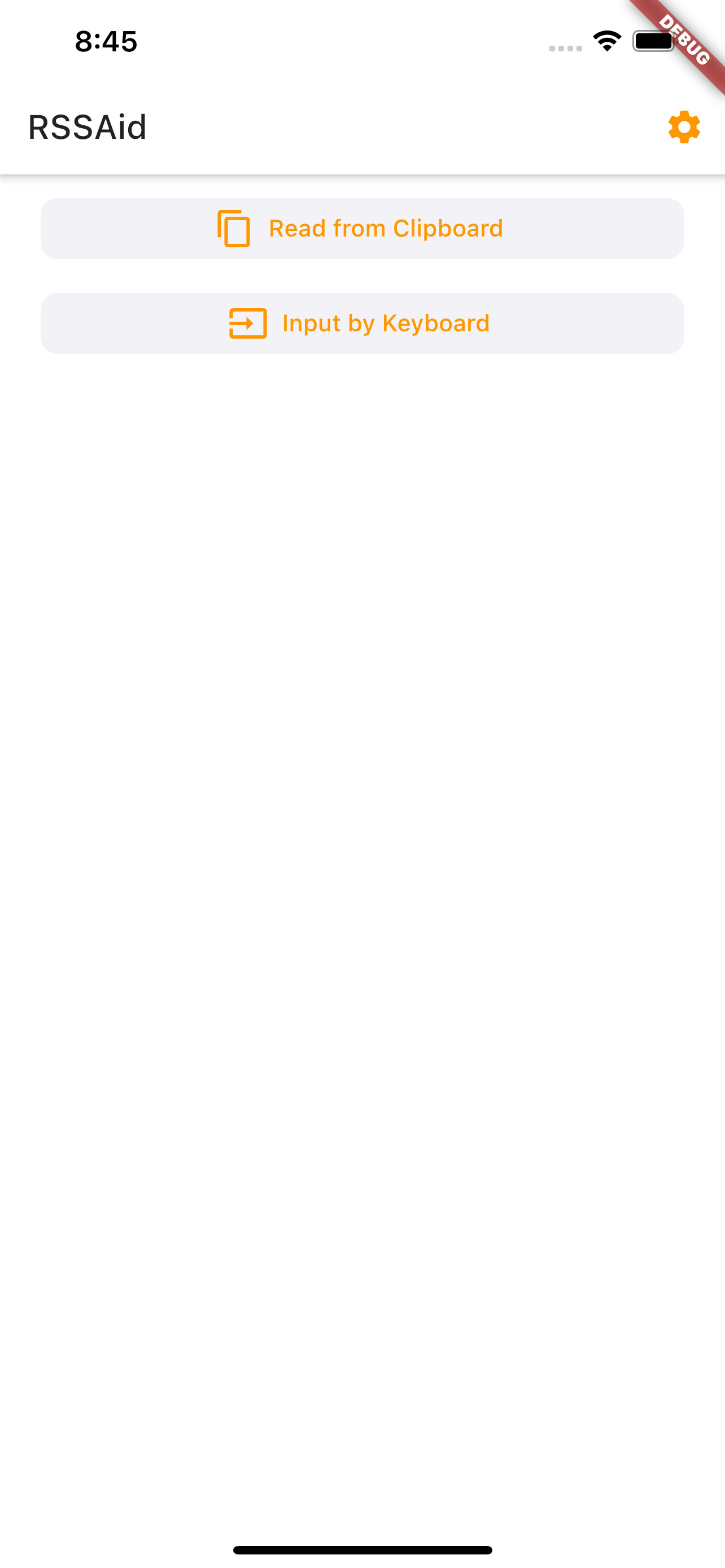
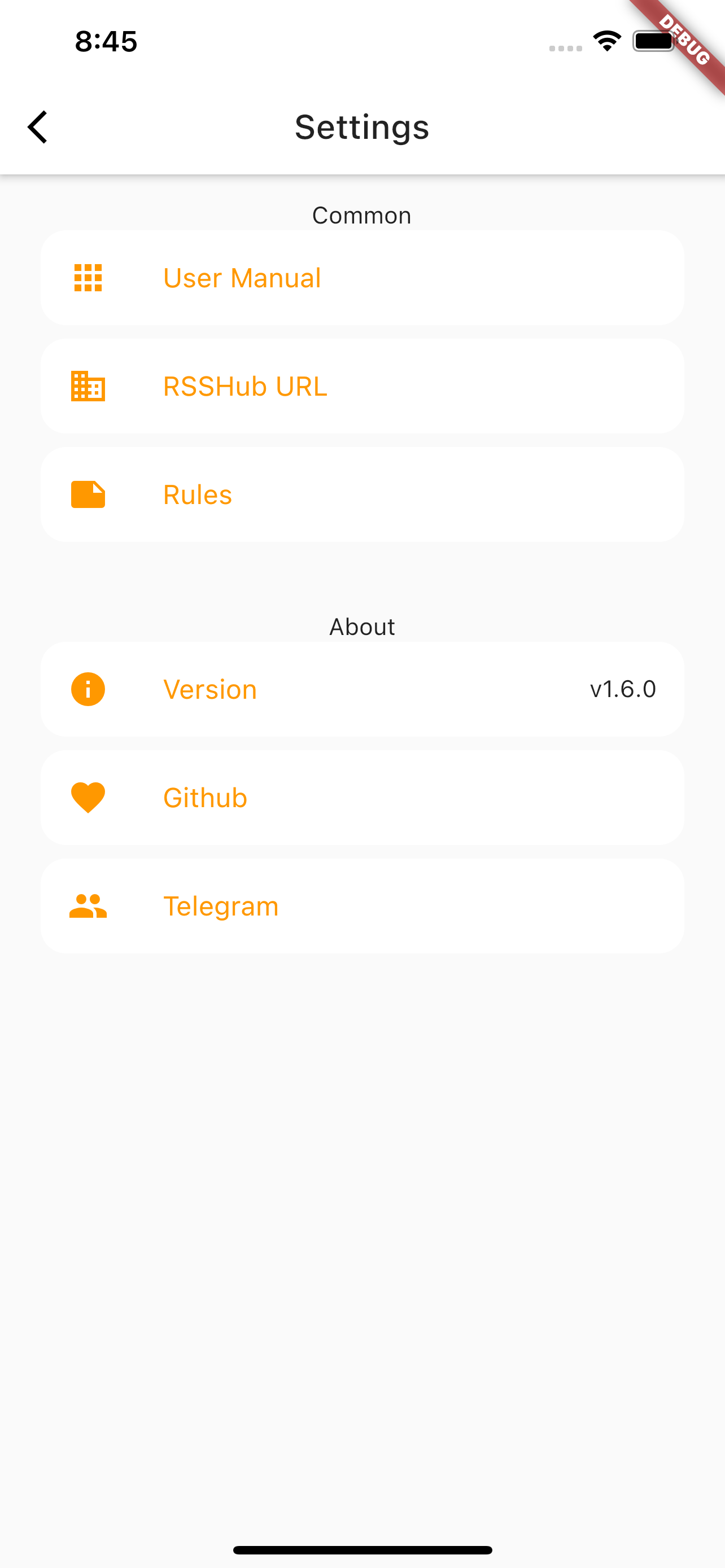

The latest build for Android can be found in the releases.
If you wish to build the application from source, please refer to the official documentation by Flutter.
RSSAid use the same rules as RSSHub Radar and both supports auto-update.
If you wish to submit new rules for RSSHub Radar and RSSAid, see how.
Note that rules using
documentintargetis not applicable to RSSAid. RSSAid is NOT a browser extension, it simply gets and parses URL.
Some pages have different URLs for mobile and PC, but rules on RSSHub Radar only supports PC-style URLs. RSSAid will try to convert mobile-specific URLs, but if you find a URL that is valid on RSSHub Radar but not on RSSAid, try using the URL for PC, and report the issue on Telegram.
RSSAid is made by Leetao and licensed under MIT license.
내장 웹뷰를 추가하고 헤드리스 웹뷰를 사용하며 앱 내 브라우저 창을 열 수 있는 플러터 플러그인입니다.
== 및 hashCode를 명시적으로 재정의하지 않고 값 기반 동등성 구현을 도와주는 Dart 패키지입니다.
다양한 플랫폼에서 Dart 테스트를 작성하고 실행하기 위한 기능이 풍부한 라이브러리입니다.
순수한 플러터 토스트 라이브러리로, 사용자 정의 스타일/위젯을 지원하며 네이티브 토스트와 동일한 효과를 쉽게 구현할 수 있습니다.
다른 앱에서 공유한 사진, 텍스트 또는 URL을 수신할 수 있도록 해주는 플러터 플러그인입니다.
브라우저 외부에서 HTML 콘텐츠를 파싱하고 조작하기 위한 API입니다.
모든 링크의 미리보기를 도와주는 Dart 패키지입니다. 완전히 사용자 정의 가능하며 캐시된 데이터에서 렌더링할 수 있습니다. 채팅 기능이 있는 앱에 유용합니다.
다트에서 저수준 링크(텍스트, URL, 이메일, 전화번호, 사용자 태그) 파싱 라이브러리.
텍스트, 리치 텍스트(HTML), 이미지 지원이 있는 Flutter 클립보드.
시스템 플러그인을 가져오는 Flutter 플러그인입니다. dart HttpClient의 프록시를 설정하여 요청을 가져오기 위해 사용합니다.
의존성 목록 20 개
{"sdk":"flutter"}^0.1.3^5.0.0^6.0.2^1.8.0^2.0.15^10.1.4^0.15.0^6.0.0{"sdk":"flutter"}^0.20.2^3.4.0^8.0.0^3.0.2^0.0.1-beta^2.0.5^0.1.0{"sdk":"flutter"}^6.8.0^1.25.2사용 목적에 따라 검색하고 개발 활동을 비교한 뒤 원본 저장소에서 요구 사항을 확인하세요.
“A repository is the most basic element of GitHub.”
GitHub Docs — About repositories ↗


