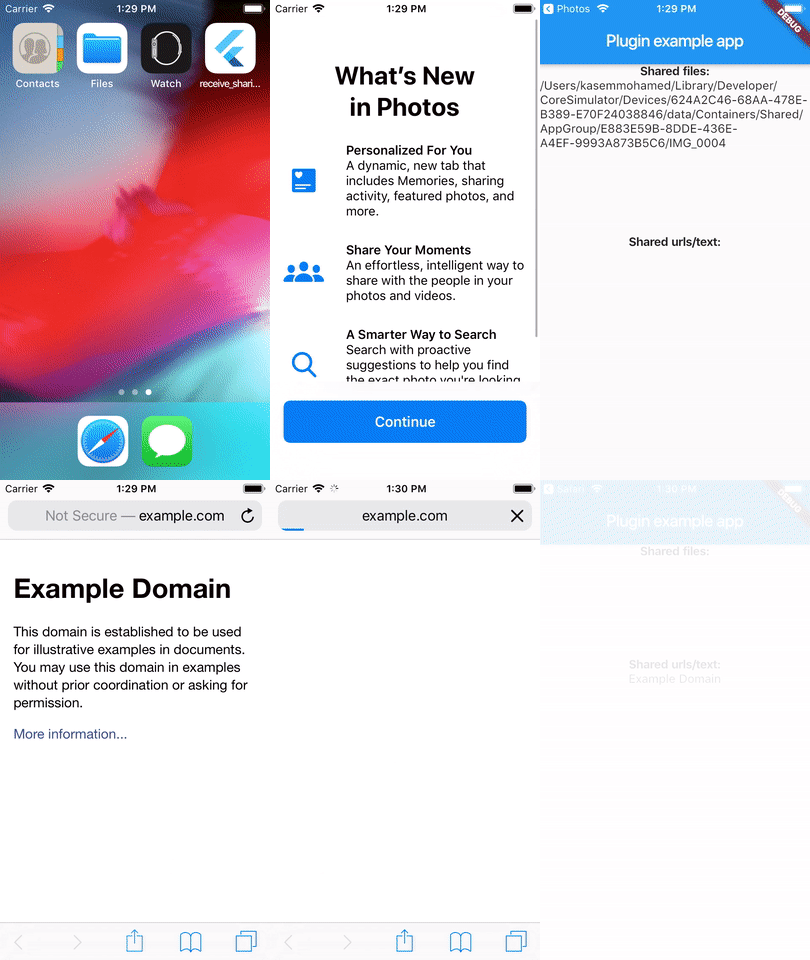
다른 애플리케이션에서 공유된 텍스트, URL, 이미지 등의 콘텐츠를 받을 수 있도록 해주는 플러터 플러그인입니다. 안드로이드와 iOS 양쪽 모두에서 장치의 공유 시스템과 원활하게 통합되어 외부 앱의 동작(예: 링크 또는 사진 공유)에 의해 트리거되는 인텐트를 쉽게 처리할 수 있습니다. 가볍고 구현이 간단하며, 복잡한 설정 없이 일반적인 공유 시나리오를 지원합니다. 다양한 플랫폼에서 신뢰성 있게 작동하며 실시간으로 공유된 데이터를 처리해야 하는 앱에 적합합니다.
사용 사례
브라우저에서의 공유 링크 처리
사진 앱에서 이미지 수신
메시징 앱에서 텍스트 공유 처리
공유를 통한 파일 가져오기 활성화
소셜 미디어 콘텐츠 공유 지원
주요 기능
크로스 플랫폼 지원 (Android 및 iOS)
공유 데이터를 수신하기 위한 간단한 API
텍스트, URL 및 이미지 지원
실시간 의도 처리
필수 최소 구성
적합한 대상
소셜 미디어 앱
콘텐츠 집약 도구
파일 가져오기 기능
생산성 앱
사용자 생성 콘텐츠를 포함한 앱
고려 사항
적절한 플랫폼 권한이 필요합니다
백그라운드 실행 처리가 필요할 수 있습니다
다른 앱에서의 인텐트 공유에 제한됨
공유 콘텐츠 전송에 적합하지 않습니다
외부 앱 트리거에 의존
원본 README
연결된 소스 저장소의 README 원문 스냅샷입니다. 최신 내용은 저장소에서 확인하세요.
receive_sharing_intent
A Flutter plugin that enables flutter apps to receive sharing photos, videos, text, urls or any other file types from another app.
Also, supports iOS Share extension and launching the host app automatically.
Check the provided example for more info.
<manifestxmlns:android="http://schemas.android.com/apk/res/android".....
<uses-permissionandroid:name="android.permission.READ_EXTERNAL_STORAGE"/><applicationandroid:name="io.flutter.app.FlutterApplication"...
><!--Set activity launchMode to singleTask, if you want to prevent creating new activity instance everytime there is a new intent.--><activityandroid:name=".MainActivity"android:launchMode="singleTask"android:theme="@style/LaunchTheme"android:configChanges="orientation|keyboardHidden|keyboard|screenSize|locale|layoutDirection|fontScale|screenLayout|density|uiMode"android:hardwareAccelerated="true"android:windowSoftInputMode="adjustResize"><!--TODO: Add this filter, if you want support opening urls into your app--><intent-filter><actionandroid:name="android.intent.action.VIEW" /><categoryandroid:name="android.intent.category.DEFAULT" /><categoryandroid:name="android.intent.category.BROWSABLE" /><dataandroid:scheme="https"android:host="example.com"android:pathPrefix="/invite"/></intent-filter><!--TODO: Add this filter, if you want support opening files into your app--><intent-filter><actionandroid:name="android.intent.action.VIEW" /><categoryandroid:name="android.intent.category.DEFAULT" /><dataandroid:mimeType="*/*"android:scheme="content" /></intent-filter><!--TODO: Add this filter, if you want to support sharing text into your app--><intent-filter><actionandroid:name="android.intent.action.SEND" /><categoryandroid:name="android.intent.category.DEFAULT" /><dataandroid:mimeType="text/*" /></intent-filter><!--TODO: Add this filter, if you want to support sharing images into your app--><intent-filter><actionandroid:name="android.intent.action.SEND" /><categoryandroid:name="android.intent.category.DEFAULT" /><dataandroid:mimeType="image/*" /></intent-filter><intent-filter><actionandroid:name="android.intent.action.SEND_MULTIPLE" /><categoryandroid:name="android.intent.category.DEFAULT" /><dataandroid:mimeType="image/*" /></intent-filter><!--TODO: Add this filter, if you want to support sharing videos into your app--><intent-filter><actionandroid:name="android.intent.action.SEND" /><categoryandroid:name="android.intent.category.DEFAULT" /><dataandroid:mimeType="video/*" /></intent-filter><intent-filter><actionandroid:name="android.intent.action.SEND_MULTIPLE" /><categoryandroid:name="android.intent.category.DEFAULT" /><dataandroid:mimeType="video/*" /></intent-filter><!--TODO: Add this filter, if you want to support sharing any type of files--><intent-filter><actionandroid:name="android.intent.action.SEND" /><categoryandroid:name="android.intent.category.DEFAULT" /><dataandroid:mimeType="*/*" /></intent-filter><intent-filter><actionandroid:name="android.intent.action.SEND_MULTIPLE" /><categoryandroid:name="android.intent.category.DEFAULT" /><dataandroid:mimeType="*/*" /></intent-filter></activity></application></manifest>
....
iOS
1. Create Share Extension
Using Xcode, go to File/New/Target and Choose "Share Extension".
Give it a name, i.e., "Share Extension".
Make sure the deployment target for Runner.app and the share extension is the same.
<?xml version="1.0" encoding="UTF-8"?><!DOCTYPE plistPUBLIC"-//Apple//DTD PLIST 1.0//EN""http://www.apple.com/DTDs/PropertyList-1.0.dtd"><plistversion="1.0"><dict><key>AppGroupId</key><string>$(CUSTOM_GROUP_ID)</string><key>CFBundleVersion</key><string>$(FLUTTER_BUILD_NUMBER)</string><key>NSExtension</key><dict><key>NSExtensionAttributes</key><dict><key>PHSupportedMediaTypes</key><array><!--TODO: Add this flag, if you want to support sharing video into your app--><string>Video</string><!--TODO: Add this flag, if you want to support sharing images into your app--><string>Image</string></array><key>NSExtensionActivationRule</key><dict><!--TODO: Add this flag, if you want to support sharing text into your app--><key>NSExtensionActivationSupportsText</key><true/><!--TODO: Add this tag, if you want to support sharing urls into your app--><key>NSExtensionActivationSupportsWebURLWithMaxCount</key><integer>1</integer><!--TODO: Add this flag, if you want to support sharing images into your app--><key>NSExtensionActivationSupportsImageWithMaxCount</key><integer>100</integer><!--TODO: Add this flag, if you want to support sharing video into your app--><key>NSExtensionActivationSupportsMovieWithMaxCount</key><integer>100</integer><!--TODO: Add this flag, if you want to support sharing other files into your app--><!--Change the integer to however many files you want to be able to share at a time--><key>NSExtensionActivationSupportsFileWithMaxCount</key><integer>1</integer></dict></dict><key>NSExtensionMainStoryboard</key><string>MainInterface</string><key>NSExtensionPointIdentifier</key><string>com.apple.share-services</string></dict></dict></plist>
....
<!--TODO: Add this tag, if you want support opening urls into your app--><key>com.apple.developer.associated-domains</key><array><string>applinks:example.com</string></array>
....
5. Make the plugin available to the Share Extension (Swift Package Manager)
This plugin is distributed as a Swift Package (SPM only — there is no CocoaPods
podspec). Make sure Swift Package Manager is enabled for your project:
flutter config --enable-swift-package-manager
Flutter automatically adds the plugin to your Runner target. Your Share
Extension target also needs access to the receive_sharing_intent module
(it provides RSIShareViewController). Add it in Xcode:
Select the Share Extension target → General tab.
Under Frameworks and Libraries, click +.
Choose the FlutterGeneratedPluginSwiftPackage library from the
receive_sharing_intent Swift package and add it.
If you previously used CocoaPods, remove the ios/Podfile and run
pod deintegrate in the ios/ directory, then remove the
#include "Pods/..." lines from ios/Flutter/Debug.xcconfig,
ios/Flutter/Release.xcconfig and any references to
receive-sharing-intent in project.pbxproj. See the
example project for a fully SPM-only setup.
6. Add Runner and Share Extension in the same group
Go to Signing & Capabilities tab and add App Groups capability in BOTH Targets: Runner and Share Extension
Add a new container with the name of your choice. For example group.MyContainer in the example project its group.com.kasem.ShareExtention
Add User-defined(Build Settings -> +) string CUSTOM_GROUP_ID in BOTH Targets: Runner and Share Extension and set value to group id created above. You can use different group ids depends on your flavor schemes
7. Go to Build Phases of your Runner target and move Embed Foundation Extension to the top of Thin Binary.
// If you get no such module 'receive_sharing_intent' error.
// Go to Build Phases of your Runner target and
// move `Embed Foundation Extension` to the top of `Thin Binary`.
import receive_sharing_intent

class ShareViewController: RSIShareViewController {

    // Use this method to return false if you don't want to redirect to host app automatically.
    // Default is true
    override func shouldAutoRedirect() -> Bool {
        return false
    }

}
The example's Action Extension ("Share to RSI") demonstrates this direct-open
mode; the Share Extension demonstrates the compose-dialog mode.
Auto-redirect vs. the built-in compose UI
RSIShareViewController is a plain UIViewController (it no longer subclasses
the deprecated SLComposeServiceViewController). Its behaviour depends on
shouldAutoRedirect():
true (default) — no UI is shown. The shared content is processed and the
extension immediately redirects into your host app. There is no white compose
card and no dimmed system sheet behind it.
false — a built-in compose sheet is shown: a bottom card with a circular
close button, a "Send" button, an auto-focused message field (the keyboard
comes up automatically), and a thumbnail preview of the first shared item.
Tapping the dimmed background cancels the share.
You can customise the built-in compose UI by overriding these open members:
class ShareViewController: RSIShareViewController {

    override func shouldAutoRedirect() -> Bool { false }

    // Placeholder shown in the empty message field.
    override var placeholder: String { "Add a caption…" }

    // Title of the confirm button (can be a long label).
    override var sendButtonTitle: String { "Send to Example" }

    // Gate the Send button on your own validation. Default: always valid.
    override func isContentValid() -> Bool { !contentText.isEmpty }

    // Called when the user taps Send. Default saves the message and redirects.
    override func didSelectPost() { saveAndRedirect(message: contentText) }

    // Called when the user taps Cancel / taps the dimmed background.
    // Default cancels the extension request.
    override func didSelectCancel() { cancel() }
}
The typed message is available via contentText and is forwarded to your Flutter
app as a shared text item.
Migration note: the compose UI previously came from the system
SLComposeServiceViewController. That API is deprecated, so the plugin now
ships its own equivalent UI (implemented in RSIComposeView). The
contentText, isContentValid() and didSelectPost() hooks are preserved.
The old navigationTitle and characterLimit overrides were removed.
9. Adopt UISceneDelegate (required for upcoming iOS versions)
Newer iOS versions deliver lifecycle events (including shared URLs) through a
UISceneDelegate instead of the AppDelegate. This plugin already adopts the
scene lifecycle (it conforms to FlutterSceneLifeCycleDelegate and registers
itself with addSceneDelegate), so it keeps working automatically once your app
adopts a scene delegate. Follow Flutter's official
UISceneDelegate migration guide,
summarized below.
b. Add a SceneDelegate that subclasses FlutterSceneDelegate (see
example/ios/Runner/SceneDelegate.swift).
For a typical app this can be empty — the plugin handles the shared URLs itself.
Only override scene(_:openURLContexts:) if your app uses multiple libraries
that handle incoming URLs and you need to disambiguate between them:
import Flutter
import UIKit
import receive_sharing_intent

class SceneDelegate: FlutterSceneDelegate {
    // Optional - only needed when multiple libraries handle incoming URLs.
    // Called on a cold start when the scene connects. The shared URL (if any)
    // is delivered here via connectionOptions instead of the launchOptions.
    override func scene(
        _ scene: UIScene,
        willConnectTo session: UISceneSession,
        options connectionOptions: UIScene.ConnectionOptions
    ) {
        // Work-around to prevent other libraries like flutter_branch_sdk from absorbing links meant to be handled by receive_sharing_intent.
        _ = ReceiveSharingIntentPlugin.instance.scene(scene, willConnectTo: session, options: connectionOptions)
        super.scene(scene, willConnectTo: session, options: connectionOptions)
    }

    // Called while the app is already running (warm start).
    override func scene(_ scene: UIScene, openURLContexts URLContexts: Set<UIOpenURLContext>) {
        // Work-around to prevent other libraries like flutter_branch_sdk from absorbing links meant to be handled by receive_sharing_intent.
        if ReceiveSharingIntentPlugin.instance.scene(scene, openURLContexts: URLContexts) {
            return
        }
        // Proceed url handling for other Flutter libraries like uni_links
        super.scene(scene, openURLContexts: URLContexts)
    }
}
This plugin is distributed via Swift Package Manager only, so make sure SPM is
enabled (flutter config --enable-swift-package-manager).
Compiling issues and their fixes
Error: No such module 'receive_sharing_intent' (in the Share Extension)
Fix: Add the receive-sharing-intent library to the Share Extension target under
General → Frameworks and Libraries (see step 5).
Error: Unable to resolve module dependency: 'receive_sharing_intent'
Fix: Ensure Swift Package Manager is enabled and the Share Extension target links the
receive-sharing-intent Swift package product (see step 5).
Error: Invalid Bundle. The bundle at 'Runner.app/Plugins/Sharing Extension.appex' contains disallowed file 'Frameworks'