
v4.7.3
get
GetX를 사용하면 컨텍스트 없이 화면, 스크린바, 대화상자를 열고 상태를 쉽게 관리하며 종속성을 주입할 수 있습니다.
1.6만좋아요 76.3만30일 다운로드140Pub 점수
AndroidiOSWebmacOSWindowsLinux
당신의 선호하는 기기에서 JMAP 프로토콜을 사용하여 이메일을 읽을 수 있는 다중 플랫폼(플러터) 애플리케이션입니다!

GetX를 사용하면 컨텍스트 없이 화면, 스크린바, 대화상자를 열고 상태를 쉽게 관리하며 종속성을 주입할 수 있습니다.
다중 Firebase 앱에 연결할 수 있는 Firebase Core용 Flutter 플러그인입니다.
Firebase Cloud Messaging용 플러터 플러그인으로, Android 및 iOS에서 메시지를 신뢰할 수 있게 전달할 수 있는 크로스플랫폼 메시징 솔루션입니다.
 v0.10.1+3
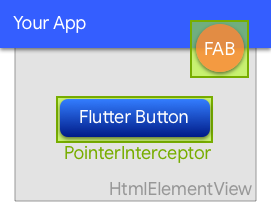
웹에서 하위 HtmlElementView에 의해 클릭이 삼켜지는 것을 방지하는 위젯입니다.
Hive용 확장입니다. 어떤 클래스도 저장하기 위해 TypeAdapters를 자동으로 생성합니다.
 v0.7.0
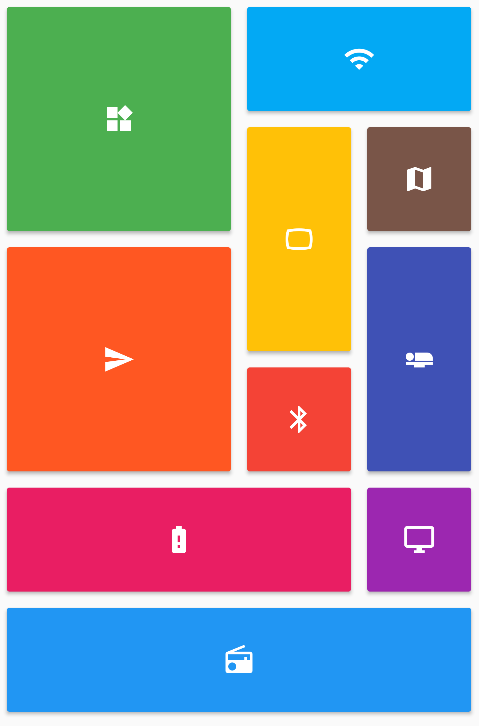
Flutter 그리드 레이아웃(스태거드, 메이슨리, 큐일티드, 웨븐 등)의 컬렉션을 제공합니다.
Flutter 앱을 위한 강력한 다중 플랫폼 E2E UI 테스트 프레임워크로, integration_test의 한계를 극복하고 네이티브 상호작용을 처리합니다.
flutter_test 위에 있는 간편하고 고수준의 API입니다.
 v5.3.0
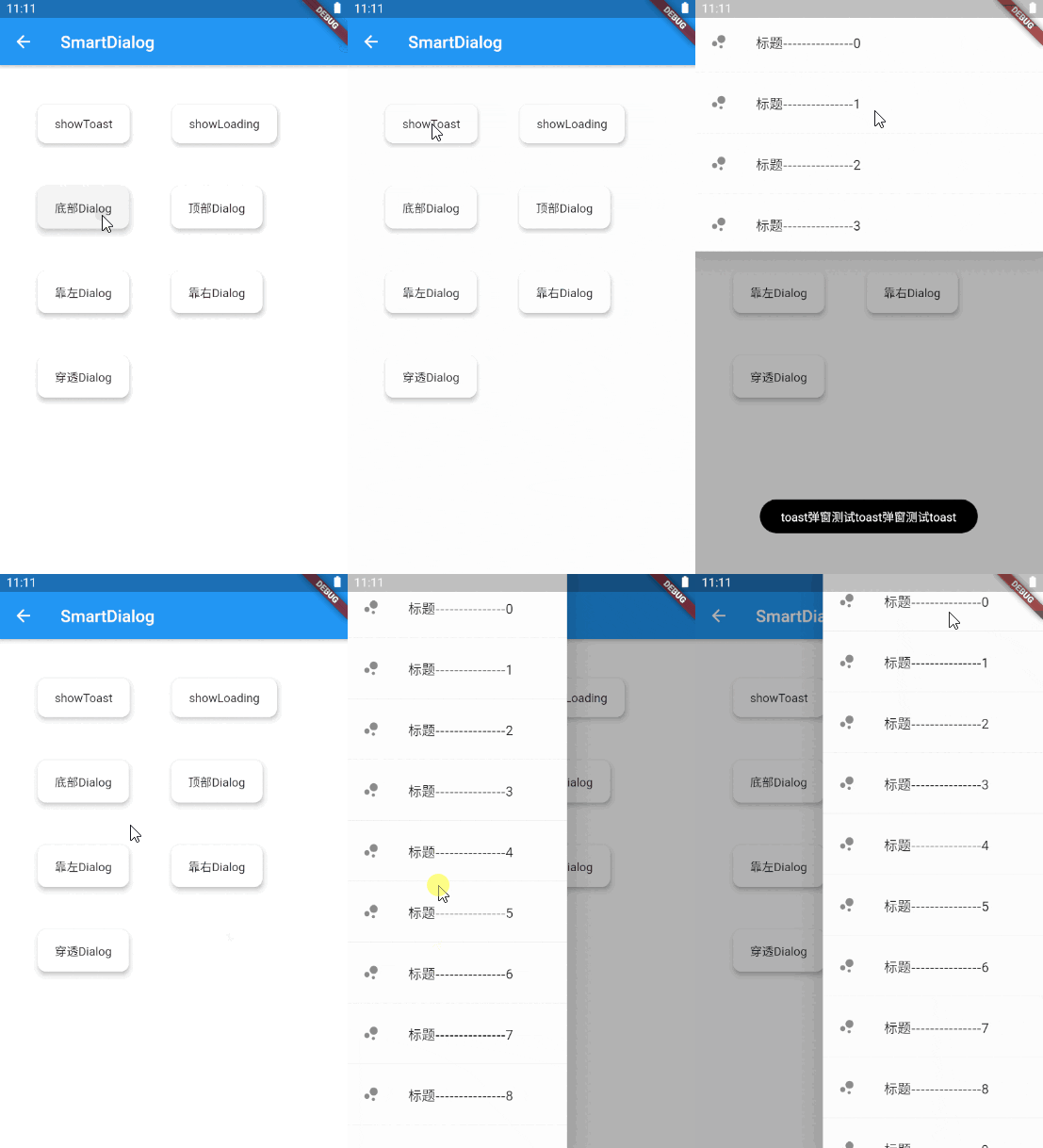
아름다운 Flutter 다이얼로그 솔루션. 쉽게 토스트, 로딩 및 사용자 정의 다이얼로그를 구현하고, 다이얼로그 사용을 더 쉽게 만드세요!
HTTP 형식을 파싱하고 직렬화하기 위한 플랫폼 독립형 패키지입니다.
WebSocket용 StreamChannel 래퍼입니다. 크로스 플랫폼 WebSocketChannel API를 제공하며, 하위 StreamChannel을 통해 통신하는 크로스 플랫폼 구현을 제공합니다.
Dio 패키지에 성능 추적 기능을 추가하는 통합입니다.
{"sdk":"flutter"}{"sdk":"flutter"}{"path":"core"}{"path":"model"}{"path":"contact"}{"path":"rule_filter"}{"path":"forward"}{"path":"fcm"}{"path":"email_recovery"}{"path":"server_settings"}{"path":"cozy"}{"path":"scribe"}{"path":"labels"}{"path":"workplace"}{"git":{"url":"https://github.com/linagora/rich-text-composer.git","ref":"main"}}{"git":{"url":"https://github.com/linagora/html-editor-enhanced.git","ref":"main"}}—{"git":{"url":"https://github.com/linagora/flutter_contacts.git","ref":"master"}}{"git":{"url":"https://github.com/linagora/receive_sharing_intent.git","ref":"main"}}{"git":{"url":"https://github.com/linagora/flutter_appauth_web.git","ref":"upgrade-flutter-appauth"}}{"git":{"url":"https://github.com/linagora/flutter-date-range-picker.git","ref":"main"}}——1.1.00.3.84.0.31.0.64.6.62.1.05.2.02.0.52.5.30.10.15.0.25.1.12.0.24.0.21.19.12.0.13.0.72.2.02.1.59.0.112.0.17.2.12.16.00.10.1+20.27.74.0.02.0.00.6.21.1.33.7.13.5.119.0.14.2.27.2.92.13.00.15.31.2.41.3.0^4.9.06.3.14.8.016.2.117.2.24.1.11.2.03.1.0+12.2.42.0.09.0.00.20.25.0.26.0.02.0.76.0.03.1.20.2.02.1.01.0.0+12.1.07.0.08.0.01.0.40.4.40.3.010.2.05.1.13.0.34.1.06.3.24.0.34.9.8+51.0.03.0.2{"git":{"url":"https://github.com/linagora/twake-previewer-flutter.git","ref":"main"}}0.1.21.2.19.8.09.8.0^3.3.1^4.0.2{"sdk":"flutter"}^2.15.04.0.4-dev.3^3.1.35.6.41.11.22.0.12.2.180.12.06.3.0^6.11.30.4.24.5.00.8.03.2.02.1.8^3.2.1아래는 영문 원문 스냅샷입니다. 최신 내용은 GitHub에서 확인하세요.
Contributors Issues Documentation Android application Ios application Web Mail Gitter
This project aims at providing a multi-platform mobile email application, running the JMAP protocol and will also deliver additional features to the Twake Mail back-end.
Twake Mail is developed with love by Linagora.
Here is how Twake Mail looks like on a phone:
Screenshots Mobile
Here is how Twake Mail looks like on a tablet:
Screenshot Tablet
Screenshot_Web
scripts/prebuild.sh script/bin/bash scripts/prebuild.sh
flutter build ios
flutter build apk
change SERVER_URL in env.file with your JMAP server
SERVER_URL=http://your-jmap-server.domain
then run:
flutter build web
or you can find our images in: https://hub.docker.com/r/linagora/tmail-web
Yet IMAP had been designed in another age, which resulted in a chatty patchwork of extensions. IMAP lacks decent synchronization primitives to address real-time challenges modern mobile fleet requires, it consumes a lot of bandwidth, requires a lot of round trips which means high latency.
We are not alone to say this! Big players of the field started their own proprietary protocols to address IMAP flaws, and inter-operable standard was yet to be found...
This, is where JMAP comes to play! JMAP builds on decades of experience, and beautifully addresses these challenges using HTTP and JSON standards. Not only does it make applications easier to develop, we also strongly believes it results in an improved experience for the end user.
Yes, you can use the Twake Mail application with any JMAP server and benefits from Twake Mail's ease of use.
We plan on writing a user documentation, helping you navigating around the application, and detailing the few configurations you have to perform.
If what you are looking for is not in the user guide then ask us directly in the issues first, we would be glad to help. But also glad to improve our documentation and maybe tweak slightly our UI (user interface).
Then, we plan on introducing a desktop application.
This versatility is enabled by the use of the Flutter framework.
We are also planning active work on drag and drops and other user experience / productivity enhancements.
We do not currently plan working on desktop applications, on websockets for push on top of TeamMail web but such contributions would be appreciated. We also welcome feedback and pull requests regarding Team-Mail portability (running TeamMail on top of third party mail servers).
First, we plan to write a simple, multi-platform JMAP email client. This includes reading your mails and mailboxes, managing them, sending emails, searching your emails. This will likely keep us busy by the end of 2021.
Then, we have plan for multiple features including:
No we do not plan to support such extensions, that are currently not standardized as RFCs, nor implemented on the Twake Mail backend.
The web-app needs to include an environment file though (here you can see the dummy env.file at the root of the project),
with a SERVER_URL parameter, so it knows to which backend it needs to connect to.
For this to run it locally for example, 2 ways:
Edit the env.file by replacing the default value of SERVER_URL to the one pointing to your JMAP backend server.
Then build your docker image:
docker build -t tmail-web:latest .
Then you can just simply run your web-app like this:
docker run -d -ti -p 8080:80 --name web tmail-web:latest
Then go to http://localhost:8080 and you should be able to login against your JMAP backend using the Twake Mail web-app.
You can use our official image linagora/tmail-web or just build the docker image locally without any prior changes:
docker build -t tmail-web:latest .
From then, create at the root of the project an environment file (like env.dev.file) where you put the SERVER_URL
you want to connect to. Then, to mount it and override the default one while running the container:
docker run -d -ti -p 8080:80 --mount type=bind,source="$(pwd)"/env.dev.file,target=/usr/share/nginx/html/assets/env.file --name web tmail-web:latest
Then go to http://localhost:8080 and you should be able to login against your JMAP backend using the TMail web-app.
We also include a docker-compose.yaml file so you can get a testing environment up quickly. This use our tmail-backend image for the JMAP server.
Here are the steps to setup:
tmail-backend:openssl genpkey -algorithm rsa -pkeyopt rsa_keygen_bits:4096 -out jwt_privatekey
openssl rsa -in jwt_privatekey -pubout -out jwt_publickey
env.file and set SERVER_URL to http://localhost/ (with the trailing slash)docker compose up -d to bring up both the frontend and the backend.docker compose exec tmail-backend /root/provisioning/provisioning.sh to provision some demo accounts (you don't have to let it run all the way).http://localhost:8080. The credentials for demo accounts are:User: alice@localhost
Password: aliceSecret
User: bob@localhost
Password: bobSecret
User: empty@localhost
Password: emptrySecret
- [Enable and customize the Application grid](docs/configuration/app_grid_configuration.md)
- [Change logos](docs/configuration/tmail-web-logo.md)
There are many ways to help us, and amongst them:
You would be pleased to know we contributes a JMAP Dart client that you can reuse to write your own applications. Feels free to open pull requests and enrich it!
Everyone can contribute at their own level, even if they only give a few minutes of their time. Whatever you do, your help is very valuable.