패키지, 저장소 및 앱 카테고리 검색

패키지 상세v4.0.4

external_app_launcher

Flutter 플러그인으로 앱에서 다른 앱을 열 수 있도록 도와줍니다

AndroidiOS
30일 다운로드
8.7만
좋아요
372
Pub 점수
150

패키지 설치

flutter pub add external_app_launcher

패키지 개요

공개 정보를 바탕으로 생성한 선택 가이드입니다.

external_app_launcher 패키지는 안드로이드 및 iOS 기기에서 설치된 다른 앱을 열 수 있도록 해주는 Flutter 플러그인입니다. 패키지 이름이나 URL을 사용하여 외부 앱을 간편하게 시작할 수 있으며, 딥 링크 및 앱 전용 인텐트를 지원합니다. 지도, 메시징 또는 소셜 플랫폼과 같은 네이티브 앱과 통합하는 데 특히 유용합니다. 이 플러그인은 두 주요 모바일 플랫폼에서 원활하게 작동하며 콘텐츠 공유나 사용자를 제3자 서비스로 리디렉션하는 데 이상적입니다. 최소한의 설정으로 신뢰할 수 있는 크로스플랫폼 기능을 제공합니다.

사용 사례

  • 위치 데이터에서 지도 앱 열기
  • 사용자를 메시징 앱으로 리디렉션 중
  • 공유를 위한 소셜 미디어 앱 실행
  • 결제 또는 이메일 앱과의 통합
  • 특정 앱 화면으로의 딥 링크 활성화

주요 기능

  • Android 및 iOS 플랫폼을 지원합니다
  • 외부 앱을 시작하기 위한 간단한 API
  • 패키지 이름과 URL 처리
  • 딥 링크 활성화
  • 크로스 플랫폼 호환성

적합한 대상

  • 앱 리디렉션을 필요로 하는 앱
  • 공유 또는 통합 기능
  • 제3자 서비스로의 탐색
  • 유틸리티 도구를 개발하는 개발자
  • 의도 처리가 필요한 프로젝트

고려 사항

  • 올바른 패키지 이름 또는 URL이 필요합니다
  • 대상 앱이 설치되어 있지 않으면 실패할 수 있습니다
  • 시작된 앱의 동작에 대한 제한된 제어
  • 일부 기기에서는 권한이 필요할 수 있습니다
  • 플랫폼 고유의 구현에 따라 다릅니다

원본 README

연결된 소스 저장소의 README 원문 스냅샷입니다. 최신 내용은 저장소에서 확인하세요.

Overview

A Flutter plugin which helps you to open another app from your app. The package asks you for four parameters out of which two are mandatory.

Getting Started

1. Add package to your project

Complete description to add this package to your project can be found here.

2. To setup native performance for the application in order to launch external apps

For opening apps in android

For opening an external app from your app in android, you need provide packageName of the app.

If the plugin finds the app in the device, it will be launched. But if the app is not installed in the device then it leads the user to playstore link of the app.

⚠️ Android 11+ Package Visibility (Required)

On Android 11 (API 30) and above, the OS restricts which packages your app can query. If you do not declare the target package in your AndroidManifest.xml, both isAppInstalled() and openApp() will silently behave as if the app is not installed — even if it is.

You must add a <queries> block above the <application> tag in your android/app/src/main/AndroidManifest.xml for every package you want to interact with:

<manifest xmlns:android="http://schemas.android.com/apk/res/android">

    <queries>
        <!-- Declare every package you want to check or launch -->
        <package android:name="net.pulsesecure.pulsesecure" />
        <package android:name="us.zoom.videomeetings" />
        <package android:name="com.instagram.android" />
        <!-- Add more packages as needed -->
    </queries>

    <application ...>
        ...
    </application>

</manifest>

Note: Without this declaration, isAppInstalled('us.zoom.videomeetings') will always return false on Android 11+ even if Zoom is installed.

Tip: If you want to query all apps (not recommended for privacy), you can use the QUERY_ALL_PACKAGES permission instead, but this requires justification when publishing to the Play Store.

⚠️ Android 10+ Background Activity Start Limits

On Android 10 (API 29) and above, the OS restricts apps from starting activities from the background (e.g. from background services, background broadcast receivers, or background notifications). Attempting to do so will result in a SecurityException being caught and a descriptive error message being returned.

If you need to launch external apps from background states, please review Android's guide on allowed exceptions for background starts.

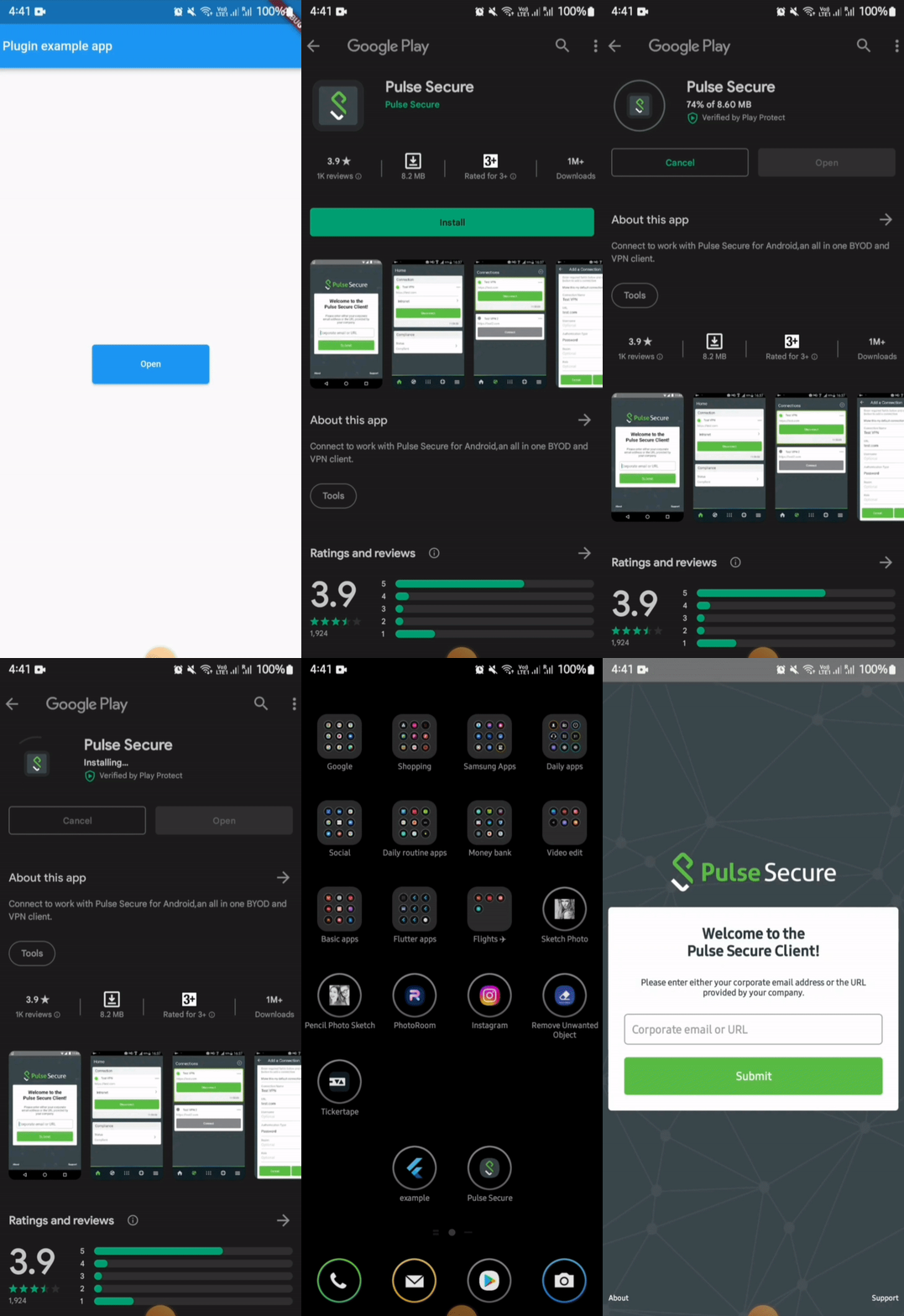
Demo

In iOS, for opening an external app from your app, you need to provide the URL scheme of the target app.

⚠️ iOS Platform Limitation: URL Schemes Required

Due to iOS security sandboxing, it is impossible to launch or query external apps using package names/bundle IDs or without a registered custom URL scheme (e.g., instagram://).

  • You must obtain the target app's custom URL scheme.
  • If your app's deployment target is iOS 9 or above, you must also whitelist the scheme in your Info.plist under LSApplicationQueriesSchemes (see below).

To know more about URLScheme refer to this Link

Alternatively, you can launch Safari directly to open a website by calling:

await LaunchApp.openSafari(url: 'https://www.apple.com');

Or by passing the web URL directly to the iosUrlScheme parameter in openApp.

To open a URL in Google Chrome on both platforms:

await LaunchApp.openUrlInChrome(url: 'https://www.example.com');

On Android this targets the com.android.chrome package. On iOS it converts https:// → googlechromes://.

To target any specific browser on Android, or use a custom iOS scheme:

await LaunchApp.openUrlInBrowser(
  url: 'https://www.example.com',
  androidBrowserPackage: 'org.mozilla.firefox', // Firefox on Android
  iosUrlScheme: 'firefox://open-url?url=https://www.example.com', // Firefox on iOS
);

If the specified browser is not installed on Android, the system default browser is used as fallback.

If your deployment target is greater than or equal to 9, then you also need to update external app information in Info.plist.

<key>LSApplicationQueriesSchemes</key>
<array>
  <string>pulsesecure</string> // url scheme name of the app
</array>

But unlike in Android, it will not navigate to store (appStore) if app is not found in the device.

For doing so you need to provide the iTunes link of the app.

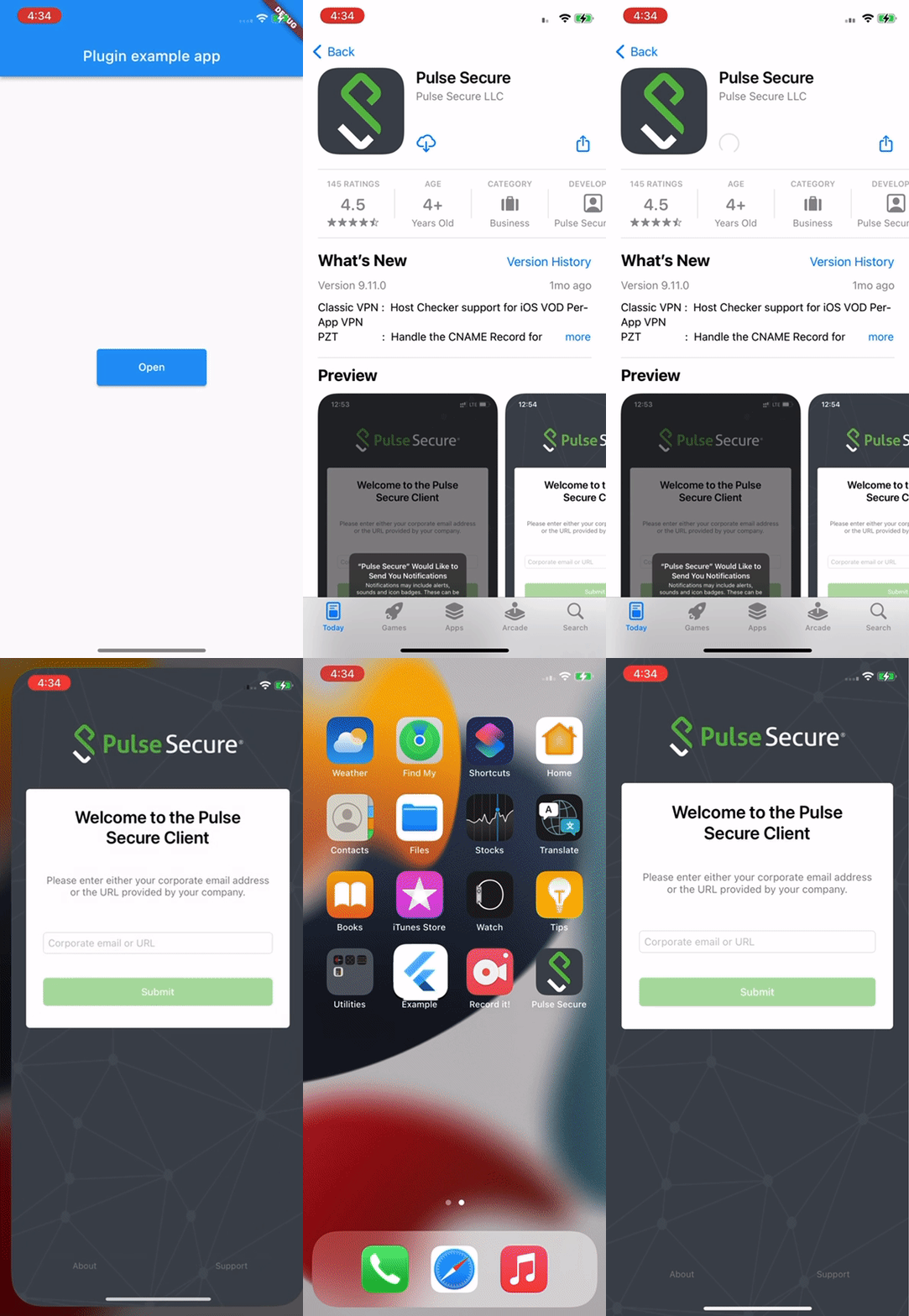
Demo

Implementation

Apart from opening an external app, this package can also be used to check whether an app is installed in the device or not.

This can done by simply calling the function isAppInstalled

await LaunchApp.isAppInstalled(
  androidPackageName: 'net.pulsesecure.pulsesecure'
  iosUrlScheme: 'pulsesecure://'
);

This returns true and false based on the fact whether app is installed or not.

Code Illustration

import 'package:flutter/material.dart';
import 'package:external_app_launcher/external_app_launcher.dart';

void main() {
  runApp(MyApp());
}

class MyApp extends StatefulWidget {
  @override
  _MyAppState createState() => _MyAppState();
}

class _MyAppState extends State<MyApp> {
  @override
  void initState() {
    super.initState();
  }

  Color containerColor = Colors.red;

  @override
  Widget build(BuildContext context) {
    return MaterialApp(
      home: Scaffold(
        appBar: AppBar(
          title: const Text('Plugin example app'),
        ),
        body: Center(
          child: Container(
            height: 50,
            width: 150,
            child: RaisedButton(
              color: Colors.blue,
              onPressed: () async {
                await LaunchApp.openApp(
                  androidPackageName: 'net.pulsesecure.pulsesecure',
                  iosUrlScheme: 'pulsesecure://',
                  appStoreLink: 'itms-apps://itunes.apple.com/us/app/pulse-secure/id945832041',
                  // openStore: false
                );

                // Enter the package name of the App you want to open and for iOS add the URLscheme to the Info.plist file.
                // The `openStore` argument decides whether the app redirects to PlayStore or AppStore.
                // For testing purpose you can enter com.instagram.android
              },
              child: Container(
                child: Center(
                  child: Text("Open",
                    textAlign: TextAlign.center,
                  ),
                ))),
          ),
        ),
      ),
    );
  }
}

카테고리

소스 저장소

이 패키지를 사용하는 프로젝트