v9.2.1
bloc
예측 가능한 상태 관리 라이브러리로 BLoC(Business Logic Component) 설계 패턴을 구현하는 데 도움을 줍니다.
3.2천좋아요 245만30일 다운로드160Pub 점수
AndroidiOSWebmacOSWindowsLinux
크로스 플랫폼 네트워크 분석 및 모니터링 도구

아래는 영문 원문 스냅샷입니다. 최신 내용은 GitHub에서 확인하세요.
Vernet - Check Your Connection


Vernet helps you spot possible connection and security concerns. It does not replace a professional security audit, but it gives you useful findings to review, such as devices and services that are reachable on your network.
| Vernet | Home | Connected Devices | Security Findings |
|---|---|---|---|
 |
 |
 |
 |
| Ping | DNS | Speed test | Settings |
 |
 |
 |
 |
| Android | iOS | macOS | Linux | Windows |
|---|---|---|---|---|
  |
Works on emulator |  |
|
|
Note: macOS build hasn't been notarized yet.
net-tools package for arp command, otherwise app will not run.Write us at fs0c19ty@protonmail.com
You can follow this guide to publish your app to f-droid - https://op3nsoc13ty.blogspot.com/2021/06/publish-your-first-flutter-app-to-fdroid.html
Support this project by becoming stargazer of this project.
Rate our app on Playstore
Buy me a coffee.
| Librepay |
|---|
 |
Support me on Ko-Fi

예측 가능한 상태 관리 라이브러리로 BLoC(Business Logic Component) 설계 패턴을 구현하는 데 도움을 줍니다.
Drift는 Dart 및 Flutter 애플리케이션에서 관계형 데이터를 저장하기 위한 반응형 라이브러리입니다.
drift 사용자를 위한 개발용 종속성입니다. 생성기 및 개발 도구를 포함합니다.
Flutter 앱에서 플랫폼 간에 쉽게 드리프트 데이터베이스를 설정할 수 있습니다.
Flutter의 1위 비상업적 목적의 지도 클라이언트: 사용이 간편하고 유연하며 공급업체에 의존하지 않으며, 완전히 크로스 플랫폼이며 100% 순수한 Flutter입니다
네트워크 정보(예: Wi-Fi 세부 정보)를 탐색하기 위한 Flutter 플러그인입니다.
Flutter 게이지 라이브러리는 현대적이고 상호작용 가능한 애니메이션 게이지와 레디얼 슬라이더를 만들 수 있도록 선형 게이지와 원형 게이지(또는 원형 게이지라고도 함)를 포함하고 있습니다.
인터페이스와 구체적인 구현을 분리하고 앱 내 어디서든 구체적인 구현에 접근할 수 있도록 해주는 간단하고 직접적인 서비스 로케이터입니다.
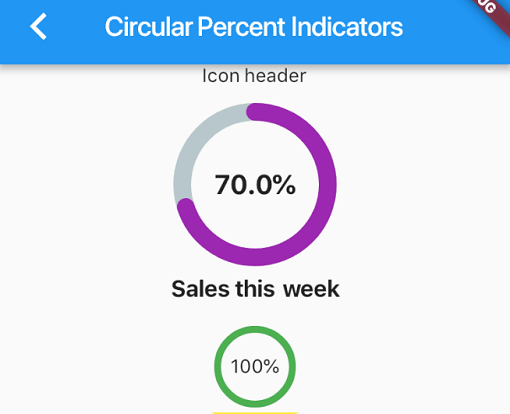
백분율 기반으로 진행률 위젯을 표시할 수 있는 라이브러리로, 원형 또는 선형으로 사용할 수 있으며 필요에 따라 맞춤 설정할 수 있습니다.
null 안전성 지원과 수동 모크 또는 코드 생성 없이 모킹을 단순화하는 Dart 모크 라이브러리입니다.
Injectable은 get_it용 편리한 코드 생성기입니다. Angular DI, Guice DI, inject.dart에서 영감을 받았습니다.
Injectable은 get_it용 편리한 코드 생성기입니다. Angular DI, Guice DI, inject.dart에서 영감을 받았습니다.
의존성 목록 47 개
^3.0.0^9.2.1^1.0.9^9.0.1^2.34.3^0.3.1^4.0.4{"sdk":"flutter"}^9.1.1^22.3.0^8.3.1^1.4.2^2.4.8^4.0.1^5.1.0^3.1.0^9.2.1^1.6.0^2.0.12^3.0.0^4.1.0^4.12.0^0.9.1^8.2.1^3.0.4^10.2.1^1.9.1^2.1.6^4.2.5^13.0.1^6.1.5^0.26.0^2.5.5{"git":{"url":"https://github.com/git-elliot/speed_test_dart.git","ref":"master"}}^1.2.2^34.2.3^0.11.1^6.3.2^2.16.0^2.34.5{"sdk":"flutter"}^4.0.0-dev.3^3.1.1{"sdk":"flutter"}^6.13.1^2.8.0^1.0.5사용 목적에 따라 검색하고 개발 활동을 비교한 뒤 원본 저장소에서 요구 사항을 확인하세요.
“A repository is the most basic element of GitHub.”
GitHub Docs — About repositories ↗