패키지, 저장소 및 앱 카테고리 검색

flutter_linkify 표지
패키지 상세v6.0.0

flutter_linkify

플러터용 텍스트 내의 URL 및 이메일을 클릭 가능한 인라인 링크로 변환합니다.

AndroidiOSWebmacOSWindowsLinux
30일 다운로드
28.4만
좋아요
775
Pub 점수
150

패키지 설치

flutter pub add flutter_linkify

패키지 개요

공개 정보를 바탕으로 생성한 선택 가이드입니다.

flutter_linkify는 일반 텍스트 내의 URL 및 이메일 주소를 자동으로 감지하여 클릭 가능한 링크로 변환하는 Flutter 패키지입니다. 수동 포맷팅이 필요 없이 인라인 하이퍼링크를 활성화함으로써 텍스트 렌더링을 향상시킵니다. 이 패키지는 Android, iOS, Web, macOS, Windows, Linux 등 여러 플랫폼을 지원하며 크로스플랫폼 애플리케이션에 적합합니다. Flutter의 Text 위젯과 원활하게 통합되며 사용자 정의 가능한 링크 스타일과 동작을 제공합니다.

사용 사례

  • URL이 포함된 원시 텍스트를 상호작용 가능한 링크로 변환
  • 이메일을 mailto: 링크로 표시
  • 채팅 또는 댓글 섹션에서 사용자 경험 향상
  • 자동 링크를 사용하여 풍부한 텍스트 콘텐츠 만들기
  • 클릭 가능한 참조를 사용하여 문서 또는 도움말 화면 만들기

주요 기능

  • URL 및 이메일 자동 감지
  • 다중 플랫폼 지원
  • 사용자 지정 가능한 링크 스타일
  • Flutter의 Text 위젯과의 통합
  • 사용자 정의 가능한 링크 동작 및 콜백
  • http 및 https 프로토콜을 모두 처리합니다

적합한 대상

  • 클릭 가능한 링크를 포함한 풍부한 텍스트가 필요한 앱
  • 채팅 또는 메시징 인터페이스
  • 문서 또는 지식 기반 앱
  • 사용자 생성 텍스트를 포함한 콘텐츠 중심 애플리케이션
  • 간편한 하이퍼링크 통합을 찾는 개발자

고려 사항

  • 일관된 외관을 위해 추가 스타일링이 필요할 수 있습니다
  • 대규모 텍스트 블록과 함께 가능한 성능 영향
  • URL 및 이메일 패턴에만 제한됨(사용자 정의 정규식 아님)
  • 링크 탭 이벤트를 신중하게 처리해야 합니다
  • 링크 외 복잡한 레이블 텍스트 형식 지정에는 적합하지 않습니다

원본 README

연결된 소스 저장소의 README 원문 스냅샷입니다. 최신 내용은 저장소에서 확인하세요.

flutter_linkify pub package

Turns text URLs and emails into clickable inline links in text for Flutter.

Required Dart >=2.17 (has null-safety support).

Pub - API Docs - GitHub

Install

Install by adding this package to your pubspec.yaml:

dependencies:
  flutter_linkify: ^6.0.0

It is highly recommend that you also add a dependency on url_launcher to open links in the browser/OS.

Usage

Basic:

import 'package:flutter_linkify/flutter_linkify.dart';

Linkify(
  onOpen: (link) => print("Clicked ${link.url}!"),
  text: "Made by https://cretezy.com",
);
Styling

Add a style to non-links (yellow) or links (red), and open in browser using url_launcher:

import 'package:flutter_linkify/flutter_linkify.dart';
import 'package:url_launcher/url_launcher.dart';

Linkify(
  onOpen: (link) async {
    if (!await launchUrl(Uri.parse(link.url))) {
      throw Exception('Could not launch ${link.url}');
    }
  },
  text: "Made by https://cretezy.com",
  style: TextStyle(color: Colors.yellow),
  linkStyle: TextStyle(color: Colors.red),
);

All RichText options are available for use.

Linkify Options

By default, humanization (removal of http:// or https:// from the start of the URL) is enabled. You may disable it by passing options:

Linkify(
  text: "Made by https://cretezy.com",
  options: LinkifyOptions(humanize: false),
);
Selectable Text

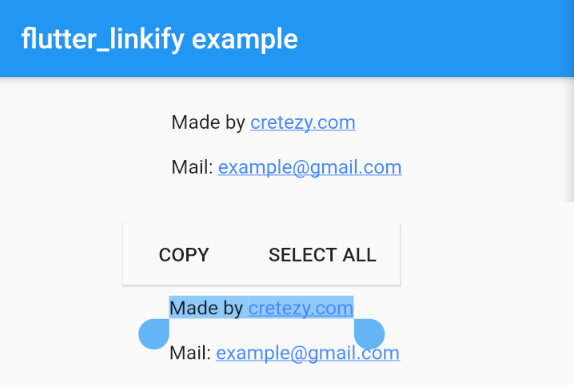
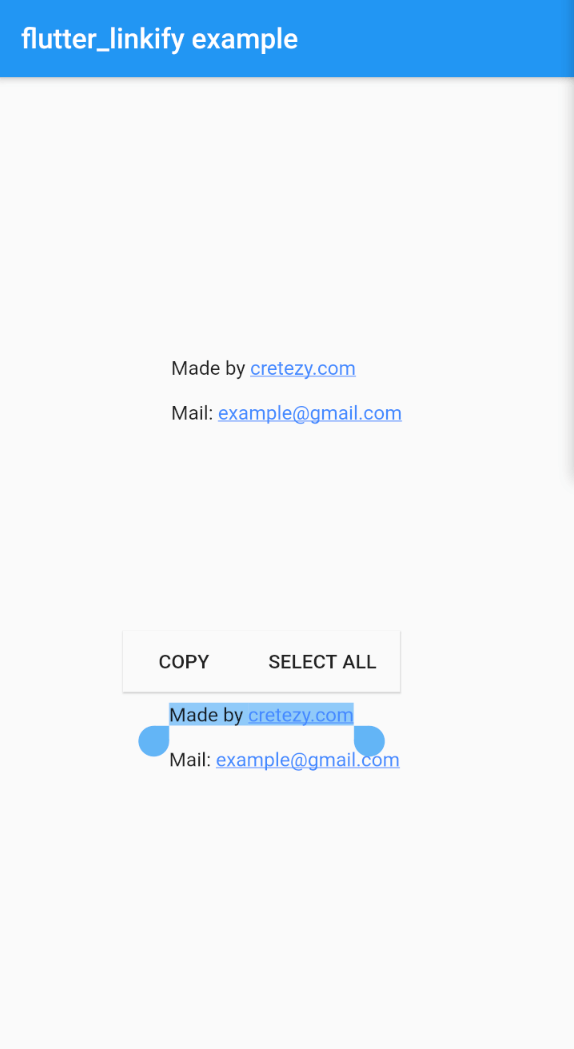
Use the SelectableLinkify widget to create selectable text. All SelectableText options are available for use.

SelectableLinkify(
  text: "Made by https://cretezy.com\n\nMail: example@gmail.com",
);
Advance

In the onOpen callback, a LinkableElement is passed in. You can check if it is a UrlElement or EmailElement using is for custom handling.

You can enable parsing of only some link types using the linkifiers option. URL and email are enabled by default.

Full example can be found at example/lib/main.dart.

Example Screenshot

카테고리

의존성

의존성 목록 1 개

소스 저장소

이 패키지를 사용하는 프로젝트