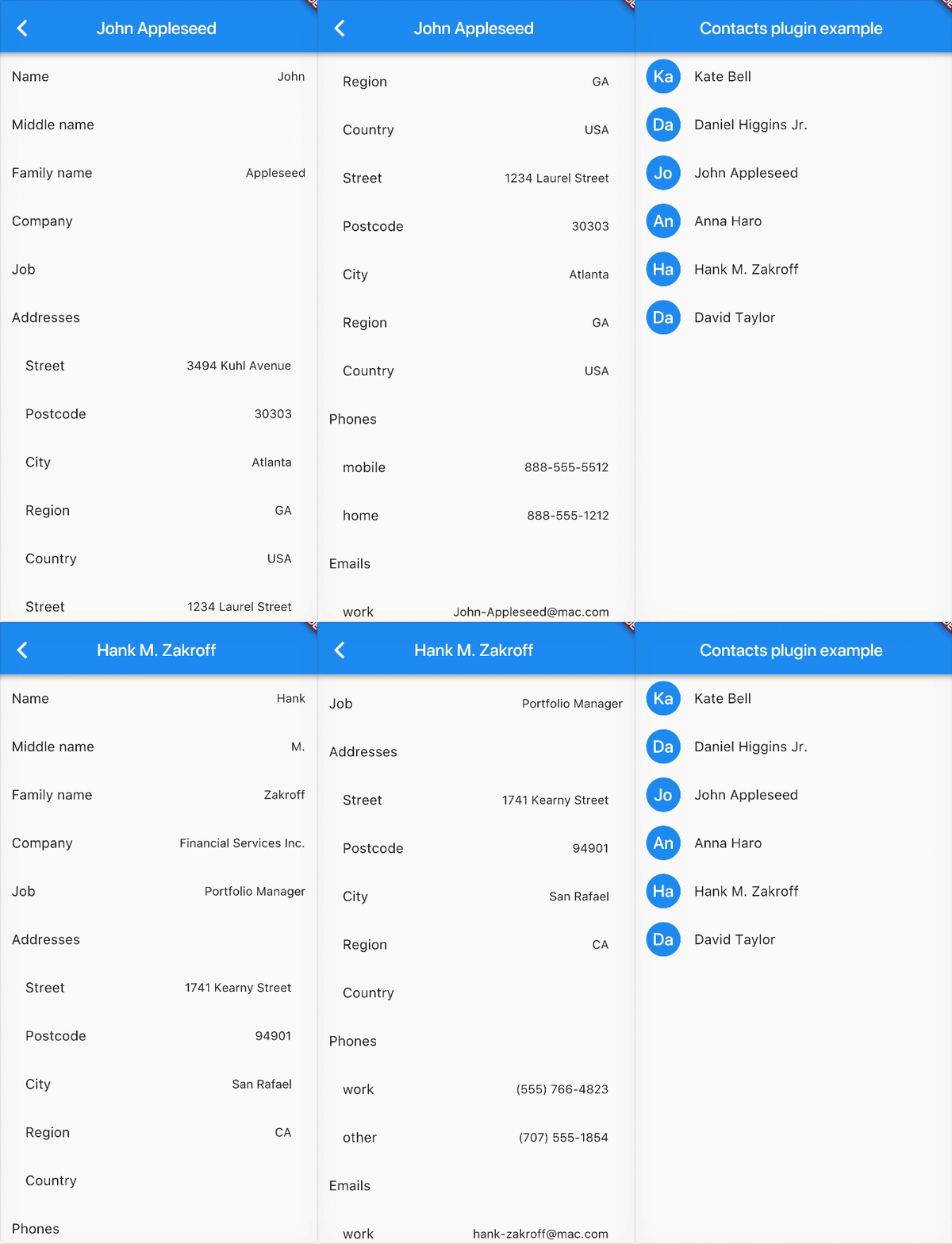
contacts_service 패키지는 Android 및 iOS 플랫폼에서 장치 연락처에 액세스하고 관리할 수 있도록 해주는 Flutter 플러그인입니다. 연락처 목록을 가져오고 이름, 전화번호, 이메일과 같은 연락처 세부 정보를 읽으며 필터링 및 검색과 같은 기본 작업을 지원하는 일관된 API를 제공합니다. 크로스플랫폼 호환성을 위해 설계되어 플랫폼별 코드 없이 네이티브 연락처 시스템과 통합할 수 있도록 간소화합니다. 연락처 조회 또는 가져오기 기능이 필요한 앱에 적합합니다.
사용 사례
연락처 목록 검색
연락처 검색 및 필터링
앱으로 연락처 가져오기
앱 데이터와 연락처 동기화
UI에서 연락처 세부 정보 표시
주요 기능
크로스 플랫폼 지원 (Android 및 iOS)
연락처 접근을 위한 간단한 API
이름, 전화번호, 이메일과 같은 연락처 필드를 지원합니다
검색 및 필터링 기능
네이티브 코드가 필요하지 않습니다
적합한 대상
연락처 접근이 필요한 앱
사용자 프로필 가져오기 도구
통신 앱
CRM 통합
연락처 선택기 위젯
고려 사항
Android 및 iOS에서 런타임 권한이 필요합니다
기본 연락처 작업에 한정
개인정보 보호 준수 필요
접근을 위해 사용자 동의가 필요할 수 있습니다
성능은 장치 연락처 데이터베이스 크기에 따라 달라집니다
원본 README
연결된 소스 저장소의 README 원문 스냅샷입니다. 최신 내용은 저장소에서 확인하세요.
contacts_service
A Flutter plugin to access and manage the device's contacts.
Set the NSContactsUsageDescription in your Info.plist file
<key>NSContactsUsageDescription</key><string>This app requires contacts access to function properly.</string>
Note contacts_service does not handle the process of asking and checking for permissions. To check and request user permission to access contacts, try using the following plugins: flutter_simple_permissions or permission_handler.
If you do not request user permission or have it granted, the application will fail. For testing purposes, you can manually set the permissions for your test app in Settings for your app on the device that you are using. For Android, go to "Settings" - "Apps" - select your test app - "Permissions" - then turn "on" the slider for contacts.
Example
// Import package import'package:contacts_service/contacts_service.dart';
// Get all contacts on deviceList<Contact> contacts = awaitContactsService.getContacts();
// Get all contacts without thumbnail (faster)List<Contact> contacts = awaitContactsService.getContacts(withThumbnails: false);
// Android only: Get thumbnail for an avatar afterwards (only necessary if `withThumbnails: false` is used)Uint8List avatar = awaitContactsService.getAvatar(contact);
// Get contacts matching a stringList<Contact> johns = awaitContactsService.getContacts(query : "john");
// Add a contact // The contact must have a firstName / lastName to be successfully added awaitContactsService.addContact(newContact);
// Delete a contact// The contact must have a valid identifierawaitContactsService.deleteContact(contact);
// Update a contact// The contact must have a valid identifierawaitContactsService.updateContact(contact);
// Usage of the native device form for creating a Contact// Throws a error if the Form could not be open or the Operation is canceled by the UserawaitContactsService.openContactForm();
// Usage of the native device form for editing a Contact// The contact must have a valid identifier// Throws a error if the Form could not be open or the Operation is canceled by the UserawaitContactsService.openExistingContact(contact);