
v4.5.2
go_router_builder
package:go_router용 생성된 강력한 타입의 라우트 헬퍼를 지원하는 빌더
302좋아요 37.1만30일 다운로드160Pub 점수
AndroidiOSmacOSWindowsLinux
Matrix(보안 및 탈중앙화된 통신을 위한 오픈 네트워크)에 연결하기 위한 다중 플랫폼(Flutter) 애플리케이션으로, 좋아하는 기기와 연결할 수 있습니다.

package:go_router용 생성된 강력한 타입의 라우트 헬퍼를 지원하는 빌더
 v8.3.2
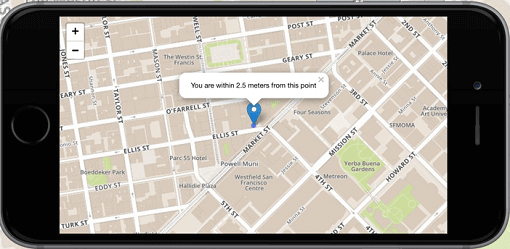
Flutter의 1위 비상업적 목적의 지도 클라이언트: 사용이 간편하고 유연하며 공급업체에 의존하지 않으며, 완전히 크로스 플랫폼이며 100% 순수한 Flutter입니다
 v1.17.4
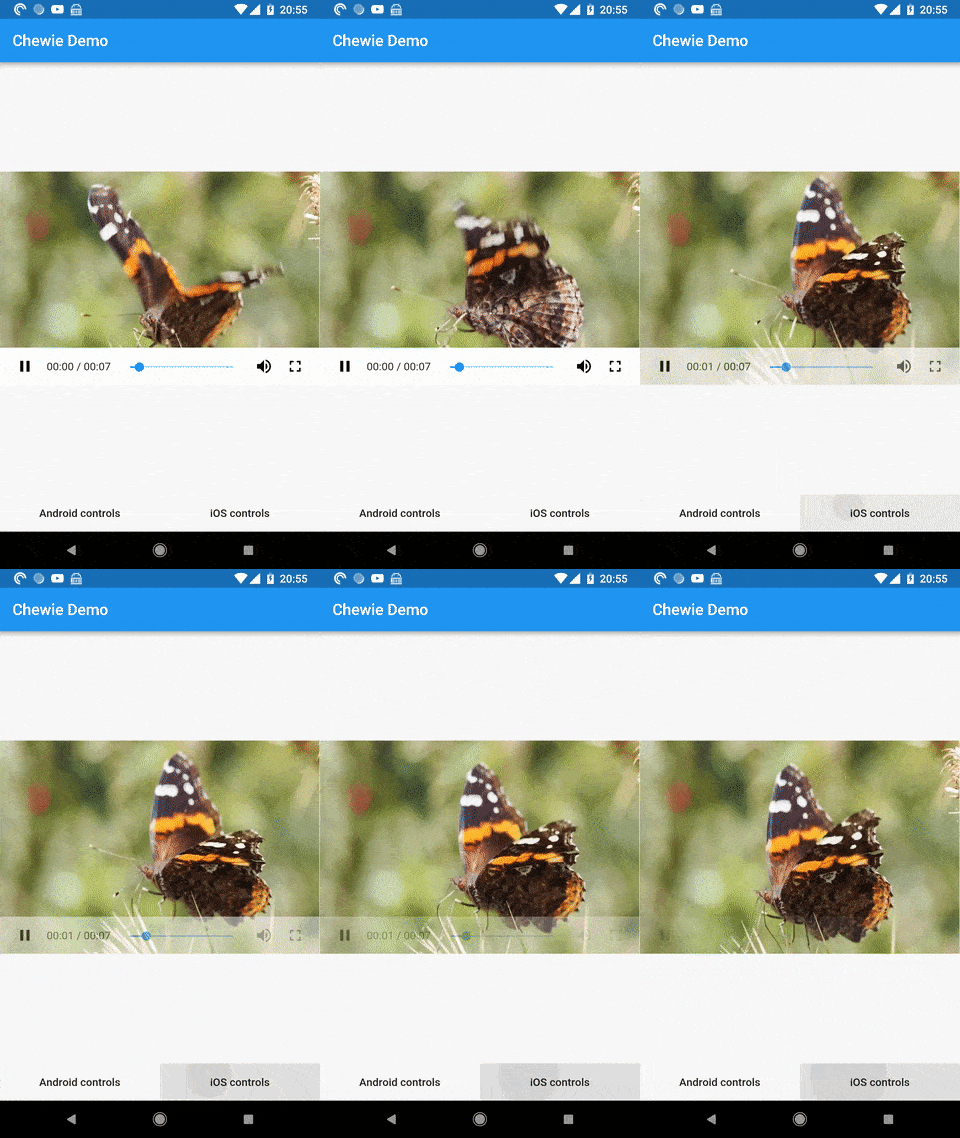
Cupertino 및 Material 재생 컨트롤이 있는 Flutter용 비디오 플레이어
 v1.2.6
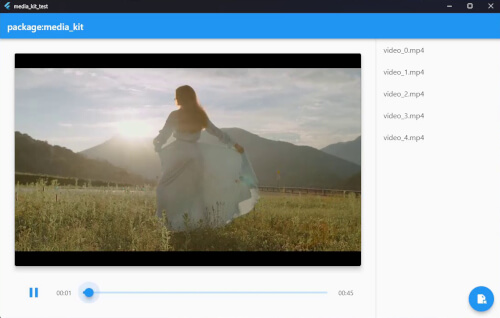
Flutter 및 Dart용 크로스 플랫폼 비디오 플레이어 및 오디오 플레이어입니다. 성능이 뛰어나며 안정적이고 기능이 풍부하며 모듈식입니다.
패키지: media_kit에서 비디오 재생을 위한 네이티브 구현.
Flutter에서 After Effects 애니메이션을 네이티브로 렌더링합니다. 이 패키지는 Lottie 플레이어의 순수한 Dart 구현입니다.
Flutter 앱을 위한 강력한 다중 플랫폼 E2E UI 테스트 프레임워크로, integration_test의 한계를 극복하고 네이티브 상호작용을 처리합니다.
Patrol용 명령줄 도구. 강력한 Flutter 네이티브 UI 테스트 프레임워크입니다.
Flutter용 Sentry SDK입니다. 이 패키지는 Sentry가 네이티브 SDK로 지원하는 다양한 플랫폼에 의존하여, 다양한 Flutter 타겟을 지원하려는 목표를 가지고 있습니다.
 v6.0.0
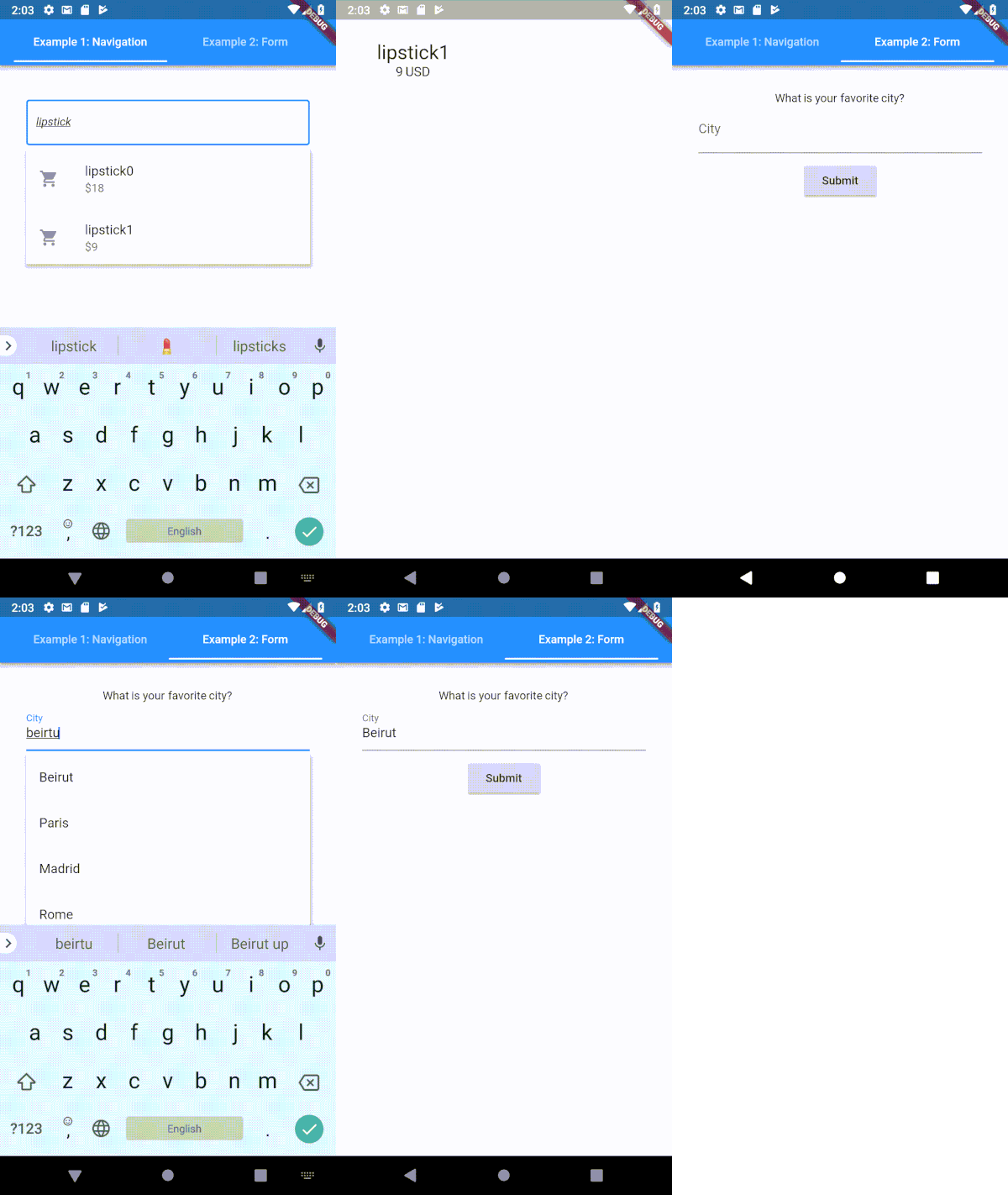
Flutter용으로 매우 사용자 정의 가능한 타입헤이 (자동 완성) 텍스트 입력 필드
Dart에서의 함수형 프로그래밍. 효율적인 불변 데이터 구조, 모나드, 렌즈 및 기타 FP 도구를 사용하여 Dart 코드를 정제하세요.
Android, iOS, macOS 및 OpenHarmony에서 앨범 자산 추상화 관리 API를 제공하는 플러터 플러그인입니다.
^9.10.0^7.1.2{"git":{"url":"https://github.com/linagora/receive_sharing_intent.git","ref":"main"}}^3.1.4{"git":{"url":"https://github.com/linagora/linagora-design-flutter.git","ref":"v0.2.6"}}{"git":{"url":"https://github.com/linagora/flutter_matrix_html.git","ref":"master"}}{"git":{"url":"https://github.com/maRci002/video_thumbnail.git","ref":"feat-web_implementation","path":"video_thumbnail"}}{"git":{"url":"https://github.com/linagora/inview_notifier_list.git","ref":"master"}}{"git":{"url":"https://github.com/linagora/future-loading-dialog.git","ref":"main"}}{"git":{"url":"https://github.com/linagora/linkfy_text.git","ref":"main"}}{"git":{"url":"https://github.com/linagora/emoji_mart.git","ref":"master"}}{"git":{"url":"https://github.com/linagora/social_media_recorder.git","ref":"twake_supported"}}^1.8.0+1^0.1.4^2.0.7^1.1.0^1.3.6^1.16.0^4.0.0any^0.4.4^0.1.0^0.6.3^10.1.0^1.6.0^1.5.1^0.0.1^0.9.9{"git":{"url":"https://github.com/famedly/fcm_shared_isolate.git","ref":"main"}}^10.1.7{"sdk":"flutter"}{"git":{"url":"https://github.com/bitsydarel/flutter_app_badger.git","ref":"master"}}^3.0.0^0.8.2^3.3.0^3.10.017.2.2{"sdk":"flutter"}^4.0.0{"git":{"url":"https://github.com/linagora/flutter_openssl_crypto.git","ref":"main"}}4.0.0+49.2.4^0.22.0^5.1.0^4.1.0^0.1.9^2.2.3^1.1.0^0.13.4^4.0.15^1.2.0^0.8.13^2.11.0any^0.2.00.10.5^1.0.1^0.1.4^0.8.1^0.3.0^2.0.0{"git":{"url":"https://github.com/linagora/dart_native_imaging.git","ref":"main"}}^8.0.0^2.1.5^12.0.1^1.8.0^6.0.2^1.0.0^1.0.0^3.0.16.1.1^3.0.110.0.2^2.5.3^2.0.0{"git":{"url":"https://github.com/alirezat66/skeletons.git","ref":"master"}}^1.1.0^6.2.0^6.0.2^2.0.86.3.23.1.316.3.01.3.2^1.0.100.5.04.9.0^2.0.5^7.2.0^5.1.1^3.4.2^3.2.1^0.10.1^2.0.0^9.0.0^0.27.7^3.0.0-dev.56.1.0^2.0.2^3.0.00.1.24.4.0^3.5.11^1.0.4^2.11.0^2.4.0{"git":{"url":"https://github.com/linagora/image_gallery_saver.git","ref":"master"}}^0.2.12^6.0.0^1.2.1^2.0.1^1.0.7^2.10.00.9.1^3.0.3^2.0.0-beta.2^9.0.21^0.1.4^2.0.5^1.2.0^2.1.04.0.0^2.1.0+11.1.42.2.02.3.03.0.03.1.00.0.50.10.23.3.02.0.0^0.5.02.0.0^2.3.6^0.5.40^0.4.0+2^1.8.0^1.1.1^1.2.03.0.03.1.03.0.0^3.2.1^2.12.0^3.2.33.0.0^5.15.0^0.13.1^3.0.2^2.0.3+1{"sdk":"flutter"}^4.6.0{"sdk":"flutter"}^6.6.2^3.6.2^0.0.55.6.3^4.5.0^0.15.4^4.2.0^4.3.1아래는 영문 원문 스냅샷입니다. 최신 내용은 GitHub에서 확인하세요.
Contributors Issues Documentation Android application Ios application
Website • View Demo • Report Bug • Roadmap • Translate Twake
Twake Chat is an open source, decentralized chat app based on the Matrix protocol. It was developed by Linagora. Twake Chat is a good option for individuals and organizations who are looking for a secure and decentralized chat app. It is also a good choice for developers who want to build their own Matrix-based chat apps.
Please make sure to run the following command at first, to verify your code before each commit:
bash scripts/config-pre-commit.sh
You can at any moment verify your flutter installation using:
flutter doctor -v
For web development, install:
The web target uses flutter_vodozemac for end-to-end encryption. Before running or building the application for the first time, generate the required web package:
./scripts/prepare-web.sh
Run this command again after updating the flutter_vodozemac dependency.
Note: Gradle will try to install the JDK 8. If for any reasons the operation failed, try to install your own and use this method to tell Gradle where to find it.
If needed, a complete list is available in the flake.nix.
On Ubuntu, the following command should install all the required elements:
sudo apt install libjsoncpp1 libsecret-1-dev libsecret-1-0 librhash0 libwebkit2gtk-4.0-dev libolm3
In addition, the Linux build requires Rust. For macOS or Linux, execute the following command in a terminal emulator:
curl --proto '=https' --tlsv1.2 -sSf https://sh.rustup.rs | sh
For Windows, you can use the Rust Installer.
In case you have Rust already installed, make sure to update it to latest version:
rustup update
devenv.nixA devenv.nix is provided in order to ease the process of setting up your dev environment. Check out the install instructions: https://devenv.sh/getting-started/
Then you can use devenv shell to fire up your environment.
This can be automated thanks to: [nix-direnv](https://github.com/nix-community/nix-direnv/)
Supported platforms:
In order to run the web target you must provide a default configuration file. This can be done by copying the config.sample.json to config.json.
cp config.sample.json config.json
Here is an example working with matrix.org:
{
  "application_name": "Twake Chat",
  "application_welcome_message": "Welcome to Twake Chat!",
  "default_homeserver": "matrix.org",
  "privacy_url": "https://twake.app/en/privacy/",
  "render_html": true,
  "hide_unknown_events": true,
  "hide_redacted_events": false,
  "issue_id": "",
  "app_grid_dashboard_available": false,
  "homeserver": "https://matrix.org/",
  "platform": "localDebug",
  "default_max_upload_avatar_size_in_bytes": 1000000,
  "dev_mode": true,
  "qr_code_download_url": "https://sign-up.twake.app/download/chat",
  "enable_logs": true,
  "vapid_public_key": "",
  "web_push_enabled": false,
  "support_url": "https://twake.app/support",
  "cozy_external_bridge_version": "0.16.1"
}
Before running the app, please update the dependencies:
flutter pub get && flutter pub run build_runner build --delete-conflicting-outputs
Now you can run the project:
flutter devices # To list available run targets
# flutter run -d <device>, e.g:
flutter run -d chrome
Translations are managed on Weblate (Linagora / twake-matrix).
assets/l10n/ (template: intl_en.arb).l10n.Maintainers: the full sync process (rebase l10n on main, trigger the
Weblate update/pull, open a PR from l10n into main) is documented in
docs/l10n_weblate_workflow.md.
Please use the helper script corresponding to your target in order to build:
./scripts/prepare-web.sh
./scripts/build-web.sh
# ./scripts/build-linux.sh          ## For release purposes
./scripts/build-linux-debug.sh
# ./scripts/build-android-apk.sh    ## For release purposes
./scripts/build-android-debug.sh
Flutter DevTools is designed for native (iOS/Android/Desktop) profiling and provides frame-level insights via the Dart VM. On Flutter Web however, the Dart code is compiled to JavaScript and runs inside a browser engine. Flutter DevTools cannot profile the JavaScript execution, browser rendering pipeline, or web worker scheduling.
Chrome DevTools Performance panel is the right tool for Flutter Web because it captures the actual browser behavior: main thread long tasks, animation frame durations, garbage collection pauses, network timing, and GPU compositing — which is where the real bottlenecks are on web.
A Chrome DevTools performance trace recorded over a typical user session (navigating conversations, scrolling, viewing members) produces a JSON file exceeding 350,000 lines. The flame chart is virtually unreadable by eye for identifying patterns across hundreds of animation frames and long tasks.
We use the Chrome DevTools MCP server connected to an AI coding assistant (OpenCode + Claude Code) to automate the entire profiling workflow:
Install the MCP server — add to your OpenCode MCP configuration (~/.config/opencode/opencode.json):
{
  "$schema": "https://opencode.ai/config.json",
  "mcp": {
    "chrome-devtools": {
      "type": "local",
      "command": ["npx", "-y", "chrome-devtools-mcp@latest"]
    }
  }
}
Switch to the original branch you want to compare with your changes
Ask Claude Opus 4.6 to perform the profiling — example prompt:
Run the app on Chrome, in profile mode, connect via the Chrome DevTools MCP, set CPU throttling to 4x (recommended threshold to simulate a low-end device), start a performance trace, navigate through the app (open DM conversations, group rooms, scroll through messages, view member lists), stop the trace, and analyze the results. Compare before/after if applicable (Sync XHR (main thread), Animation frame avg, Jank, Long tasks, JS Heap).
Every now and then, manually scroll through the app using your mouse to make sure that the programmatic scrolling isn't skewing the data.
Switch to the branch where your changes are and ask again the AI to run the app and compare with the first run
What the AI does automatically:
| Metric | Target | Description |
|---|---|---|
| Sync XHR (main thread) | < 50ms | Time spent parsing /sync responses on the main thread |
| Animation frame avg | < 16.7ms | Average frame duration (60fps = 16.7ms budget) |
| Jank (frames > 16.7ms) | < 20% | Percentage of frames that miss the 60fps deadline |
| Long tasks (> 50ms) | Minimize | Tasks that block the main thread and cause visible stuttering |
| JS Heap | Monitor | Memory pressure indicator — high values increase GC frequency |
Create a config file config.json in the root of the project with the following
docs
Run the image using the following command:
docker run -d -p <host port>:<host port> -e TWAKECHAT_LISTEN_PORT=<host port> --name <container name> -v <host path>:/usr/share/nginx/html/web/config.json linagora/twake-web:<tag>
http://localhost:<hostport>matrix.orgconfig.json with matrix.org{
"app_grid_dashboard_available": true,
"application_name": "Twake Chat",
"application_welcome_message": "Welcome to Twake Chat!",
"default_homeserver": "matrix.org",
"hide_unknown_events": false,
"homeserver": "https://matrix.org/",
"issue_id": "",
"privacy_url": "https://twake.app/en/privacy/",
"render_html": true
}
6868:docker run -d -p 6868:6868 -e TWAKECHAT_LISTEN_PORT=6868 --name twake-web -v /path/to/config.json:/usr/share/nginx/html/web/config.json linagora/twake-web:v2.19.7
http://localhost:6868FluffyChat is the original repository of this project. A huge thanks to the upstream repository for their vital contributions, not only for this project but also for Matrix SDK in Dart
Fabiyamada is a graphics designer from Brasil and has made the fluffychat logo and the banner. Big thanks for her great designs.
Advocatux has made the Spanish translation with great love and care. He always stands by my side and supports my work with great commitment.
Thanks to MTRNord and Sorunome for developing.
Also thanks to all translators and testers! With your help, fluffychat is now available in more than 12 languages.
Noto Emoji Font for the awesome emojis.
WoodenBeaver sound theme for the notification sound.
The Matrix Foundation for making and maintaining the emoji translations used for emoji verification, licensed Apache 2.0