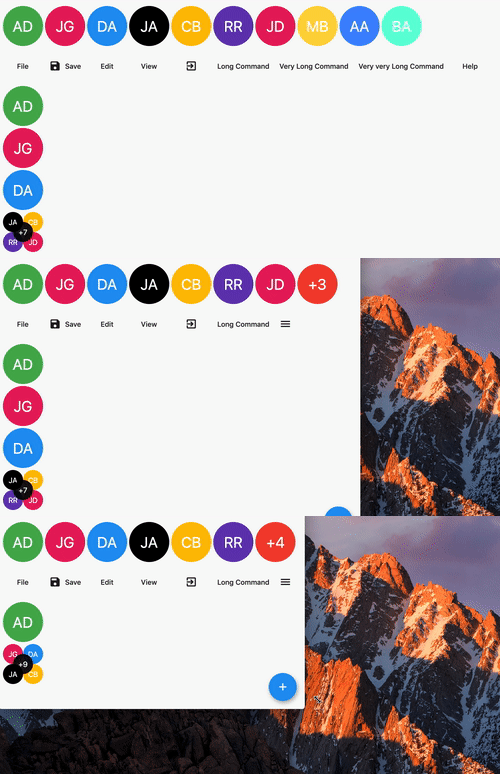
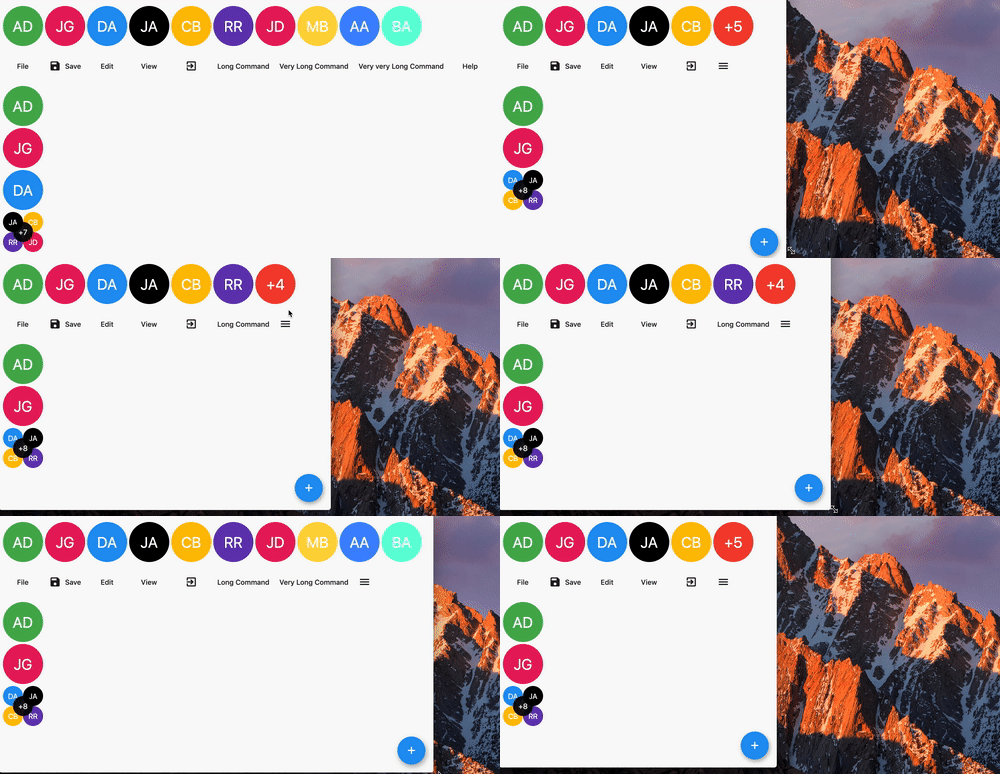
OverflowView는 자식 위젯을 수평으로 정렬하고 모든 자식을 표시할 수 있는 공간이 부족할 때 오버플로 인디케이터(예: '+' 또는 카운트)를 표시하는 Flutter 위젯입니다. 채팅 인터페이스나 프로필 목록과 같은 컴팩트한 레이아웃에 적합합니다. 이 위젯은 자동으로 오버플로를 잘라내고 시각적 인디케이터를 추가하여 소형 화면에서의 사용성을 향상시킵니다. 모바일, 웹, 데스크톱 등 다양한 플랫폼을 지원합니다.
사용 사례
채팅 헤드 아바타
사용자 목록 미리보기
작은 프로필 표시
반응형 UI 컴포넌트
다이나믹 아바타 그룹
주요 기능
자동 오버플로 감지
사용자 정의 가능한 오버플로 표시기
간격이 있는 수평 레이아웃
크로스 플랫폼 지원
유연한 아동 사이즈
적합한 대상
동적 아바타 목록을 가진 UI
모바일 우선 반응형 디자인
채팅 및 메시징 앱
프로필 카드 레이아웃
공간 제약이 있는 인터페이스
고려 사항
오버플로 표시기용 맞춤 스타일이 필요할 수 있습니다
제한된 수직 오버플로 처리
큰 자식 수와 함께하는 성능
복잡한 레이아웃에 적합하지 않습니다
부모 컨테이너 제약 조건에 따라 다름
원본 README
연결된 소스 저장소의 README 원문 스냅샷입니다. 최신 내용은 저장소에서 확인하세요.
overflow_view
A widget displaying children in a line with an overflow indicator at the end if there is not enough space.
Features
Renders children horizontally or vertically.
Has an overflow indicator builder so that you can display a widget showing the number of elements not rendered.
Can either constrain the children to the size of the first child or let them have the size they want.
Children can overlap each other by setting a negative spacing.
Getting started
In the pubspec.yaml of your flutter project, add the following dependency:
dependencies:...overflow_view:
In your library add the following import:
import'package:overflow_view/overflow_view.dart';
Usage
OverflowView(
// Either layout the children horizontally (the default)// or vertically.
direction: Axis.horizontal,
// The amount of space between children.
spacing: 4,
// The widgets to display until there is not enough space.
children: <Widget>[
for (int i = 0; i < _counter; i++)
AvatarWidget(
text: avatars[i].initials,
color: avatars[i].color,
)
],
// The overview indicator showed if there is not enough space for// all chidren.
builder: (context, remaining) {
// You can return any widget here.// You can either show a +n widget or a more complex widget// which can show a thumbnail of not rendered widgets.returnAvatarWidget(
text: '+$remaining',
color: Colors.red,
);
},
)
Constructors
There are two constuctors depending on what you want to do.
The OverflowView constructor will constrain all children to have the same size as the first one. This can be used for an avatar list for example.
The OverflowView.flexible constructor will let all children to determine their own size. This is less performant than the default one, but it's more flexible. This can be used for a menu bar for example.
Sponsoring
I'm working on my packages on my free-time, but I don't have as much time as I would. If this package or any other package I created is helping you, please consider to sponsor me. By doing so, I will prioritize your issues or your pull-requests before the others.
Changelog
Please see the Changelog page to know what's recently changed.
Contributions
Feel free to contribute to this project.
If you find a bug or want a feature, but don't know how to fix/implement it, please fill an issue.
If you fixed a bug or implemented a feature, please send a pull request.