

 v0.7.0
overflow_view
자리가 충분하지 않으면 끝에 오버플로 표시기를 보여주는 줄로 자식을 표시하는 위젯입니다.
227좋아요 3만30일 다운로드150Pub 점수
AndroidiOSWebmacOSWindowsLinux
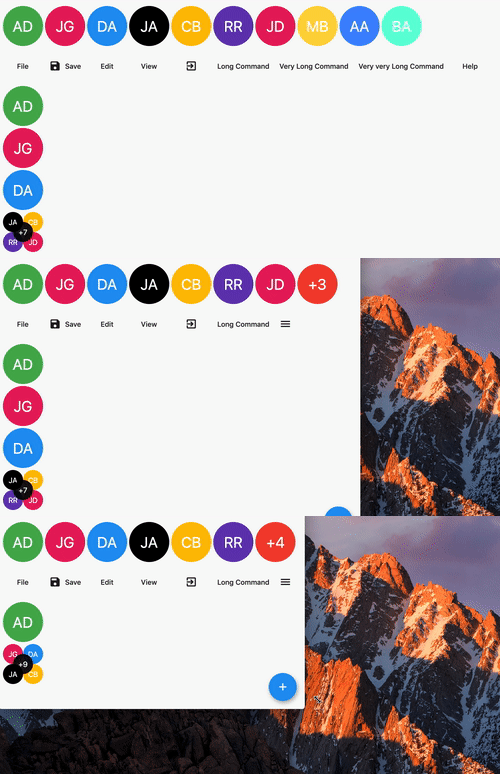
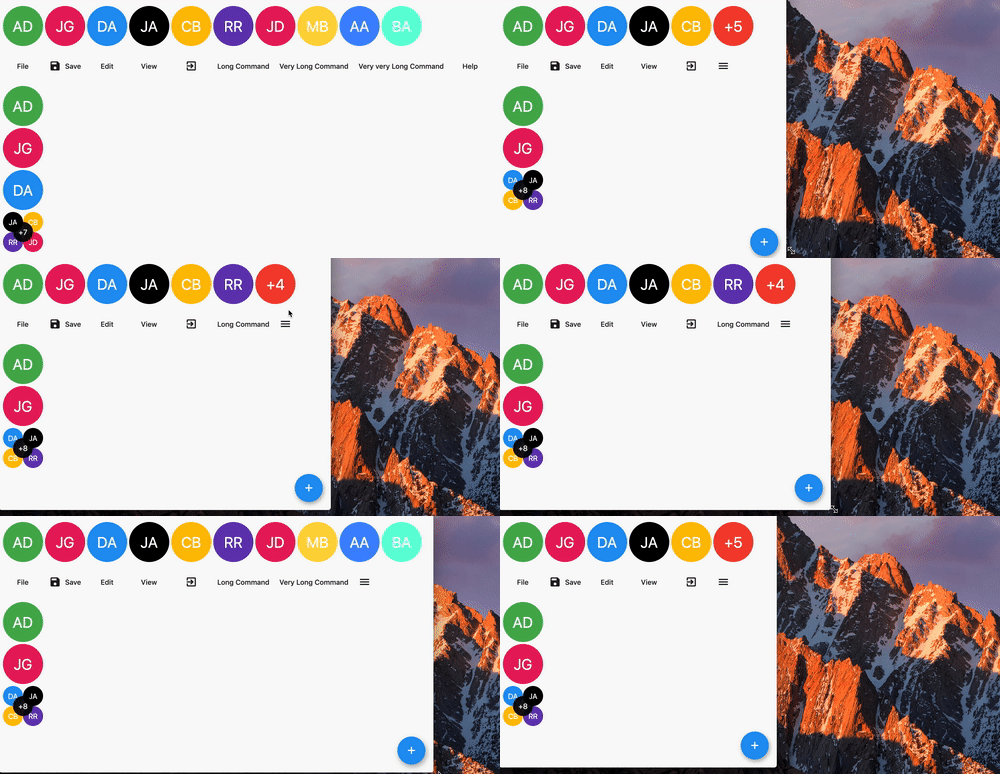
자식을 줄로 표시하다가 공간이 부족하면 중단하고 렌더링되지 않은 자식 수를 표시하는 위젯입니다.

아래는 영문 원문 스냅샷입니다. 최신 내용은 GitHub에서 확인하세요.
A widget displaying children in a line with an overflow indicator at the end if there is not enough space.

In the pubspec.yaml of your flutter project, add the following dependency:
dependencies:
  ...
  overflow_view:
In your library add the following import:
import 'package:overflow_view/overflow_view.dart';
OverflowView(
  // Either layout the children horizontally (the default)
  // or vertically.
  direction: Axis.horizontal,
  // The amount of space between children.
  spacing: 4,
  // The widgets to display until there is not enough space.
  children: <Widget>[
    for (int i = 0; i < _counter; i++)
      AvatarWidget(
        text: avatars[i].initials,
        color: avatars[i].color,
      )
  ],
  // The overview indicator showed if there is not enough space for
  // all chidren.
  builder: (context, remaining) {
    // You can return any widget here.
    // You can either show a +n widget or a more complex widget
    // which can show a thumbnail of not rendered widgets.
    return AvatarWidget(
      text: '+$remaining',
      color: Colors.red,
    );
  },
)
There are two constuctors depending on what you want to do.
The OverflowView constructor will constrain all children to have the same size as the first one. This can be used for an avatar list for example.
The OverflowView.flexible constructor will let all children to determine their own size. This is less performant than the default one, but it's more flexible. This can be used for a menu bar for example.
I'm working on my packages on my free-time, but I don't have as much time as I would. If this package or any other package I created is helping you, please consider to sponsor me. By doing so, I will prioritize your issues or your pull-requests before the others.
Please see the Changelog page to know what's recently changed.
Feel free to contribute to this project.
If you find a bug or want a feature, but don't know how to fix/implement it, please fill an issue.
If you fixed a bug or implemented a feature, please send a pull request.
의존성 목록 3 개
{"sdk":"flutter"}^0.5.0{"sdk":"flutter"}사용 목적에 따라 검색하고 개발 활동을 비교한 뒤 원본 저장소에서 요구 사항을 확인하세요.
“A repository is the most basic element of GitHub.”
GitHub Docs — About repositories ↗