
v0.28.0
rxdart
RxDart는 비동기 프로그래밍을 위한 인기 있는 ReactiveX API의 구현으로, 네이티브 Dart Streams API를 활용합니다.
2.9천좋아요 614만30일 다운로드135Pub 점수
AndroidiOSWebmacOSWindowsLinux
Flutter 위젯을 위한 시각적 편집기

RxDart는 비동기 프로그래밍을 위한 인기 있는 ReactiveX API의 구현으로, 네이티브 Dart Streams API를 활용합니다.
React hooks의 플러터 구현입니다. 개선된 코드 재사용 기능을 갖춘 새로운 유형의 위젯을 추가합니다.
의견이 강한 자동 Dart 소스 코드 포맷터입니다. API와 CLI 도구를 제공합니다.
 v1.1.0
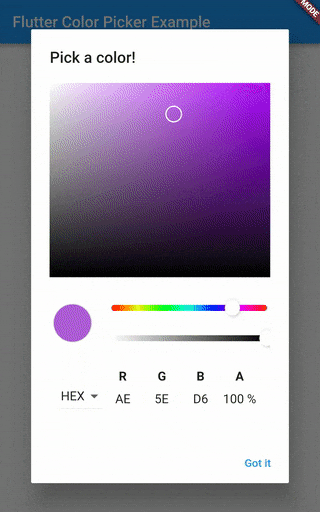
모든 훌륭한 디자인에서 영감을 받은 HSV(HSB)/HSL/RGB/Material 색상 선택기. 놀라운 Flutter 앱을 위한 것입니다.
다양한 언어와 테마를 지원하는 Flutter용 구문 강조 위젯입니다.
유효한 Dart 코드를 생성하기 위한 유창하고 빌더 기반의 라이브러리입니다.
의존성 목록 17 개
{"sdk":"flutter"}^2.0.1^2.0.1any^3.2.0^1.2.8any{"git":{"url":"https://github.com/Norbert515/file_system_explorer.git"}}{"git":{"url":"https://github.com/Norbert515/flutter_desktop_widgets2.git"}}^0.6.03.4.1^0.7.0{"git":{"url":"https://github.com/Norbert515/mustache.git"}}^0.1.2{"sdk":"flutter"}{"sdk":"flutter"}any아래는 영문 원문 스냅샷입니다. 최신 내용은 GitHub에서 확인하세요.
title
The project is currently not maintained by me and the code could probably use a bit of refactoring.
This README is still work in progress.
If anybody is interested in contributing/ forking/ using it as a base for another project - feel free!
title title
This is intended to be run using Flutter Desktop or Flutter web. For Desktop, simply switch to the master channel and run:
flutter run -d [windows|linux|macos]
A few words about the code architecture.
Widget-Elements play a central part in the Widget-Maker as these are actual widgets
you drag around and style.
The Widget-Elements can be found under lib/data/widget_elements.
Widget-Elements form a forth tree (on top of Widgets/RenderObjects and Elements) they include
a lot of meta information.
Widget-Elements only manage the tree, but not the actual rendering, interaction and modification
of the widgets, that is up to the widget which is generated by the generateWidget() method.
Those widgets have to mix in ElementWidgetStateMixin, that class contains code which handles common UX scenarios
like accepting children via drag, or showing a border on selection.
You certainly can make new Widget-Elements by hand, in fact Widget-Elements such as the Scaffold,
Row and more are hand made.
But a lot of widgets are pretty basic, so instead of copy-pasting the same wrapper code over and over again, there is a generator which does that for you.
Take a look at (lib/Data/widget_elements/config.yaml and README.md) to get a sense of the schema.
To generated those widget simply execute the lib/data/widget_elements/scripts/build.dart file.
Be sure to be inside the script folder when running that script because it relies on relative paths!
dart build.dart
The MProperty is the base class for all properties inside the Widget-Maker.
Each Widget-Element has a list of properties. These properties reflect the constructor parameters
of the widgets in code.
Properties are responsible for providing a way of changing themselves and providing meta information.
For more information take a look at lib/data/properties/basic_properties.dart
Not all tests seem to pass as of now.
flutter test
The docs folder contains the source for www.widgetmaker.dev
Feel free to donate a pizza/ coffee :)