

v1.0.4
search_autocomplete
사용자 정의 드롭다운과 Cubit/BLoC 지원을 갖춘 Flutter 자동 완성 검색 위젯입니다.
3좋아요 1.3천30일 다운로드150Pub 점수
AndroidiOSWebmacOSWindowsLinux
Okladnoj/search_autocomplete open-source repository details.

아래는 영문 원문 스냅샷입니다. 최신 내용은 GitHub에서 확인하세요.
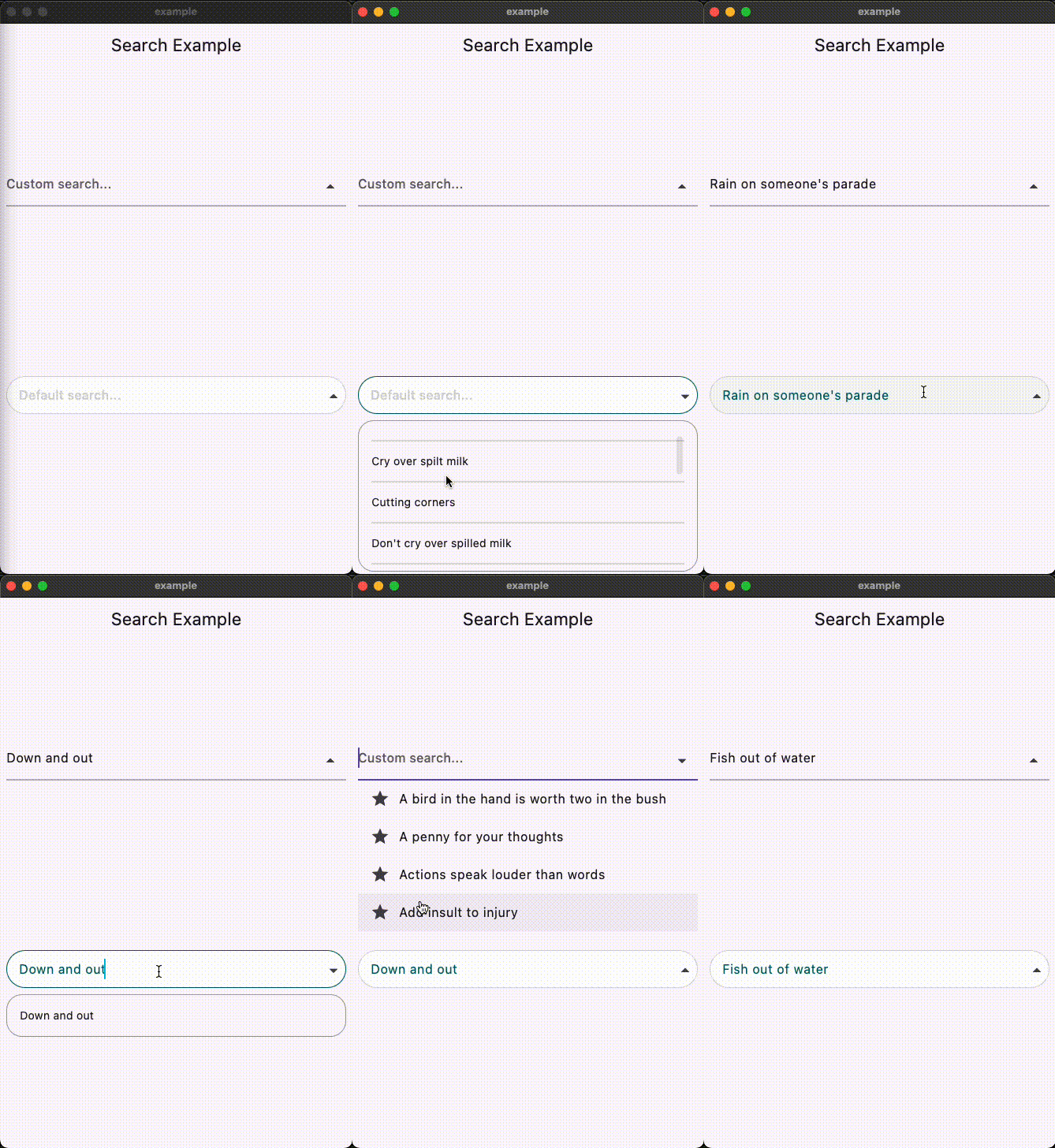

This Flutter package provides a SearchAutocomplete widget for implementing autocomplete functionality with a dropdown menu. The package offers extensive customization options for the search field, dropdown items, and includes hooks for search logic.
To use this package, add search_autocomplete as a dependency in your pubspec.yaml file:
dependencies:
  search_autocomplete: ^1.0.3
Here's a simple example demonstrating how to use the SearchAutocomplete widget:
SearchAutocomplete<String>(
  options: state.filteredItems, // Like: ['Apple', 'Banana', 'Orange'],
  initValue: state.currentItem, // Like: 'Apple',
  getString: (item) => item,
  onSearch: (query) {
    // Call your Bloc/Cubit/Provider method to filter options based on the query
    context.read<SearchCubit>().search(query);
  },
  onSelected: (item) {
    // Update your Bloc/Cubit/Provider state when an item is selected
    context.read<SearchCubit>().select(item);
  },
  hintText: 'Search fruits...',
)
You can customize both the search field and dropdown items appearance using provided builders:
SearchAutocomplete<String>(
  options: state.filteredItems,
  initValue: state.currentItem,
  getString: (item) => item,

  onSearch: (query) {
    context.read<SearchCubit>().search(query);
  },

  onSelected: (item) {
    context.read<SearchCubit>().select(item);
  },

  fieldBuilder: (controller, onFieldTap, showDropdown, onPressed) {
    return TextFormField(
      controller: controller,
      onTap: onFieldTap,
      decoration: InputDecoration(
        hintText: 'Custom search...',
        suffixIcon: IconButton(
          icon: Icon(
            showDropdown ? Icons.arrow_drop_up : Icons.arrow_drop_down,
          ),
          onPressed: () => onPressed(showDropdown),
        ),
      ),
    );
  },

  dropDownBuilder: (options, onSelected, controller) {
    return ListView.builder(
      itemCount: options.length,
      itemBuilder: (context, index) {
        final option = options[index];
        return ListTile(
          leading: Icon(Icons.star),
          title: Text(option),
          onTap: () => onSelected(option),
        );
      },
    );
  },

  emptyDropDown: (controller, close) {
    return Center(child: Text('No results found.'));
  },
)
This package is licensed under the MIT License. See the LICENSE.md file for details.
의존성 목록 3 개
{"sdk":"flutter"}{"sdk":"flutter"}^4.0.0사용 목적에 따라 검색하고 개발 활동을 비교한 뒤 원본 저장소에서 요구 사항을 확인하세요.
“A repository is the most basic element of GitHub.”
GitHub Docs — About repositories ↗