

 v1.4.2
json_editor_flutter
이 패키지를 사용하여 JSON 객체를 편집하세요. 이 사용자 친화적인 위젯을 사용하여 개체를 만들고 삭제하세요.
31좋아요 3.6천30일 다운로드150Pub 점수
AndroidiOSWebmacOSWindowsLinux
JSON 객체를 편집하기 위한 사용자 친화적인 위젯입니다.

아래는 영문 원문 스냅샷입니다. 최신 내용은 GitHub에서 확인하세요.
Edit your JSON object with this package. Create, edit and format objects using this user friendly widget.
See the sample below for an example.
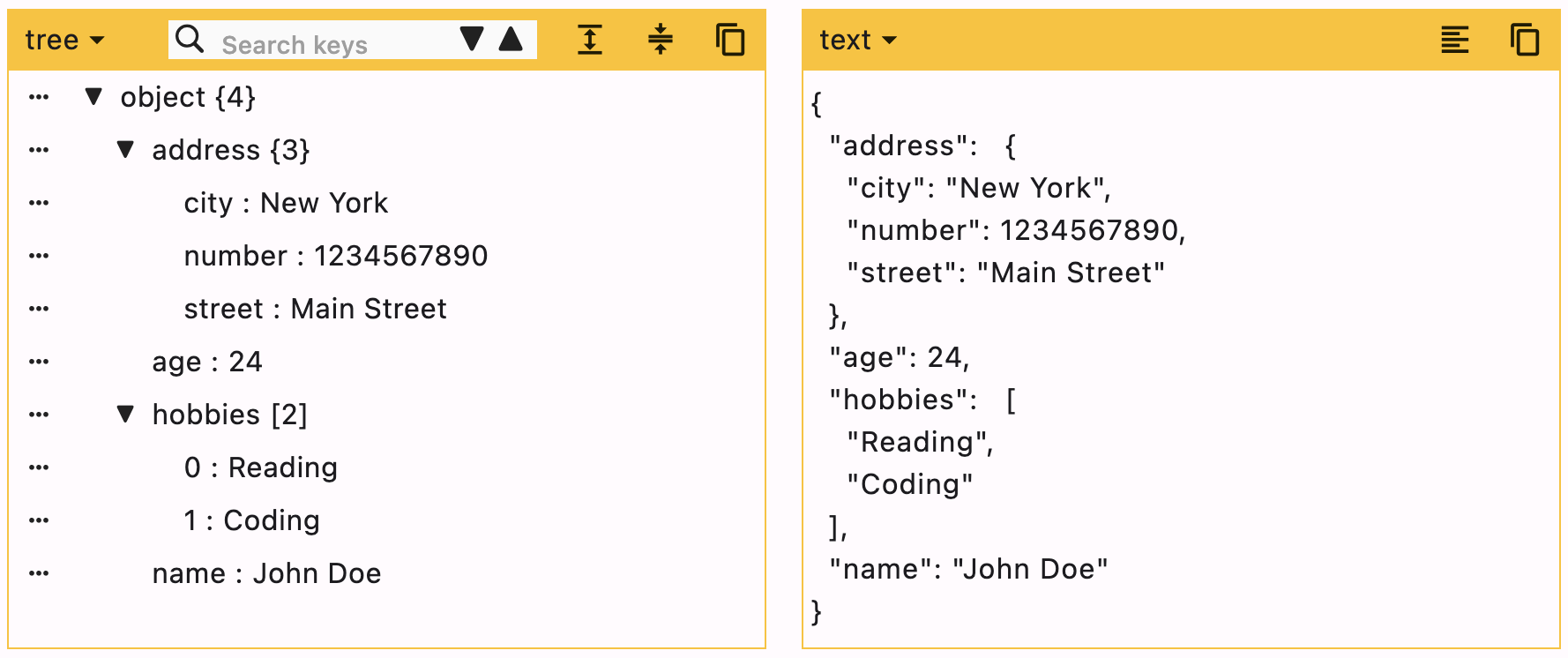
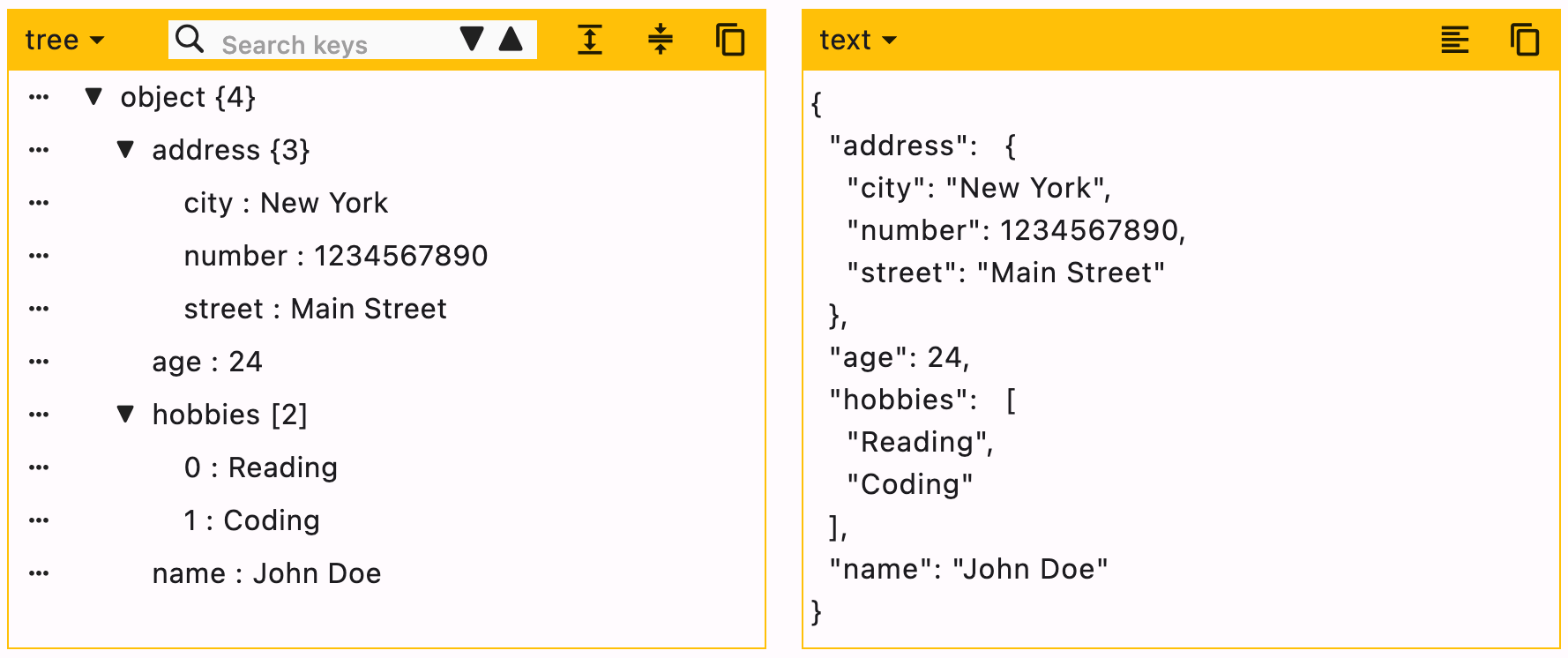
flutter pub add json_editor_flutter.import 'package:json_editor_flutter/json_editor_flutter.dart';.JSON can be edited in two ways, Tree editor or text editor. You can disable either of them.
When UI editor is active, you can disable adding/deleting keys by using enableMoreOptions. Editing keys and values can also be disabled by using enableKeyEdit and enableValueEdit.
When text editor is active, it will simply ignore enableMoreOptions, enableKeyEdit and enableValueEdit.
duration is the debounce time for onChanged function. Defaults to 500 milliseconds.
editors is the supported list of editors. First element will be used as default editor. Defaults to [Editors.tree, Editors.text].
JsonEditor(
  onChanged: (value) {
    // Do something
  },
  json: jsonEncode({
    "name": "John Doe",
    "age": 24,
    "hobbies": ["Reading", "Coding"],
    "address": {
      "street": "Main Street",
      "number": 1234567890,
      "city": "New York"
    }
  }),
)
Supported editors for JSON Editor.
enum Editors { tree, text }
[expandedObjects] refers to the objects that will be expanded by default. Index can be provided when the data is a List.
data = {
  "hobbies": ["Reading books", "Playing Cricket"],
  "education": [
    {"name": "Bachelor of Engineering", "marks": 75},
    {"name": "Master of Engineering", "marks": 72},
  ],
}
For the given data
["education"]["hobbies", "education"][["education", 0]]JsonEditor(
expandedObjects: const [
"hobbies",
["education", 0] // expands nested object in `education`
],
onChanged: (_) {},
json: jsonEncode(data),
)
| Property | Type | Default Value | Description |
|---|---|---|---|
| json | String | required | JSON object to be edited |
| onChanged | Function | required | Callback function that will be called with the new data |
| duration | Duration | 500 ms | Debounce duration for onChanged function |
| enableMoreOptions | bool | true | Enables more options like adding or deleting data |
| enableKeyEdit | bool | true | Enables editing of keys |
| enableValueEdit | bool | true | Enables editing of values |
| themeColor | Color? | null | Theme color for the editor, changes the border color and header color |
| editors | List | [tree, text] | List of supported editors, first element will be used as default editor |
| actions | List<Widget> | [] | A list of Widgets to display in a row at the end of header |
| enableHorizontalScroll | bool | false | Enables horizontal scroll for the tree view |
| searchDuration | Duration | 500 ms | Debounce duration for search function |
| hideEditorsMenuButton | bool | false | Hides the option of changing editor |
| expandedObjects | List | [] | List of objects to expand by default |
You can raise an issue/feature request on github Json Editor Issues
Please leave a like if you find this package useful. :+1:
의존성 목록 3 개
{"sdk":"flutter"}{"sdk":"flutter"}^2.0.0사용 목적에 따라 검색하고 개발 활동을 비교한 뒤 원본 저장소에서 요구 사항을 확인하세요.
“A repository is the most basic element of GitHub.”
GitHub Docs — About repositories ↗