패키지, 저장소 및 앱 카테고리 검색

json_editor_flutter 표지
패키지 상세v1.4.2

json_editor_flutter

이 패키지를 사용하여 JSON 객체를 편집하세요. 이 사용자 친화적인 위젯을 사용하여 개체를 만들고 삭제하세요.

AndroidiOSWebmacOSWindowsLinux
30일 다운로드
3.6천
좋아요
31
Pub 점수
150

패키지 설치

flutter pub add json_editor_flutter

패키지 개요

공개 정보를 바탕으로 생성한 선택 가이드입니다.

json_editor_flutter는 앱 내에서 JSON 객체를 상호작용적으로 편집할 수 있도록 해주는 사용자 친화적인 Flutter 패키지입니다. JSON 키와 값을 생성하고 수정하며 삭제할 수 있는 깔끔하고 직관적인 인터페이스를 제공합니다. 실시간 검증과 중첩된 객체 조작을 지원하여 UI에서 직접 JSON 데이터를 다뤄야 하는 개발자에게 이상적입니다. 모든 주요 플랫폼을 지원하며, 동적 JSON 입력이 필요한 Flutter 애플리케이션에 원활하게 통합됩니다.

사용 사례

  • 구성 파일 편집
  • API 응답 디버깅
  • 폼 빌더 만들기
  • JSON 스키마 편집기 만들기
  • 프로토타이핑 데이터 구조

주요 기능

  • 인터랙티브한 JSON 트리 뷰
  • 실시간 검증
  • 중첩된 객체 지원
  • 크로스 플랫폼 호환성
  • Flutter 폼과의 간편한 통합

적합한 대상

  • 관리 패널을 구축하는 개발자
  • JSON 입력이 필요한 앱 제작자
  • JSON 학습을 위한 교육 도구
  • API 테스트 및 디버깅 도구

고려 사항

  • 복잡한 레이아웃을 위해 사용자 정의 스타일링이 필요할 수 있습니다
  • 기본 JSON 작업에 한정
  • 매우 큰 JSON 파일에 최적화되지 않음
  • 내장된 내보내기/가져오기 기능 없음

원본 README

연결된 소스 저장소의 README 원문 스냅샷입니다. 최신 내용은 저장소에서 확인하세요.

JsonEditor class

Edit your JSON object with this package. Create, edit and format objects using this user friendly widget.

See the sample below for an example.

JsonEditor Live Demo

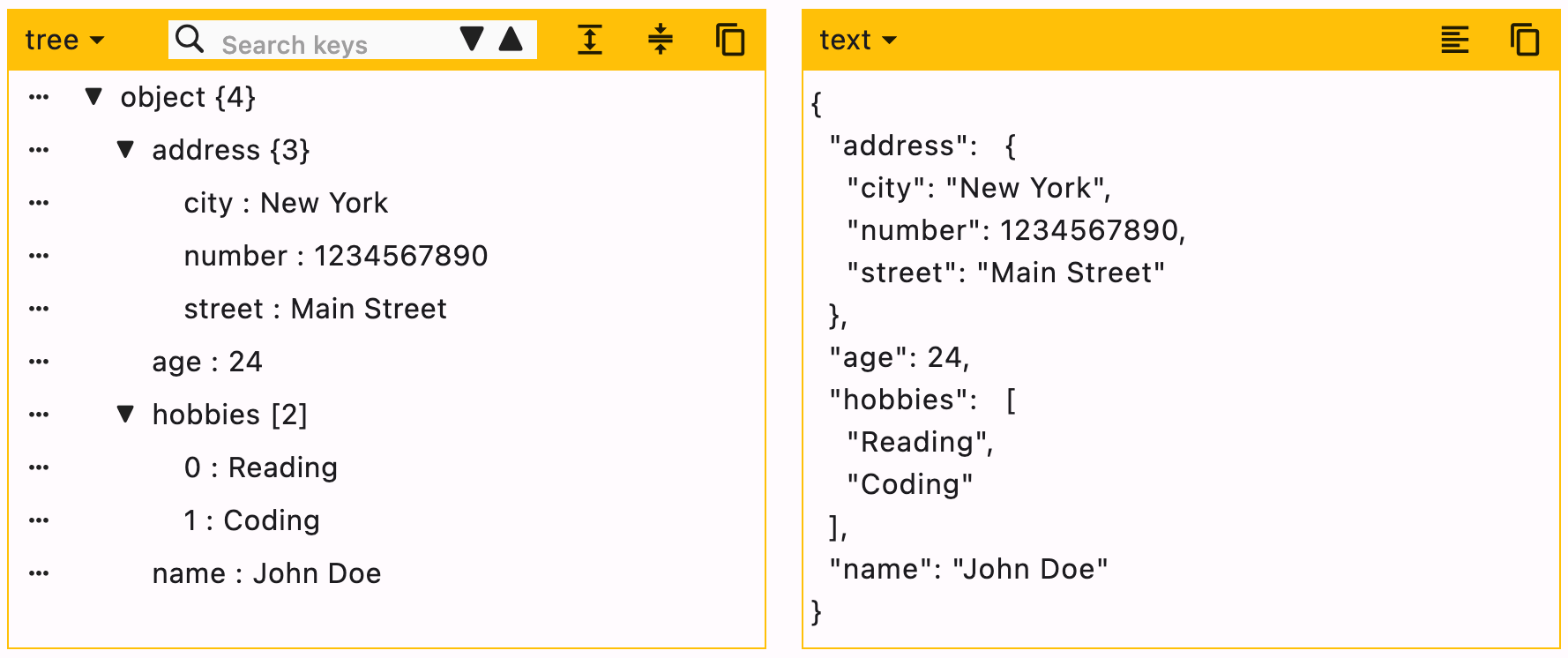
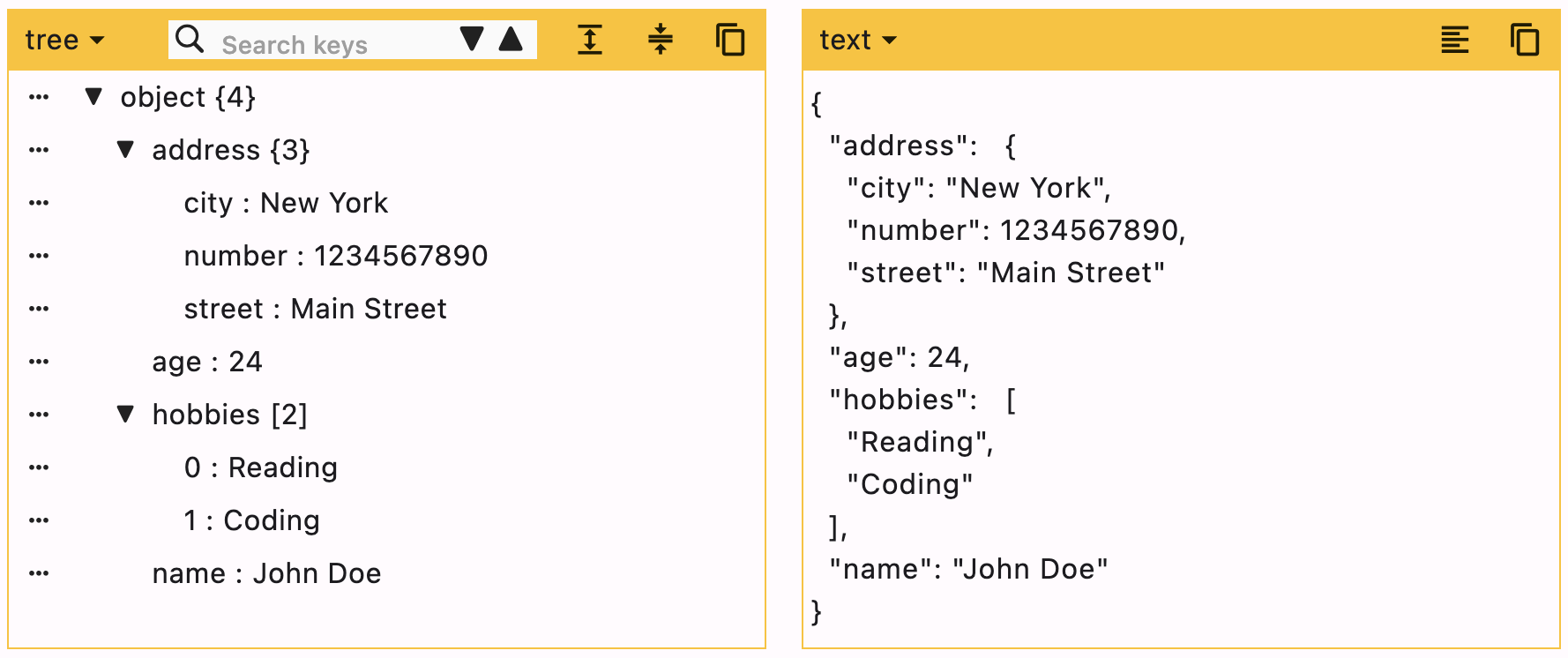
Screenshot

JsonEditor

Getting started

  • Add the package in your flutter project. Run this command in terminal flutter pub add json_editor_flutter.
  • Import the package import 'package:json_editor_flutter/json_editor_flutter.dart';.

Using JsonEditor

JSON can be edited in two ways, Tree editor or text editor. You can disable either of them.

When UI editor is active, you can disable adding/deleting keys by using enableMoreOptions. Editing keys and values can also be disabled by using enableKeyEdit and enableValueEdit.

When text editor is active, it will simply ignore enableMoreOptions, enableKeyEdit and enableValueEdit.

duration is the debounce time for onChanged function. Defaults to 500 milliseconds.

editors is the supported list of editors. First element will be used as default editor. Defaults to [Editors.tree, Editors.text].

Example

JsonEditor(
  onChanged: (value) {
    // Do something
  },
  json: jsonEncode({
    "name": "John Doe",
    "age": 24,
    "hobbies": ["Reading", "Coding"],
    "address": {
      "street": "Main Street",
      "number": 1234567890,
      "city": "New York"
    }
  }),
)

Enums

Supported editors for JSON Editor.

enum  Editors { tree, text }

Customization

expandedObjects

[expandedObjects] refers to the objects that will be expanded by default. Index can be provided when the data is a List.

data = {
  "hobbies": ["Reading books", "Playing Cricket"],
  "education": [
    {"name": "Bachelor of Engineering", "marks": 75},
    {"name": "Master of Engineering", "marks": 72},
  ],
}

For the given data

  1. To expand education pass => ["education"]
  2. To expand hobbies and education pass => ["hobbies", "education"]
  3. To expand the first element (index 0) of education list, this means we need to expand education too. In this case you need not to pass "education" separately. Just pass a list of all nested objects => [["education", 0]]
JsonEditor(
  expandedObjects: const [
    "hobbies",
    ["education", 0] // expands nested object in `education`
  ],
  onChanged: (_) {},
  json: jsonEncode(data),
)

Properties

Property Type Default Value Description
json String required JSON object to be edited
onChanged Function required Callback function that will be called with the new data
duration Duration 500 ms Debounce duration for onChanged function
enableMoreOptions bool true Enables more options like adding or deleting data
enableKeyEdit bool true Enables editing of keys
enableValueEdit bool true Enables editing of values
themeColor Color? null Theme color for the editor, changes the border color and header color
editors List [tree, text] List of supported editors, first element will be used as default editor
actions List<Widget> [] A list of Widgets to display in a row at the end of header
enableHorizontalScroll bool false Enables horizontal scroll for the tree view
searchDuration Duration 500 ms Debounce duration for search function
hideEditorsMenuButton bool false Hides the option of changing editor
expandedObjects List [] List of objects to expand by default

Additional information

You can raise an issue/feature request on github Json Editor Issues


Please leave a like if you find this package useful. :+1:

카테고리

소스 저장소

이 패키지를 사용하는 프로젝트

아직 데이터가 없습니다.