

v1.1.0
animated_stream_list
Stream에서의 변경 사항을 애니메이션으로 쉽게 표시할 수 있는 Flutter 라이브러리입니다. 애니메이션이 있는 StreamBuilder + ListView.Builder와 유사합니다.
33좋아요 13930일 다운로드30Pub 점수
플랫폼 정보 없음
애니메이션 전환을 사용하여 목록을 쉽게 표시할 수 있는 dart 패키지

아래는 영문 원문 스냅샷입니다. 최신 내용은 GitHub에서 확인하세요.


A Flutter library to easily display a list with animated changes from a Stream<List<E>>.
It's like StreamBuilder + ListView.Builder with animations.
Taken inspiration from the Animated List Sample and Java-diff-utils
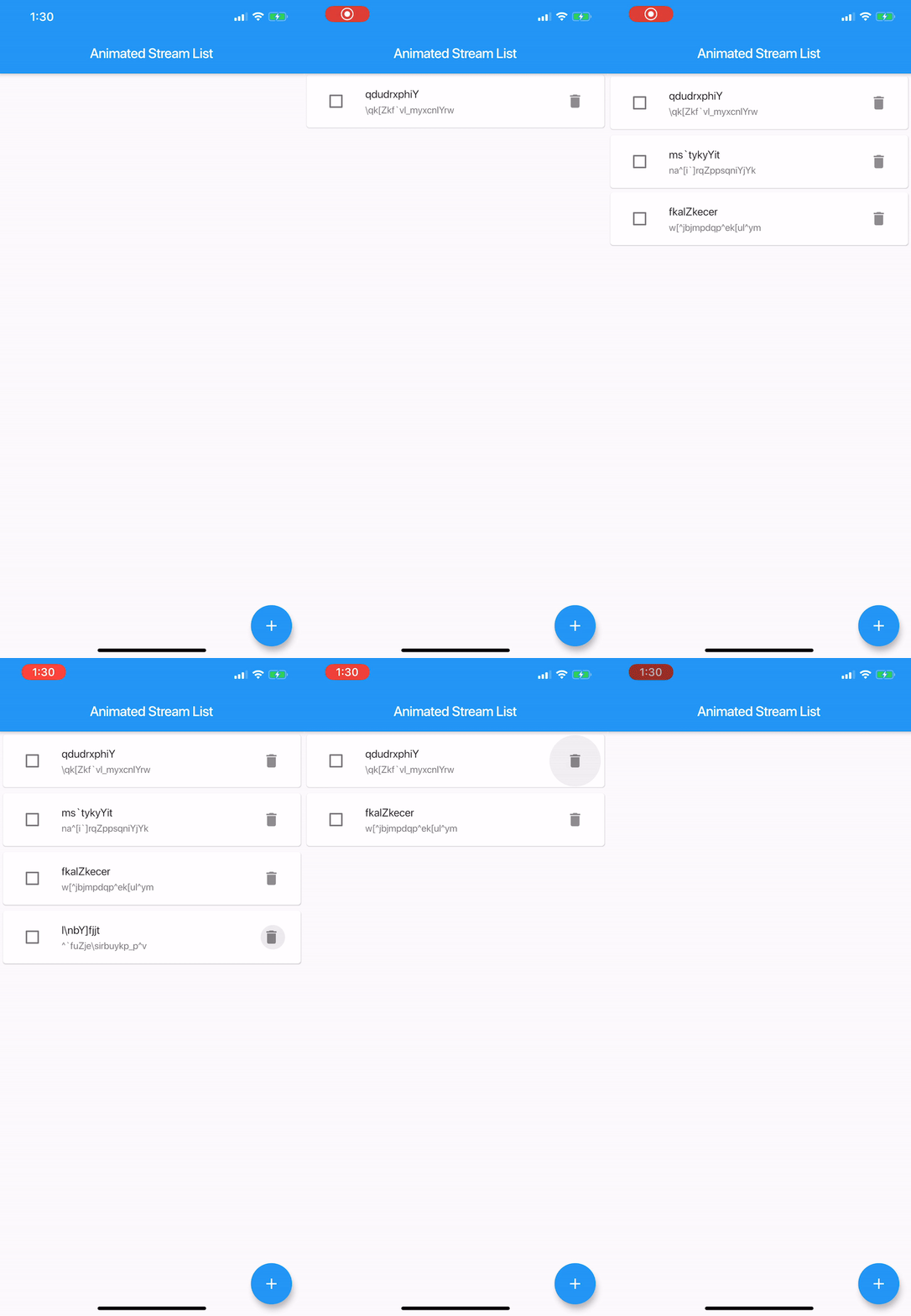
pubspec.yamldependencies:
animated_stream_list: ^1.1.0
import 'package:animated_stream_list/animated_stream_list.dart';
@required Stream<List<E>> streamList;
@required AnimatedStreamListItemBuilder<E> itemBuilder;
@required AnimatedStreamListItemBuilder<E> itemRemovedBuilder;
Duration duration;
AnimatedStreamListItemBuilder<T> is just a function which builds a tile
typedef Widget AnimatedStreamListItemBuilder<T>(
  T item,
  int index,
  BuildContext context,
  Animation<double> animation,
);
// create tile view as the user is going to see it, attach any onClick callbacks etc.
Widget _createTile(String item, Animation<double> animation) {
 return SizeTransition(
    axis: Axis.vertical,
    sizeFactor: animation,
    child: const Text(item),
  );
}

// what is going to be shown as the tile is being removed, usually same as above but without any
// onClick callbacks as, most likely, you don't want the user to interact with a removed view
Widget _createRemovedTile(String item, Animation<double> animation) {
 return SizeTransition(
    axis: Axis.vertical,
    sizeFactor: animation,
    child: const Text(item),
  );
}

final Stream<List<String>> list = // get list from some source, like BLOC
final animatedView = AnimatedStreamList<String>(
  streamList: list,
  itemBuilder: (String item, int index, BuildContext context, Animation<double> animation) =>
    _createTile(item, animation),
  itemRemovedBuilder: (String item, int index, BuildContext context, Animation<double> animation) =>
    _createRemovedTile(item, animation),
  );
}
List<E> initialList;
Initial list
Equalizer equals;
Compares items for equality, by default it uses the == operator, it's critical this works properly.
Equalizer is function, that, given two items of the same type, returns true if they are equal, false otherwise
typedef bool Equalizer(dynamic item1, dynamic item2);
You can check the Animated List Documentation for the rest:
Axis scrollDirection;
bool reverse;
ScrollController scrollController;
bool primary;
ScrollPhysics scrollPhysics;
bool shrinkWrap;
EdgeInsetsGeometry padding;
This amazing package was originally created by Dawid Bota over here. I have taken over the development with his blessing and all tracking will be done on this repo moving forward.
의존성 목록 6 개
{"sdk":"flutter"}{"sdk":"flutter"}^1.1.6^1.0.5>=2.0.0 <3.0.0^4.1.1사용 목적에 따라 검색하고 개발 활동을 비교한 뒤 원본 저장소에서 요구 사항을 확인하세요.
“A repository is the most basic element of GitHub.”
GitHub Docs — About repositories ↗