
 v4.0.1
screen_loader
상태나 네비게이션 스택을 사용하지 않고 화면의 로딩을 처리할 수 있는 사용하기 쉬운 믹스인입니다. 로딩도 맞춤 설정할 수 있습니다.
50좋아요 1.6천30일 다운로드150Pub 점수
AndroidiOSWebmacOSWindowsLinux
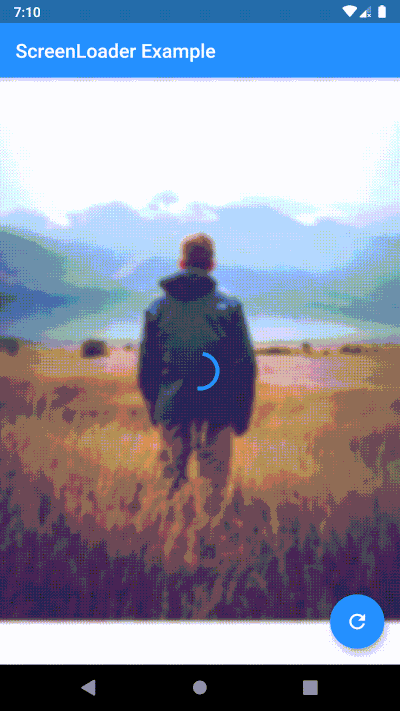
화면의 로딩을 처리하는 사용하기 쉬운 믹스인 ScreenLoader입니다. 로딩을 맞춤 설정할 수도 있으며, 아래에서 그 방법을 확인하세요.

의존성 목록 3 개
{"sdk":"flutter"}^3.0.4{"sdk":"flutter"}아래는 영문 원문 스냅샷입니다. 최신 내용은 GitHub에서 확인하세요.
stream_mixin, it shows and hides the loader without updating the state of the widget which increases the performanceScreenLoader mixin and wrap the widget with loadableWidgetScreenLoader mixinloadableWidgetperformFuture function to show loader while your future is being performedSimply overide loader() method
loader() {
    // here any widget would do
    return AlertDialog(
        title: Text('Wait.. Loading data..'),
    );
}
void main() {
  configScreenLoader(
    loader: AlertDialog(
      title: Text('Gobal Loader..'),
    ),
    bgBlur: 20.0,
  );
  runApp(MyApp());
}
configScreenLoader. Note: if you don't override local(), this loader will be usedScreenLoaderApp widget is removed. Now no need to wrap your App around any widget just to set the global configurations. Instead call configScreenLoader() before runApp()-void main() => runApp(MyApp());
+void main() {
+ configScreenLoader(
+ loader: AlertDialog(
+ title: Text('Gobal Loader..'),
+ ),
+ bgBlur: 20.0,
+ );
+ runApp(MyApp());
+}
class MyApp extends StatelessWidget {
@override
Widget build(BuildContext context) {
- return ScreenLoaderApp(
- app: MaterialApp(
- debugShowCheckedModeBanner: false,
- title: 'Screen Loader',
- theme: ThemeData(
- primarySwatch: Colors.blue,
- ),
- home: Screen(),
- ),
- globalLoader: AlertDialog(
- title: Text('Gobal Loader..'),
+ return MaterialApp(
+ debugShowCheckedModeBanner: false,
+ title: 'Screen Loader',
+ theme: ThemeData(
+ primarySwatch: Colors.blue,
),
- globalLoadingBgBlur: 20.0,
+ home: Screen(),
);
}
}
build function with screen use the build function itself and wrap the widget you want to show loader on with the loadableWidget.
-class _ScreenState extends State<Screen> with ScreenLoader<Screen> {
+class _ScreenState extends State<Screen> with ScreenLoader {
   @override
   loader() {
     return AlertDialog(
@@ -49,17 +51,19 @@ class _ScreenState extends State<Screen> with ScreenLoader<Screen> {
   }

   @override
-  Widget screen(BuildContext context) {
-    return Scaffold(
-      appBar: AppBar(
-        title: Text('ScreenLoader Example'),
-      ),
-      body: _buildBody(),
-      floatingActionButton: FloatingActionButton(
-        onPressed: () async {
-          await this.performFuture(NetworkService.getData);
-        },
-        child: Icon(Icons.refresh),
+  Widget build(BuildContext context) {
+    return loadableWidget(
+      child: Scaffold(
+        appBar: AppBar(
+          title: Text('ScreenLoader Example'),
+        ),
+        body: _buildBody(),
+        floatingActionButton: FloatingActionButton(
+          onPressed: () async {
+            await this.performFuture(NetworkService.getData);
+          },
+          child: Icon(Icons.refresh),
+        ),
       ),
     );
   }