패키지, 저장소 및 앱 카테고리 검색

screen_loader 표지
패키지 상세v4.0.1

screen_loader

상태나 네비게이션 스택을 사용하지 않고 화면의 로딩을 처리할 수 있는 사용하기 쉬운 믹스인입니다. 로딩도 맞춤 설정할 수 있습니다.

AndroidiOSWebmacOSWindowsLinux
30일 다운로드
1.5천
좋아요
50
Pub 점수
150

패키지 설치

flutter pub add screen_loader

패키지 개요

공개 정보를 바탕으로 생성한 선택 가이드입니다.

ScreenLoader는 명시적인 상태 관리나 네비게이션 스택 조작 없이 화면 내 로딩 상태를 관리할 수 있도록 간단한 믹스인을 제공하는 Flutter/Dart 패키지입니다. 최소한의 보일러플레이트로 여러 화면에서 로딩 인디케이터를 표시하고 제어할 수 있습니다. 로딩 UI의 커스터마이징을 지원하여 다양한 디자인 요구에 적응 가능합니다. 여러 위젯에서 일관되고 재사용 가능한 로딩 경험을 필요로 하는 앱에 이상적입니다.

사용 사례

  • 비동기 작업 중 로딩 오버레이 표시
  • 양식 내 로딩 상태 관리 간소화
  • API 호출에 로딩 표시기 추가하기
  • 재사용 가능한 로딩 컴포넌트 만들기
  • 부드러운 로딩 전환을 통한 사용자 경험 향상
  • 화면 수준의 로딩 로직에서 반복 코드 줄이기

주요 기능

  • 믹신 기반 로딩 구현
  • 사용자 정의 가능한 로딩 UI
  • 상태 관리 필요 없음
  • 모든 플랫폼에서 작동합니다
  • 최소한의 설정 필요
  • 비동기 작업 처리를 지원합니다

적합한 대상

  • 경량 로딩 솔루션을 찾는 개발자
  • 최소 상태 관리 사용 팀
  • 자주 비동기 데이터 가져오기하는 앱
  • 일관된 로더가 필요한 UI 중심 애플리케이션
  • Flutter 초보자가 로딩 패턴 탐색 중
  • 다양한 장치를 대상으로 하는 크로스 플랫폼 앱

고려 사항

  • 기본 로딩 기능에 제한됨
  • 비동기 워크플로우와 수동 통합이 필요합니다
  • 복잡한 로딩 상태에 적합하지 않습니다
  • 맞춤형 디자인을 위해 추가 스타일링이 필요할 수 있습니다
  • 올바른 위젯 트리 구조에 의존
  • 기본적으로 오류 상태를 처리하지 않습니다

원본 README

연결된 소스 저장소의 README 원문 스냅샷입니다. 최신 내용은 저장소에서 확인하세요.

screen_loader

Why ScreenLoader?

  1. With the help of stream_mixin, it shows and hides the loader without updating the state of the widget which increases the performance
  2. It does not push any sort of widget to navigation stack, this helps in not messing up the navigation stack and context
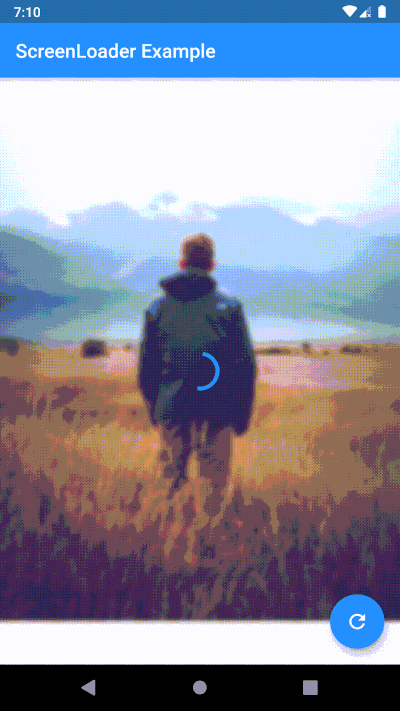
  3. Easy to use, just use your screen with ScreenLoader mixin and wrap the widget with loadableWidget
  4. The loader is customizable. You can use any widget as a loader
  5. You can configure same loader for all the screens at once
  6. You can also configure different loader for different screens

Basic usage

  1. Use your screen with the ScreenLoader mixin
  2. Wrap the widget with loadableWidget
  3. Use performFuture function to show loader while your future is being performed

Configure different loader for individual screen

Simply overide loader() method

loader() {
    // here any widget would do
    return AlertDialog(
        title: Text('Wait.. Loading data..'),
    );
}

Configure the loader for all screens at once

void main() {
  configScreenLoader(
    loader: AlertDialog(
      title: Text('Gobal Loader..'),
    ),
    bgBlur: 20.0,
  );
  runApp(MyApp());
}

Priority of loaders (highest first)

  • Local loader: the one you override in your widget
  • Global loader: the one you specify in configScreenLoader. Note: if you don't override local(), this loader will be used
  • Default loader: if you don't specify global loader or override local loader, this loader will be used

Migration guide to 4.0.0

  1. ScreenLoaderApp widget is removed. Now no need to wrap your App around any widget just to set the global configurations. Instead call configScreenLoader() before runApp()
-void main() => runApp(MyApp());
+void main() {
+  configScreenLoader(
+    loader: AlertDialog(
+      title: Text('Gobal Loader..'),
+    ),
+    bgBlur: 20.0,
+  );
+  runApp(MyApp());
+}
 
 class MyApp extends StatelessWidget {
   @override
   Widget build(BuildContext context) {
-    return ScreenLoaderApp(
-      app: MaterialApp(
-        debugShowCheckedModeBanner: false,
-        title: 'Screen Loader',
-        theme: ThemeData(
-          primarySwatch: Colors.blue,
-        ),
-        home: Screen(),
-      ),
-      globalLoader: AlertDialog(
-        title: Text('Gobal Loader..'),
+    return MaterialApp(
+      debugShowCheckedModeBanner: false,
+      title: 'Screen Loader',
+      theme: ThemeData(
+        primarySwatch: Colors.blue,
       ),
-      globalLoadingBgBlur: 20.0,
+      home: Screen(),
     );
   }
 }
  1. Instead of replacing the build function with screen use the build function itself and wrap the widget you want to show loader on with the loadableWidget.

-class _ScreenState extends State<Screen> with ScreenLoader<Screen> {
+class _ScreenState extends State<Screen> with ScreenLoader {
   @override
   loader() {
     return AlertDialog(
@@ -49,17 +51,19 @@ class _ScreenState extends State<Screen> with ScreenLoader<Screen> {
   }
 
   @override
-  Widget screen(BuildContext context) {
-    return Scaffold(
-      appBar: AppBar(
-        title: Text('ScreenLoader Example'),
-      ),
-      body: _buildBody(),
-      floatingActionButton: FloatingActionButton(
-        onPressed: () async {
-          await this.performFuture(NetworkService.getData);
-        },
-        child: Icon(Icons.refresh),
+  Widget build(BuildContext context) {
+    return loadableWidget(
+      child: Scaffold(
+        appBar: AppBar(
+          title: Text('ScreenLoader Example'),
+        ),
+        body: _buildBody(),
+        floatingActionButton: FloatingActionButton(
+          onPressed: () async {
+            await this.performFuture(NetworkService.getData);
+          },
+          child: Icon(Icons.refresh),
+        ),
       ),
     );
   }

PS
  • PRs are welcome
  • Please raise issues on https://github.com/arnold-parge/screen_loader.
  • Open for suggestions ❤️

카테고리

의존성

의존성 목록 1 개

소스 저장소

이 패키지를 사용하는 프로젝트

아직 데이터가 없습니다.