

 v5.0.1
material_segmented_control
iOS용 세그먼트 컨트롤과 유사하지만, Material 디자인을 사용합니다.
103좋아요 1.1만30일 다운로드150Pub 점수
AndroidiOSWebmacOSWindowsLinux
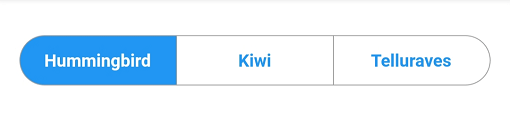
전체 동작 및 디자인을 제어할 수 있는 매터리얼 스타일의 세그먼트 컨트롤.

아래는 영문 원문 스냅샷입니다. 최신 내용은 GitHub에서 확인하세요.
A material segmented control like the one for iOS, in Material style.

We all know well the Cupertino segmented widget in Flutter. But there is no similar in Material, so I thought, why not to create one.
You can check it out on pub.dev: (see package on pub.dev)
In your pubspec.yaml, add
dependencies:
    material_segmented_control: ^5.0.1
Wherever you want to use this widget, import
import 'package:material_segmented_control/material_segmented_control.dart';
int _currentSelection = 0;

MaterialSegmentedControl(
    children: _children,
    selectionIndex: _currentSelection,
    borderColor: Colors.grey,
    selectedColor: Colors.redAccent,
    unselectedColor: Colors.white,
    selectedTextStyle: TextStyle(color: Colors.white),
    unselectedTextStyle: TextStyle(color: Colors.redAccent),
    borderWidth: 0.7,
    borderRadius: 32.0,
    disabledChildren: [3],
    onSegmentTapped: (index) {
      setState(() {
        _currentSelection = index;
      });
    },
);

Map<int, Widget> _children = {
  0: Text('Hummingbird'),
  1: Text('Kiwi'),
  2: Text('Rio'),
  3: Text('Telluraves')
};
selectionIndex to null. It un-selects all options.onPressed to null on a button) by setting disabledChildren. Give it a list with all indices that should be disabled. Give it either null or an empty list to not use the disabled feature.You might want to check out the example project.
의존성 목록 3 개
{"sdk":"flutter"}{"sdk":"flutter"}^2.0.1사용 목적에 따라 검색하고 개발 활동을 비교한 뒤 원본 저장소에서 요구 사항을 확인하세요.
“A repository is the most basic element of GitHub.”
GitHub Docs — About repositories ↗