
 v2.4.0
circular_bottom_navigation
원형 하단 탐색(또는 탭 바일 수 있음)
222좋아요 28030일 다운로드130Pub 점수
AndroidiOSWebmacOSWindowsLinux
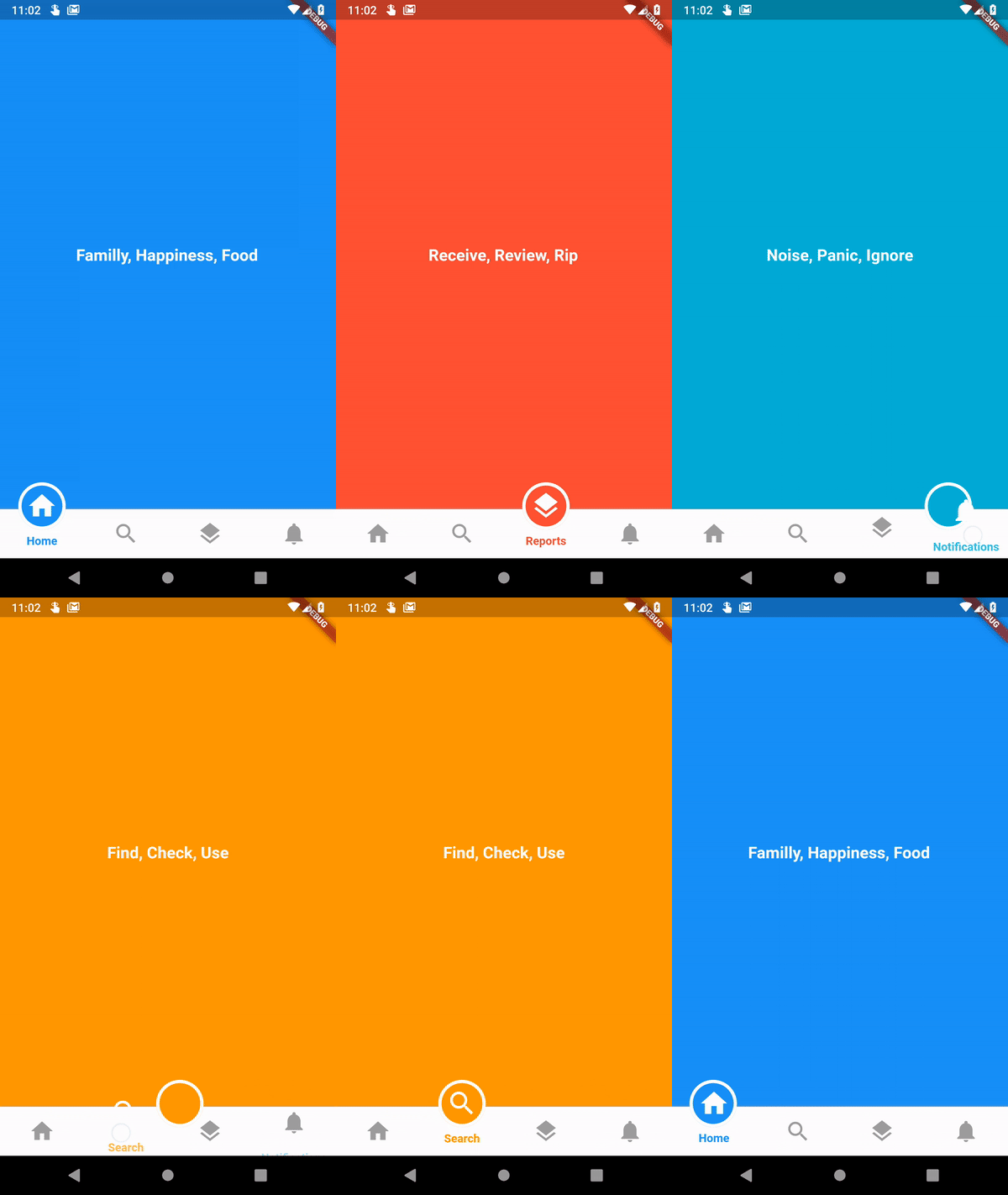
순환형 하단 탐색은 원형 인디케이터와 멋진 애니메이션을 갖춘 플러터용 하단 탐색 라이브러리입니다。

{"sdk":"flutter"}^3.0.1{"sdk":"flutter"}아래는 영문 원문 스냅샷입니다. 최신 내용은 GitHub에서 확인하세요.
This is implementation of an artwork in Uplabs
https://github.com/benyaminbeyzaie/circular_bottom_navigation/raw/master/repo_files/images/demo.gifimport 'package:circular_bottom_navigation/circular_bottom_navigation.dart';
import 'package:circular_bottom_navigation/tab_item.dart';
List<TabItem> tabItems = List.of([
    TabItem(Icons.home, "Home", Colors.blue, labelStyle: TextStyle(fontWeight: FontWeight.normal)),
    TabItem(Icons.search, "Search", Colors.orange, labelStyle: TextStyle(color: Colors.red, fontWeight: FontWeight.bold)),
    TabItem(Icons.layers, "Reports", Colors.red, circleStrokeColor: Colors.black),
    TabItem(Icons.notifications, "Notifications", Colors.cyan),
  ]);
CircularBottomNavigation(
      tabItems,
      selectedCallback: (int selectedPos) {
        print("clicked on $selectedPos");
      },
    )
CircularBottomNavigation supports RTL designs, If you wrap your widget in a Directionality widget and set the textDirection property you can customize the direction:
MaterialApp(
  title: 'Circular Bottom Navigation Demo',
  theme: ThemeData(
    primarySwatch: Colors.blue,
  ),
  home: Directionality(
    // use this property to change direction in whole app
    // CircularBottomNavigation will act accordingly
    textDirection: TextDirection.rtl,
    child: MyHomePage(title: 'circular_bottom_navigation'),
  ),
);
With this controller you can read the current tab position, and set a tab position on widget (without needing to rebuild the tree) with the widget built in animation.
Just create a new instance of controller
CircularBottomNavigationController _navigationController =
new CircularBottomNavigationController(selectedPos);
Then pass it in your widget
CircularBottomNavigation(
      tabItems,
      controller: _navigationController,
    );
Now you can write (set new position with animation) and read value from it everywhere you want
// Write a new value
_navigationController.value = 0;

// Read the latest value
int latest = _navigationController.value;