
 v0.16.6
story_view
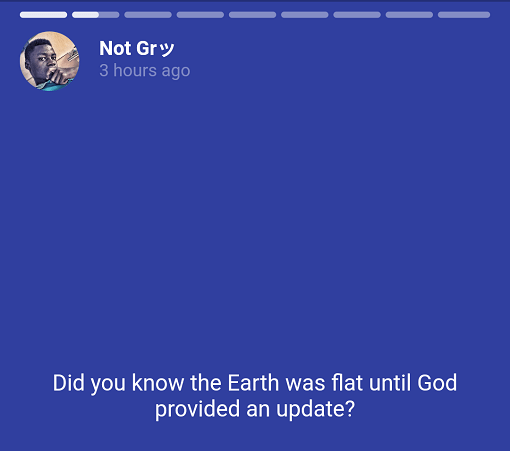
WhatsApp 및 인스타그램처럼 스토리를 표시합니다. 구글 뉴스 앱처럼 ListView 또는 Column 내부에 인라인으로 사용할 수 있습니다. 일시정지, 다음 페이지로 이동, 이전 페이지로 돌아가기 등의 제스처가 포함되어 있습니다.
821좋아요 2만30일 다운로드150Pub 점수
AndroidiOSmacOS
스토리 기능이 있는 앱을 위한 스토리 뷰입니다.

{"sdk":"flutter"}^3.4.1^0.28.0^2.10.0^1.19.1아래는 영문 원문 스냅샷입니다. 최신 내용은 GitHub에서 확인하세요.
Story view for apps with stories.
story_view
https://i.ibb.co/Q8Wtw62/Screenshot-1584263003.png https://i.ibb.co/bz0R9bd/Screenshot-1584263008.png https://i.ibb.co/NrLSbZv/Screenshot-1584263018.png
🍟 Watch video demo here: story_view demo
👨🚀 Demo project here: storyexample
This a Flutter widget to display stories just like Whatsapp and Instagram. Can also be used inline/inside ListView or Column just like Google News app. Comes with gestures to pause, forward and go to previous page.
🕹 Still image, GIF and video support (with caching enabled)
📍 Gesture for pause, rewind and forward
⚜️ Caption for each story item
🎈 Animated progress indicator for each story item
📱 Fullscreen or inline
And useful callback to perform meta functionalities including vertical swipe gestures.
To use this plugin, add story_view as a dependency in your pubspec.yaml file.
Import the package into your code
import "package:story_view/story_view.dart";
Look inside examples/example.dart on how to use this library. You can copy
and paste the code into your main.dart and run to have a quick look.
Use StoryView to add stories to screen or view heirarchy. StoryView requires a list of StoryItem, each of which describes the view to be displayed on each story page, duration and so forth. This gives you the freedom to customize each page of the story.
There are shorthands provided to create common pages.
StoryItem.text is a shorthand to create a story page that displays only text.
StoryItem.pageImage creates a story item to display images with a caption.
StoryItem.inlineImage creates a story item that is intended to be displayed in a linear view hierarchy like List
or Column
🍭 Both
.inlineImageandpageImagesupport animated GIFs.
StoryItem.pageVideo creates a page story item with video media. Just provide your video url and get going.
While images load, it'll be a better experience to pause the stories until it's done. To achieve this effect, create a global instance of StoryController and use the shorthand StoryItem.pageImage or StoryItem.inlineImage while passing the same controller instance to it.
...
final controller = StoryController();

@override
Widget build(context) {
  List<StoryItem> storyItems = [
    StoryItem.text(...),
    StoryItem.pageImage(...),
    StoryItem.pageImage(...),
    StoryItem.pageVideo(
      ...,
      controller: controller,
    )
  ]; // your list of stories

  return StoryView(
    storyItems,
    controller: controller, // pass controller here too
    repeat: true, // should the stories be slid forever
    onStoryShow: (s) {notifyServer(s)},
    onComplete: () {},
    onVerticalSwipeComplete: (direction) {
      if (direction == Direction.down) {
        Navigator.pop(context);
      }
    } // To disable vertical swipe gestures, ignore this parameter.
      // Preferrably for inline story view.
  )
}
🍭 Now, tell your users some stories.
Find docs from here: pub.dev/story_view